
You won’t find this Sales Navigator offer on any public landing page, but it exists.
Most users only get a 30-day trial, but there’s a hidden way to double that time: LinkedIn’s referral system.
If you know someone with an active Sales Navigator account, they can invite you to try the tool for 2 months free.

That’s 60 full days to build laser-focused lead lists, master advanced filters, and send smarter outreach messages.
But getting the extended trial is only step one.
If you’re not strategic with your time, you’ll waste this opportunity.
In this guide, we’ll show you:
- How to get Sales Navigator free for 2 months
- What to do during your Sales Navigator free trial
- Use Evaboot to export your leads
- Considering a paid subscription after your trial
By the end, you’ll know whether Sales Navigator is worth paying for—and you’ll have the leads to prove it.
Let’s dive in.
How to get Sales Navigator free for 2 months
You can obtain an extended 2-month free trial for LinkedIn Sales Navigator through LinkedIn’s referral system.
This is not a publicly advertised offer but rather an incentive provided to existing Sales Navigator users.
Here’s how to leverage this system:
1. Identify Current Sales Navigator Users: Connect with colleagues, industry peers, or professional contacts who are already subscribed to Sales Navigator. Many users are unaware that they possess this referral capability.
2. Request a Referral Link: Ask them to generate and share their unique referral link with you.
They simply need to open their Sales Navigator account, click on their profile icon in the top-right corner, and select “Referrals“.
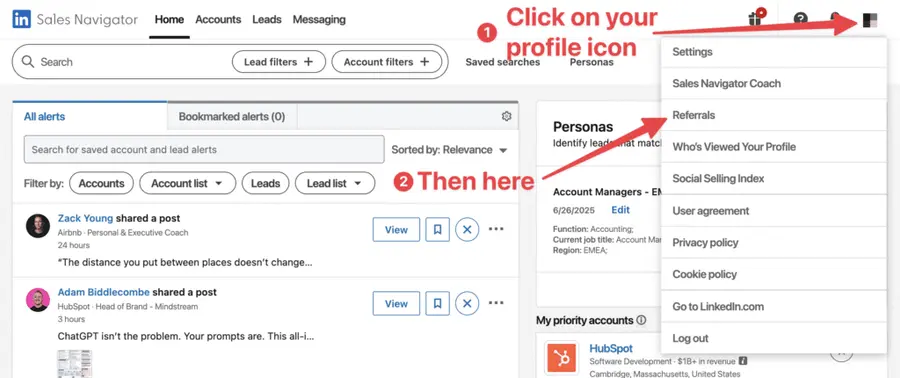
Then, they just have to type your name into the search bar to find your profile and send you their referral link.
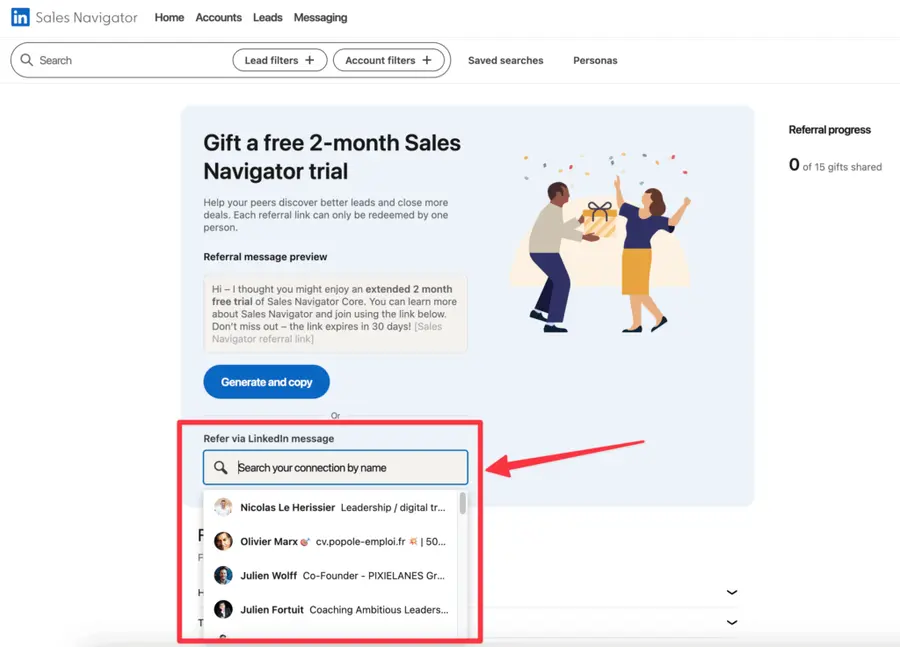
3. Use the Referral Link: Click the provided link and follow the prompts to sign up for your Sales Navigator trial.
This method bypasses the standard trial limitations and grants you double the time to evaluate the platform’s efficacy.
What to Do During Your Sales Navigator Free Trial
An extended trial is only valuable if utilized effectively. Do not let this opportunity pass without concrete action.
Your primary objective is to demonstrate a clear Return on Investment (ROI) to justify a future subscription.
- Define Your Sales Goals
- Master Core Features
- Build Targeted Lead Lists
1. Define Your Sales Goals
Before interacting with the platform, clearly articulate what you aim to achieve. Are you targeting a specific industry, company size, or role? What conversion metrics will you track?
- Specify Target Audience: Define your Ideal Customer Profile (ICP) with precision. This includes industry, company size, geographic location, and job title.
- Set Measurable Objectives: Establish quantifiable goals. For example, “Generate 50 qualified leads,” “Initiate 20 conversations with decision-makers,” or “Identify 10 potential enterprise clients.”
- Determine Key Performance Indicators (KPIs): How will you measure success? Track metrics like connection request acceptance rate, message response rate, and lead-to-opportunity conversion.
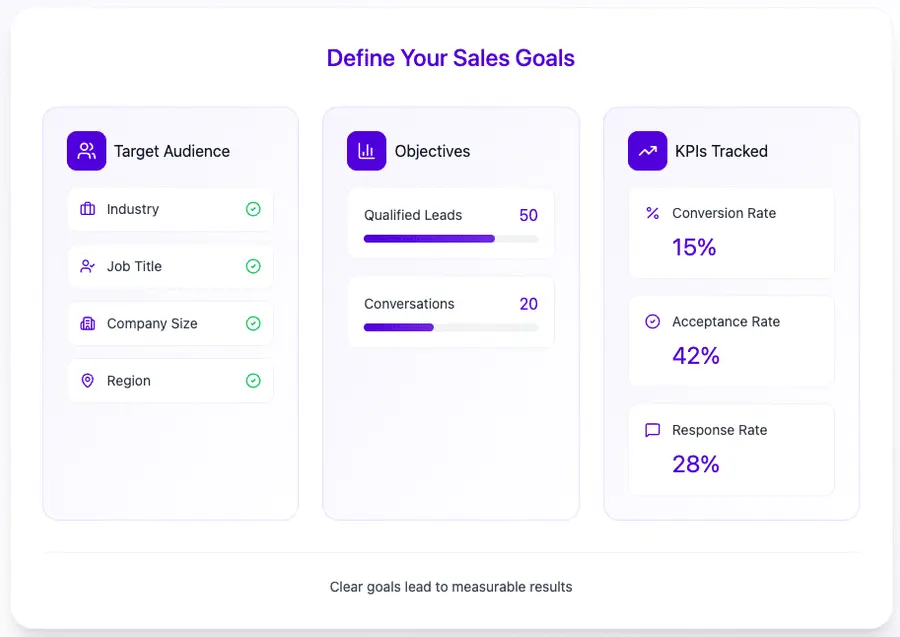
Without clear goals, your trial will lack direction and meaningful outcomes.
2. Master Core Features
Sales Navigator is feature-rich. Do not be overwhelmed; focus on the functionalities directly relevant to your objectives.
- Advanced Lead and Account Search: Understand how to apply intricate filters to pinpoint your exact targets. Experiment with Sales Navigator boolean search operators for precision.
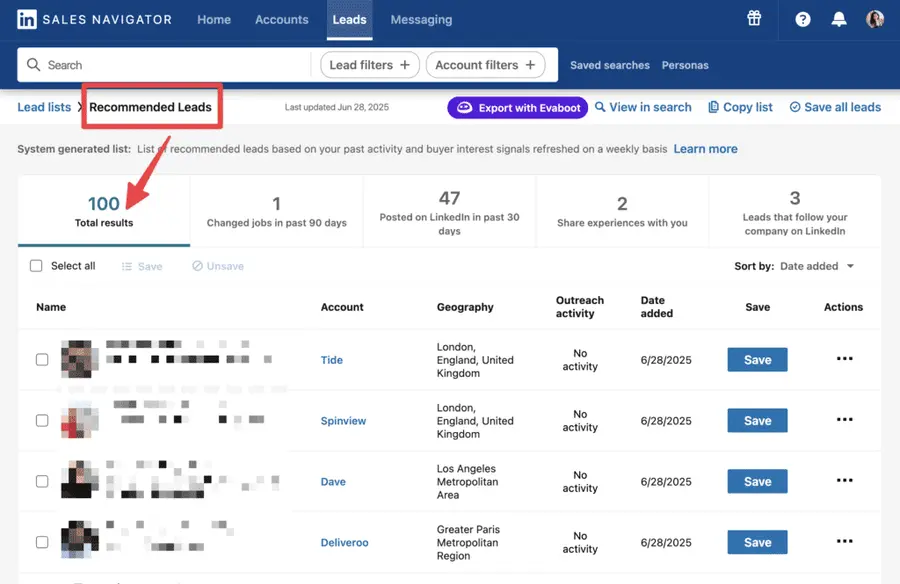
- Lead Recommendations: Leverage LinkedIn’s algorithm to discover new recommended leads in your Sales Navigator account, similar to those you’ve already saved or interacted with.
- InMail Messaging: Use your LinkedIn InMail credits judiciously. Craft compelling, personalized messages that stand out and track your InMail response rates.
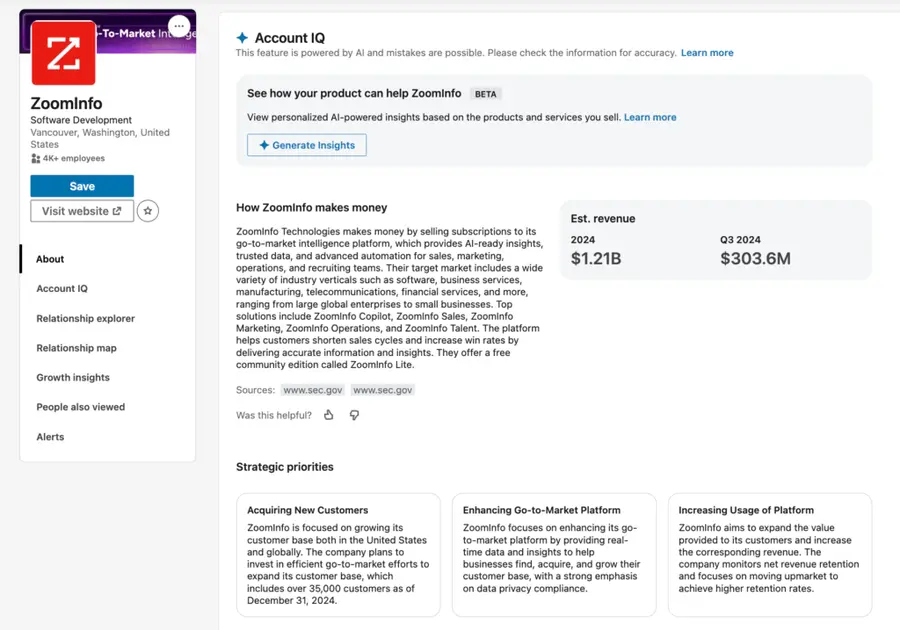
- Account IQ: Get a full company briefing in seconds with business model, revenue estimates, competitive landscape etc. and even AI-Generated pitch suggestions. Use this intel to engage with precision.
Dedicate time to training and exploration. Watch LinkedIn’s tutorials and actively apply what you learn.
3. Build Targeted Lead Lists
This is where your defined sales goals translate into actionable data. Focus on creating high-quality lead and account lists.
- Systematic Search Execution: Apply your ICP filters to the advanced lead search. Save these searches to receive ongoing updates.
- Refine and Curate: Do not simply save every result. Review each profile to ensure it aligns with your criteria. Remove irrelevant leads.
- Segment Your Lists: Create multiple lists based on different outreach strategies or stages of your sales funnel. This allows for tailored communication.
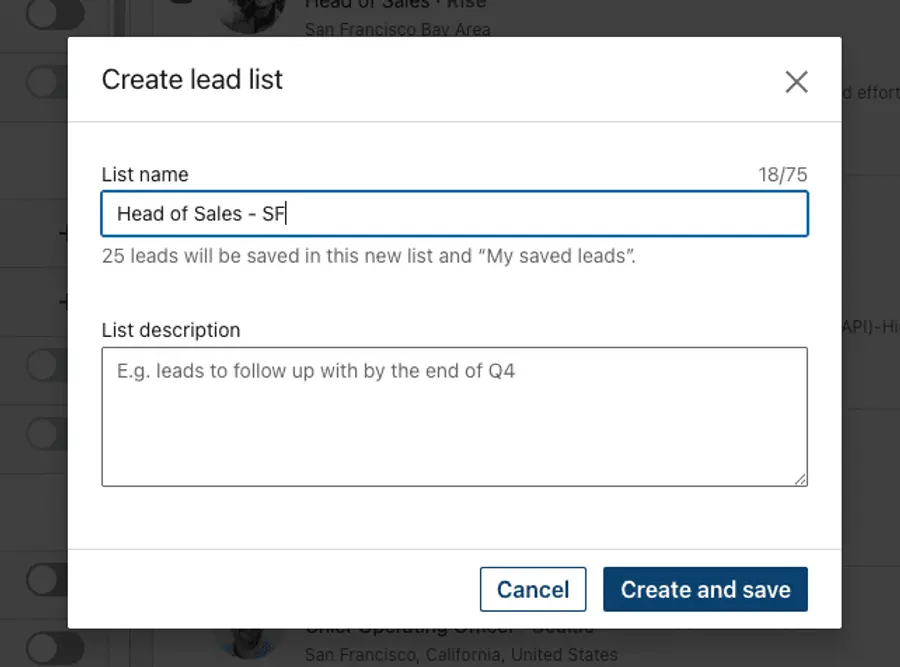
The quality of your lead lists directly impacts the success of your sales efforts. A targeted list is infinitely more valuable than a vast, untargeted one.
Use Evaboot to export your leads
While Sales Navigator is excellent for identifying and managing leads within the platform, it intentionally restricts direct bulk export of contact information.
This is where a LinkedIn scraping tool like Evaboot becomes invaluable to export LinkedIn Sales Navigator lists to Excel.
To export Sales Navigator lead lists, follow this step-by-step guide:
- Create an Evaboot account
- Download the Chrome Extension
- Select your Sales Navigator lead lists
- Name and launch your export
- Download your cleaned list
1. Create an Evaboot account
Step 1 is to create an account on Evaboot.
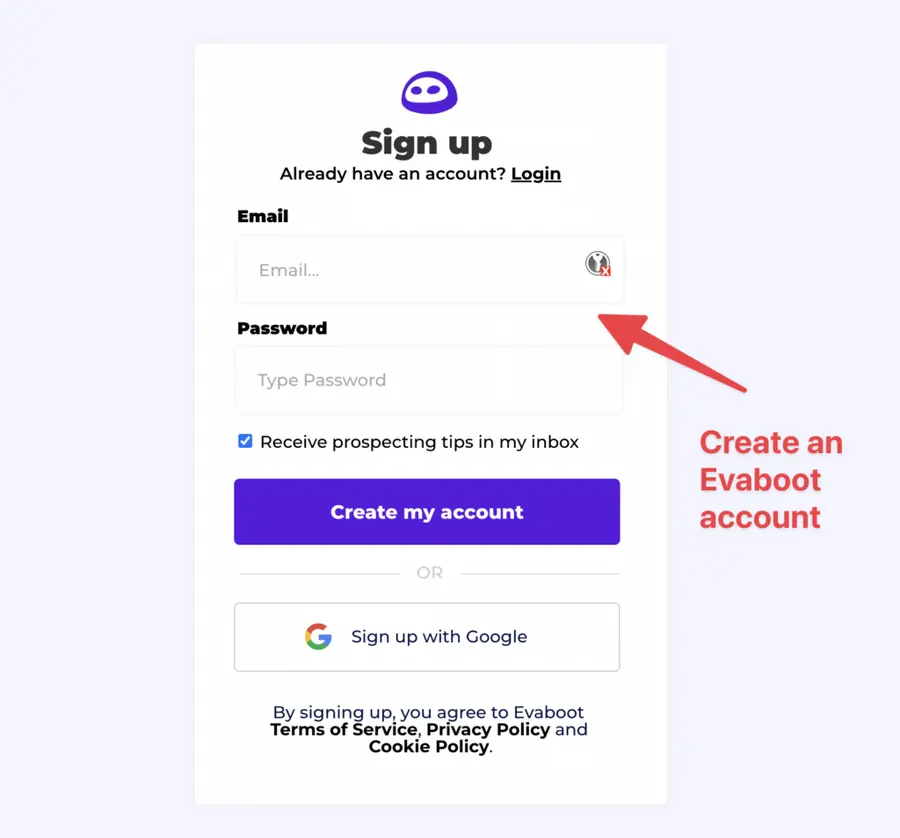
Once you’ve created your account, click on “Get Chrome Extension” to download it from the Chrome Web Store.
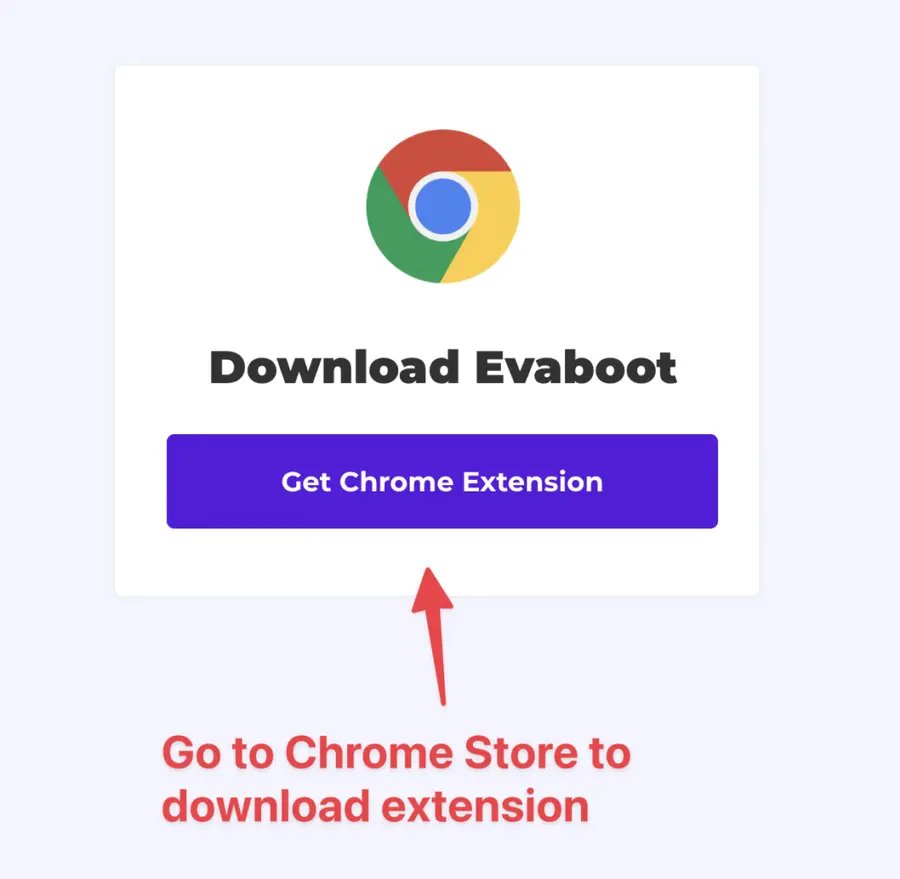
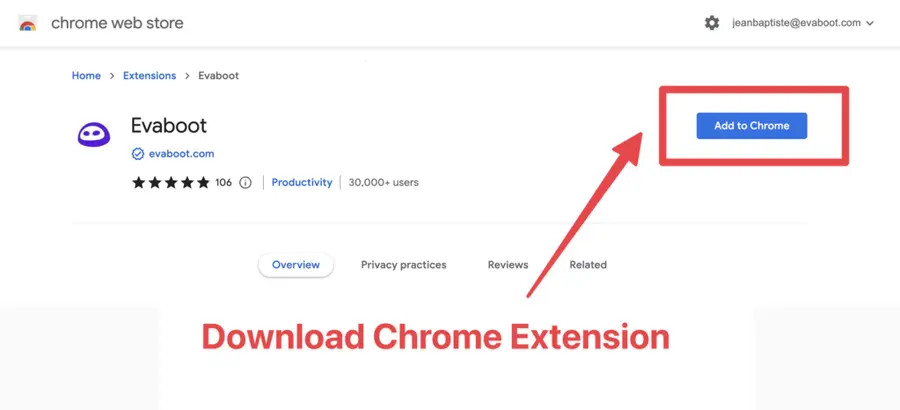
2. Download the Chrome Extension
When on the Chrome Store page, click “Add to Chrome” to install the extension.
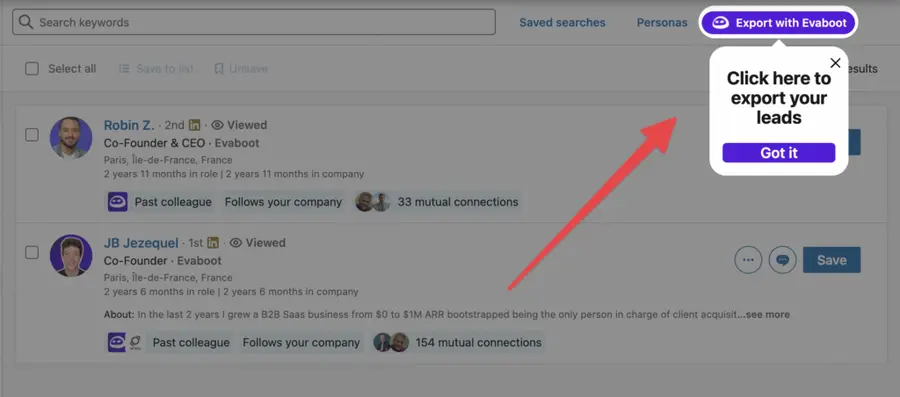
You’ll be automatically redirected to Sales Navigator. A popup will show you where the button is located.
3. Select your Sales Navigator lead list
Once the Chrome extension is installed, go to the list of leads you want to export. It can be:
- Lead Searches
- Lead Lists
- Account Searches
- Account Lists
- Saved Searches
Evaboot handles all the use cases.
The “Export Leads” button is at the top of these LinkedIn Sales Navigator pages.
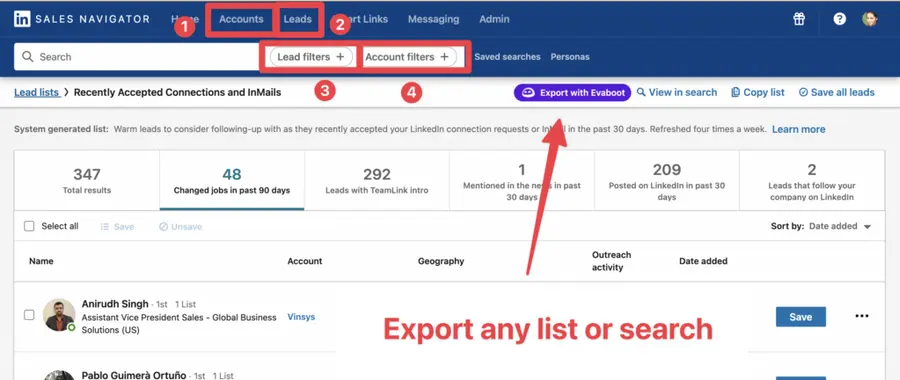
You can export specific tabs in your lead lists, such as “Changed jobs in the past 90 days.”
4. Name and launch your export
When you click “Export with Evaboot” you will be redirected to the Evaboot app.
Choose whether you want to find emails for these leads.
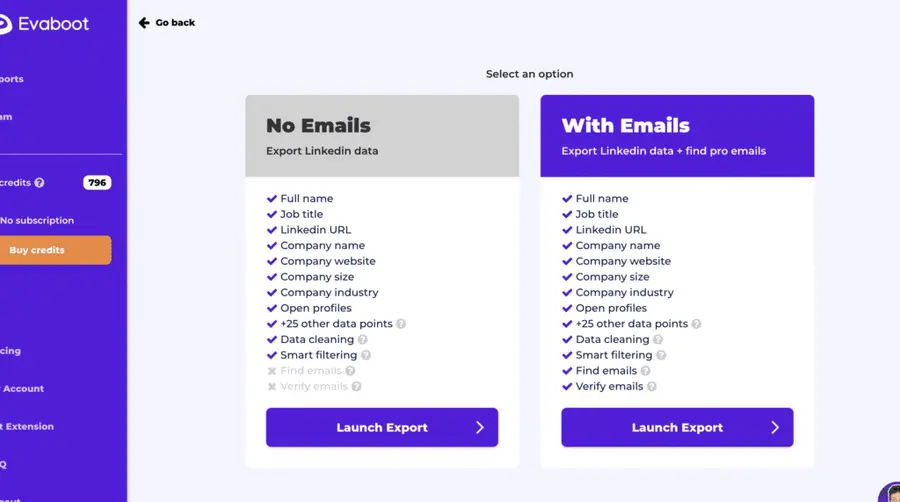
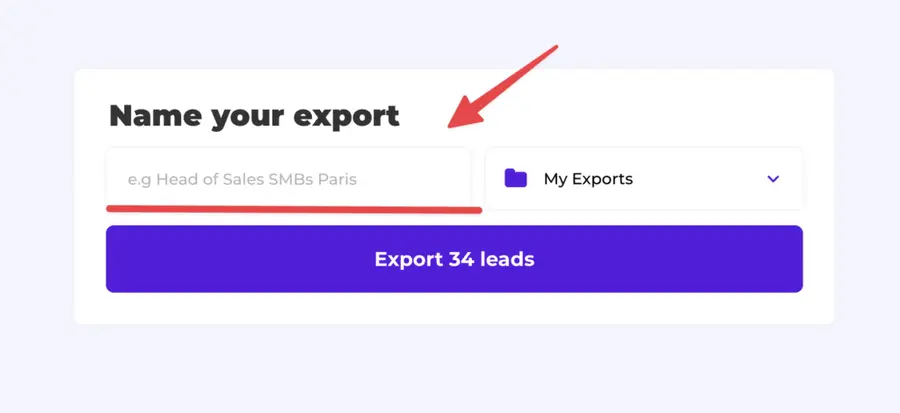
Give a name to your export and click on “Export leads”.
The estimated end date will appear on the left right after launching the export.
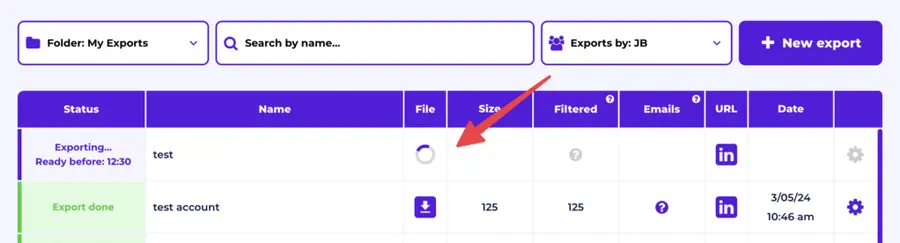
Evaboot will export all these leads in real-time.
That makes your lead generation process GDPR-compliant, in opposition to using databases.
5. Download your cleaned list
After the extraction is done, you will get an email. This email will have a link to download your lead list in a CSV file.
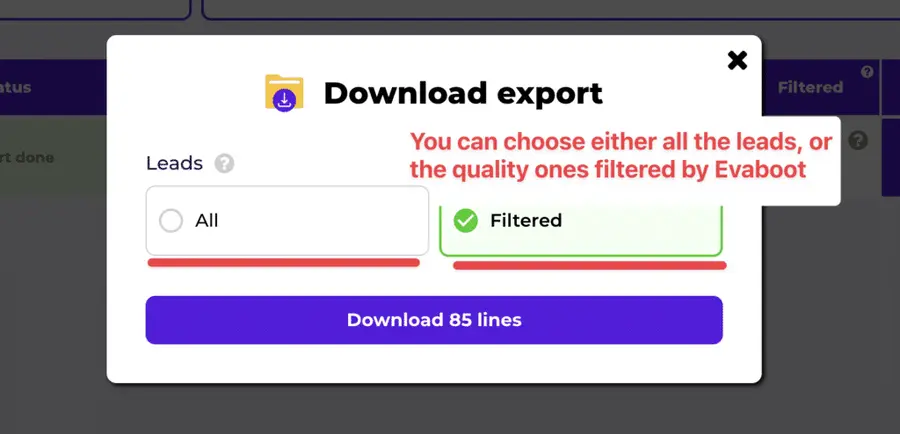
Choose the list type that you want to download. And you’re done.
Evaboot does much more than export your list. It also cleans all the names and company names of your LinkedIn contacts.
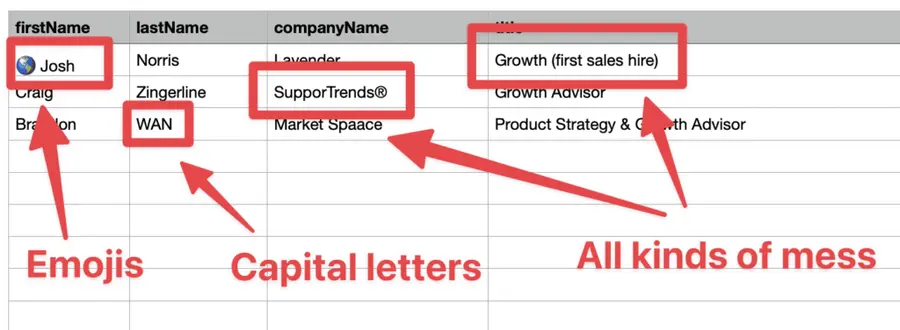
The data on LinkedIn is not clean.
Cleaning data from your Sales Navigator export can take hours if you do it manually.
Hopefully, the Evaboot cleaning algorithm takes care of all this work for you by automatically cleaning:
- First names
- Last names
- Company names
- Job titles
Nobody wants to spend hours cleaning Excel files. Better let robots do this boring job.
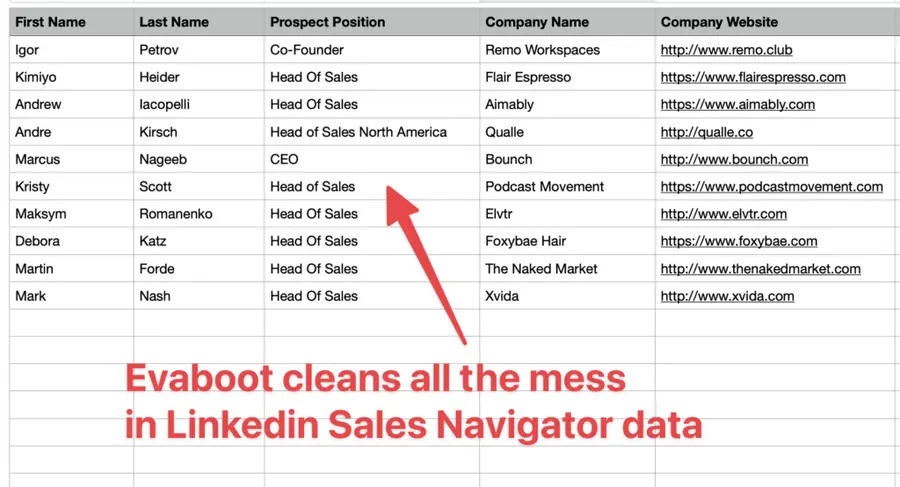
You will often find false positives in your LinkedIn Sales Navigator search results.
Even if you’re using super precise LinkedIn boolean search operators.

You will frequently find leads that don’t match the search filters you chose in the Sales Navigator search engine.
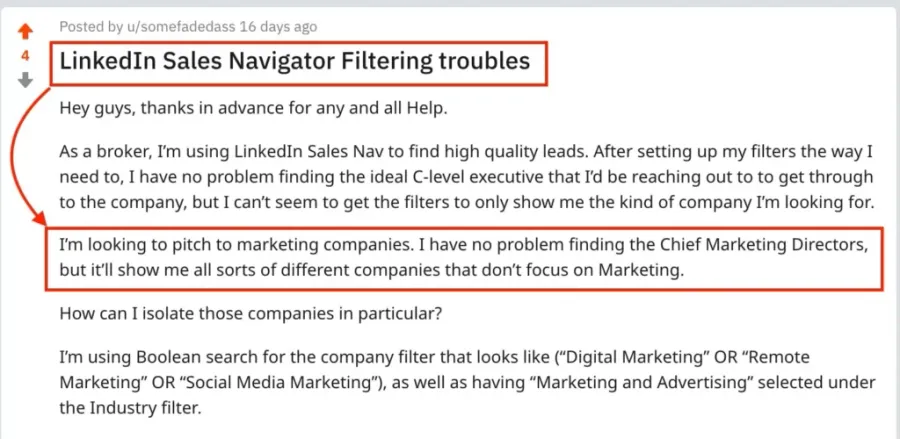
That’s why many people spend hours double-checking their search results manually.
This is a painful task, but it’s no problem.
Evaboot is the best Sales Navigator scraper.
Our algorithm checks your leads twice to make sure they fit your search filters.
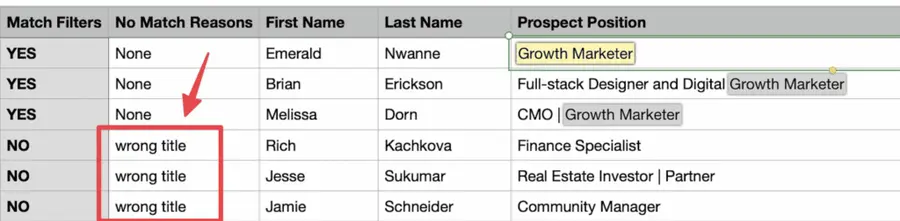
In this export, there’s a column named “No Match Reasons.”
This column tells you if your leads really match your search filters.
If they don’t, we will explain why. In this example, the leads have the wrong title.
The initial search was for growth marketers.
To reduce false positives in your Sales Navigator searches, check out our full Sales Navigator tutorial.
By using Evaboot, you transform your Sales Navigator lead lists into portable, actionable data, allowing you to execute broader outreach campaigns and integrate with your existing sales tech stack.
This maximizes the utility of your trial period by enabling off-platform engagement.
Considering a Paid Subscription After Your Trial
After your 2-month trial, it’s time to decide if Sales Navigator warrants a financial investment.
This decision should be based on the tangible results you achieved and the specific features you found indispensable.
Understand the different tiers available:
- Sales Navigator Core Features
- Sales Navigator Advanced Features
- Sales Navigator Advanced Plus Features
1. Sales Navigator Core Features
This is the foundational offering, providing essential tools for individual sales professionals.
- Advanced Lead & Account Search: The core strength, allowing precise targeting.
- Lead Recommendations: AI-driven suggestions for new prospects.
- Custom Lead & Account Lists: Organization of your target audience.
- 50 InMail Messages/Month: Direct communication with prospects outside your network.
- Real-time Alerts: Notifications on lead and account activity.
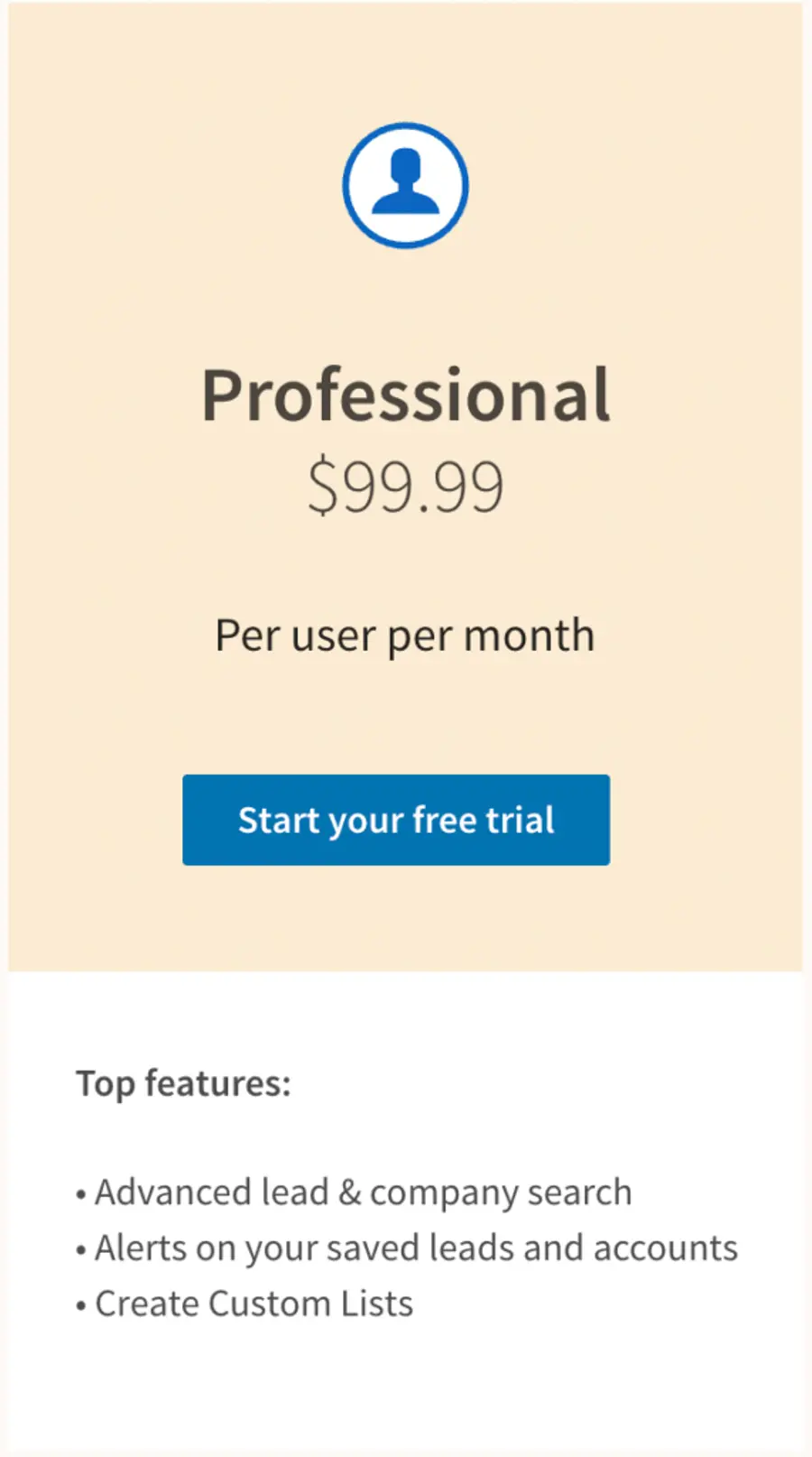
This tier is suitable for individual contributors focused on personal lead generation.
2. Sales Navigator Advanced Features
Sales Navigator Advanced (or Team) is designed for small to medium sales teams, offering collaboration and enhanced reporting.
- All Core Features: Includes everything from the Core tier.
- Smart Links: Allow you to share content and track your prospect engagement
- TeamLink: See who on your team is connected to a prospect or account, facilitating warm introductions.
- Reporting & Analytics: Track team performance and engagement.
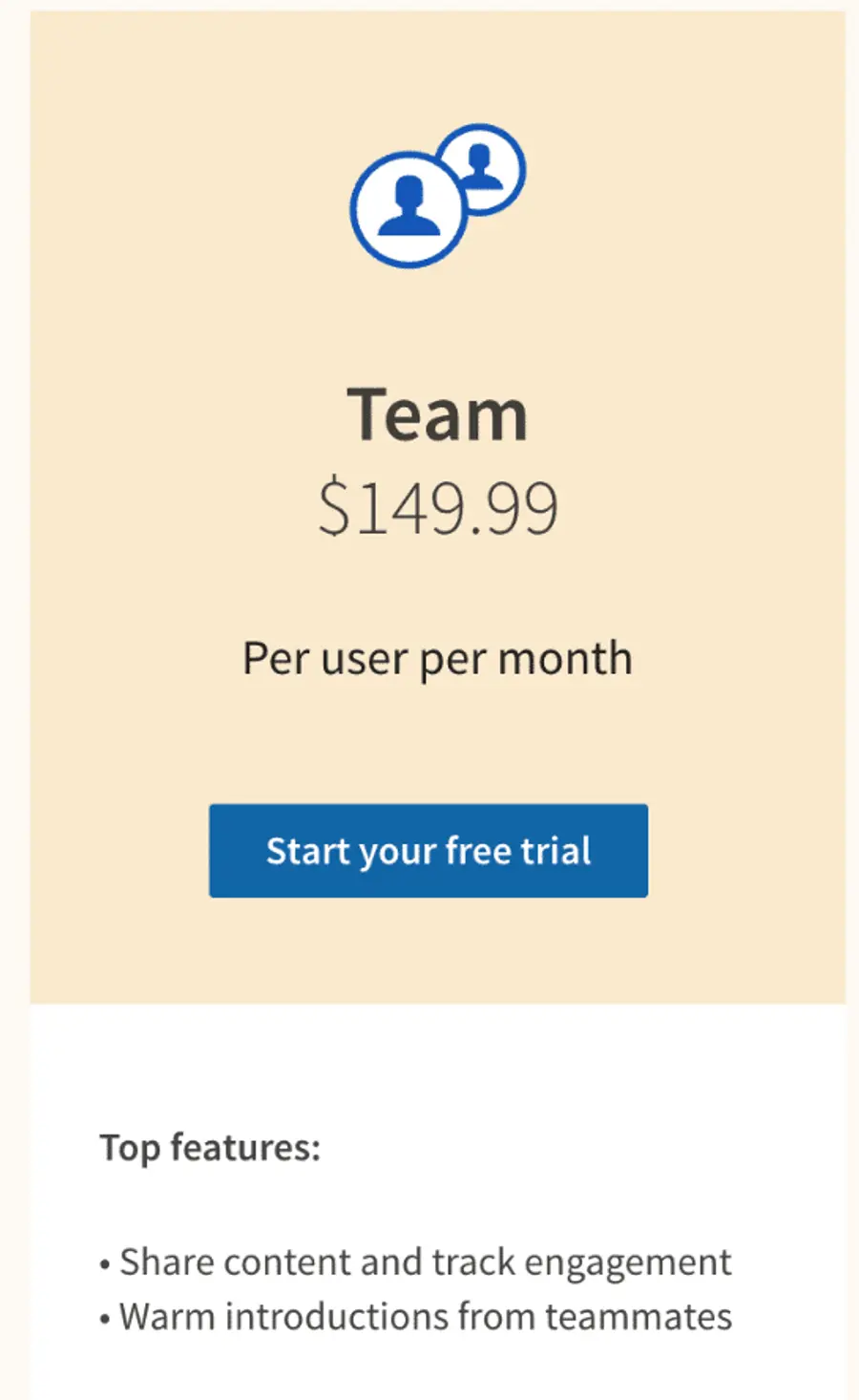
This tier fosters team efficiency and shared knowledge.
3. Sales Navigator Advanced Plus Features
Sales Navigator Advanced Plus is the most comprehensive solution, built for large organizations requiring advanced integration, administration, and training.
- All Advanced Features: Encompasses all functionalities of lower tiers.
- CRM Integrations: Seamless data flow with major CRM systems (e.g., Salesforce, Microsoft Dynamics).
- TeamLink Extend: Access 2nd and 3rd-degree connections of all your colleagues.
- Real-Time Contact Update: Get notified when someone in your CRM custom lists makes a job change.
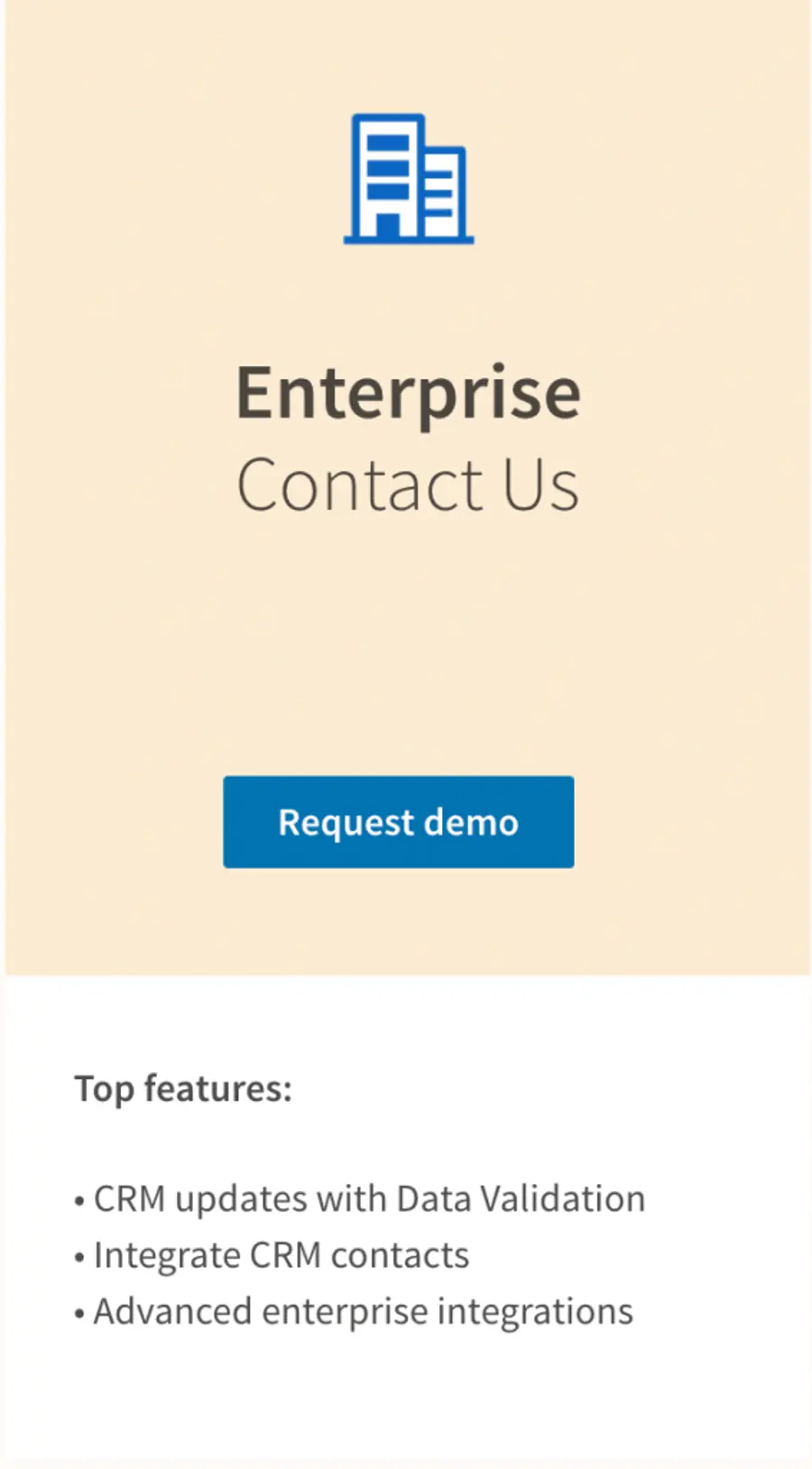
This tier is for organizations where Sales Navigator is a critical component of their enterprise sales strategy.
Conclusion
A 2-month free trial of LinkedIn Sales Navigator, obtained through a referral, is a significant advantage.
It provides ample time to thoroughly evaluate its capabilities, generate demonstrable results and make an informed purchasing decision. Your decision will be based on practical experience and measurable ROI, not speculation.
Do not squander this extended opportunity. Approach it with strategic intent, clear goals, and a commitment to action.
FAQs
How do I activate a LinkedIn Sales Navigator free trial?
The standard free trial is activated directly through the LinkedIn Sales Navigator page by clicking “Start your free trial.”
For the 2-month trial, you must obtain a referral link from an existing Sales Navigator user. Click that unique link and follow the activation prompts.
Can I get a free trial if I’ve had one before?
Typically, LinkedIn’s policy is one free trial per user.
However, using a referral link might sometimes circumvent this, especially if a significant period has passed since your last trial, or if the referral program explicitly allows it.
It is not guaranteed and depends on LinkedIn’s current terms.
What happens after my Sales Navigator free trial ends?
At the end of your trial, your subscription will automatically convert to a paid subscription based on the plan you selected during signup, unless you cancel it before the trial period concludes.
You will be charged the monthly or annual fee. Ensure you set a calendar reminder to review your options before the trial expires.
Are there different versions of Sales Navigator trials?
The most common trial is for the Core plan, typically lasting 30 days.
The 2-month trial, as discussed, is a special offer usually available via referral.
Enterprise-level trials are typically handled through direct contact with LinkedIn Sales Navigator and are not self-service.
What are the benefits of LinkedIn Sales Navigator?
Sales Navigator provides unparalleled capabilities for lead generation and account management.
Benefits include highly precise lead and account targeting, real-time alerts on prospect activities, direct InMail messaging to decision-makers, and tools for organizing and collaborating on sales efforts.
It significantly streamlines the prospecting process and enhances personalization in outreach.


