
30-Second Summary
- Pick the right tool by mapping needs, testing data quality, checking pricing, ensuring CRM/integration fit, and reviewing user feedback.
- Best for LinkedIn Sales Navigator: Evaboot — bulk LinkedIn URL Enrichment + API, built-in email find/verify, fast CSV/CRM sync; exports up to 2,500 leads/day.
- Enterprise data powerhouse: ZoomInfo — massive B2B database, intent signals, deep CRM/MA integrations; powerful but expensive.
- All-in-one sourcing + outreach: Apollo.io — database + enrichment + sequences; great for SMB/MM, but credit-based pricing.
Did you know that over 20% of your lead data becomes outdated within a year?
For B2B teams relying on accurate information to drive outreach, missing job titles, wrong phone numbers, or stale company details can tank performance and waste valuable hours.
This is where lead enrichment tools come in.
These platforms automatically enhance your lead data with verified contact info, firmographic details, technographic insights, and even buying intent signals.
Whether you’re focused on outbound prospecting, personalization at scale, or account-based marketing, there’s a tool designed to fit your exact workflow.
In this article, I will share:
- 15 Best Lead Enrichment Tools
- What is Lead Enrichment?
- Why Use Lead Enrichment Tools?
- How to Choose the Right Lead Enrichment Tool for Your Business
Ready to unlock richer, more actionable data from every lead?
Let’s dive in.
15 Best Lead Enrichment Tools
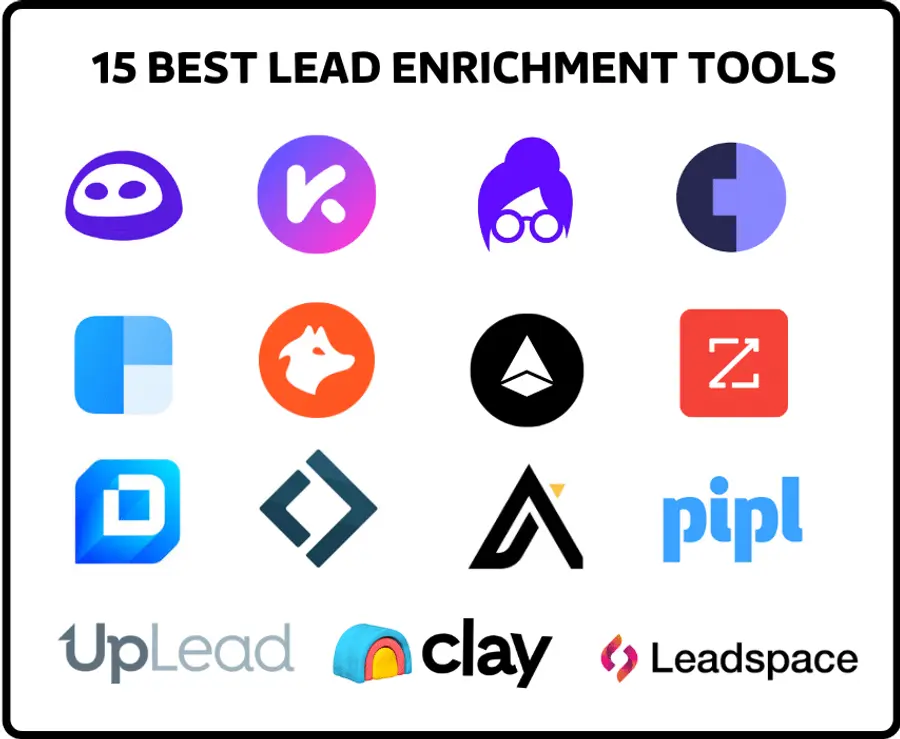
Here is a curated list of the top lead enrichment tools that can significantly impact your sales and marketing strategies.
Each tool offers distinct features designed to provide valuable lead intelligence. Here’s the list:
- Evaboot
- ZoomInfo
- Apollo.io
- Clay
- Clearbit
- Lusha
- Kaspr
- Hunter.io
- UpLead
- Leadspace
- Enricher.io
- Pipl
- Cognism
- Datanyze
- Lindy
1. Evaboot
Evaboot specializes in extracting and enriching leads directly from LinkedIn Sales Navigator. This tool is designed for sales professionals who rely heavily on LinkedIn for prospecting.
Key Features:
- Bulk LinkedIn URL Enrichment: Enrich LinkedIn and Sales Navigator contacts by uploading LinkedIn profile or company unique ID URLs (or Sales Navigator URLs).
- LinkedIn URL Enrichment API: Connect Evaboot’s enrichment engine directly to your internal systems to automate enrichment at scale.
- Data Cleaning: Automatically cleans and verifies extracted data.
- Email Finding: Provides verified professional email addresses.
See how it works in our article about LinkedIn contact enrichment, or watch the step-by-step video tutorial:
Pros:
- Powerful tool if you are using LinkedIn Sales Navigator to export leads and want to extract + enrich those leads quickly.
- Good for agencies and teams that need to scale lead list creation and enrichment with minimal manual effort.
- Built-in email finder and email verifier.
- You can export up to 2500 leads per day.
- Entry‑level pricing is very accessible.
Cons:
- No advanced firmographic/technographic enrichment compared to full‑scale enrichment platforms.
Pricing: Starting at $9/month.
2. ZoomInfo
ZoomInfo is a legacy B2B data and enrichment platform known for its extensive business contact database, real‑time firmographic & technographic data, and deep CRM/marketing automation integrations.
Key Features:
- Vast Database: Access to millions of company and contact profiles.
- Intent Data: Identifies companies actively researching solutions like yours.
- Workflow Automation: Automates data enrichment and lead routing.
- Advanced Filters: Allows for precise targeting and segmentation.
Pros:
- Very rich data set; good for medium to large businesses needing reliable enrichment at scale.
- Strong integrations with major CRMs and marketing tools.
- Effective for deeply embedded sales/marketing operations that need full workflow support.
Cons:
- Very high cost and often long‑term contracts.
- Possibly overkill for smaller teams or simple enrichment use‑cases.
- Cost/complexity may reduce ROI if only light enrichment is needed.
Pricing: Custom pricing, generally suited for larger teams and enterprises. Starts around $14,995/year for basic access.
3. Apollo.io
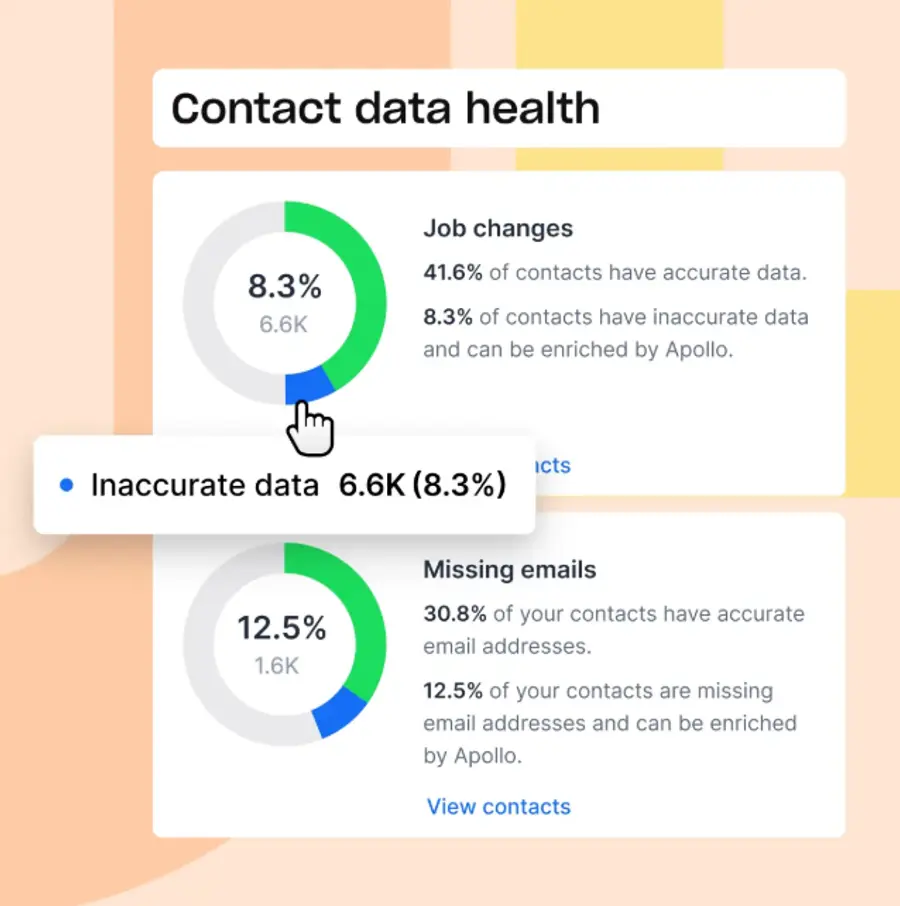
Apollo.io is a combined platform for sales intelligence, lead generation, enrichment, and outreach automation—designed for teams that want sourcing + enrichment + engagement in one place.
Key Features:
- B2B Database: Access to over 200 million contacts and 30 million companies.
- Email & Phone Number Discovery: Provides verified contact information.
- Sequences & Outreach: Automates sales outreach campaigns.
- CRM Integration: Syncs data with popular CRM systems.
Pros:
- One tool for sourcing, enrichment and outreach → simpler stack.
- Good for small/medium sales teams.
- Free tier allows testing of functionality.
Cons:
- Pricing structure uses credits (exports, mobile numbers) which can make cost unpredictable.
- Some reviews say email accuracy/data quality may lag top‑tier enrichment platforms.
- For pure enrichment (without outreach), might include features you don’t need.
Pricing: Free plan available; paid plans start at $79–99/month per user.
4. Clay
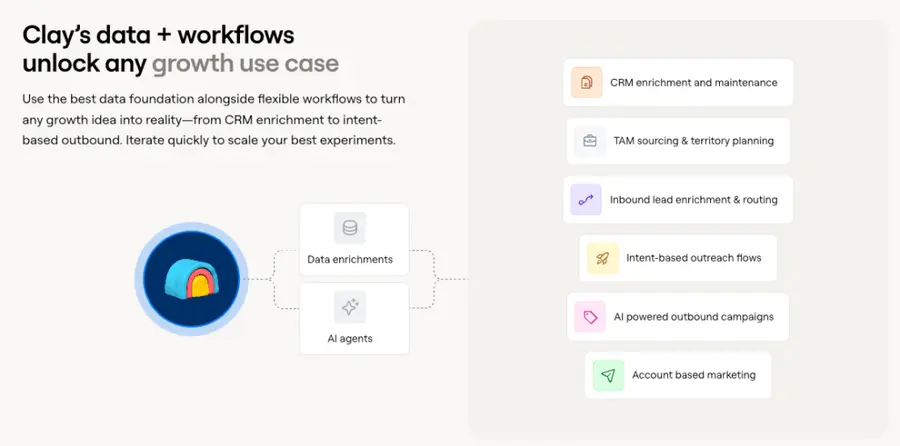
Clay is a powerful AI‑driven enrichment and automation tool that combines 100+ data sources with custom workflows.
Key Features:
- AI Lead Research: Uses “Claygent,” an AI agent, to autonomously research companies and contacts.
- Custom Workflows: Build personalized workflows for lead filtering, enrichment, and CRM data updates.
- Tool Integrations: Connects with HubSpot, Airtable, Google Sheets, and other tools for streamlined processes.
Pros:
• Saves hours of manual enrichment work through automation. • Strong for advanced B2B personalization and multi‑source data merging.
Cons:
• Steeper learning curve than simpler tools. • Higher‑tier plans can be costly for small teams.
Pricing: Free plan available; paid plans from $149/month.
5. Clearbit
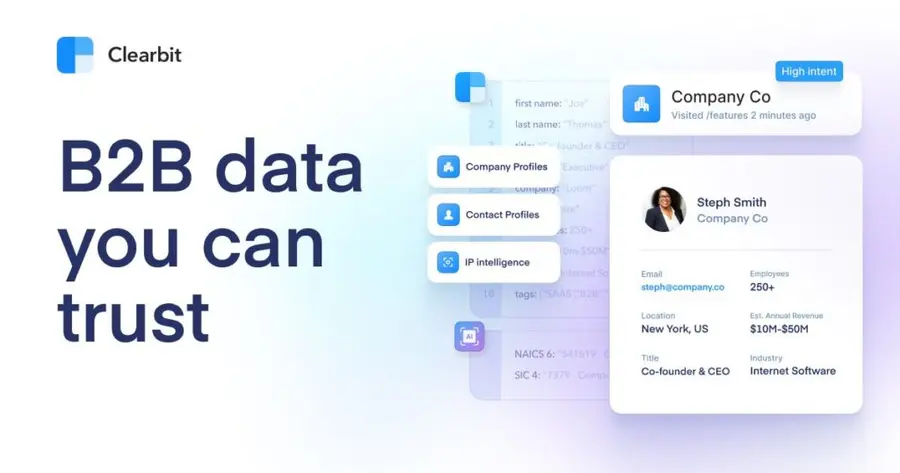
Clearbit is a real‑time B2B data enrichment and intelligence platform focusing on lead/contact enrichment, website visitor identification, form enrichment and CRM data hygiene.
Key Features:
- Real-time Enrichment: Enriches data as it enters your systems.
- Company & Contact Data: Provides comprehensive information on companies and individuals.
- API Access: Allows for custom integrations and automated workflows.
- Lead Scoring: Enhances lead scoring models with accurate data.
Pros:
- Great for marketing teams who want to personalise and segment outreach with enriched data.
- Real‑time integration and automatic unknown‑visitor tracking.
- Easier to implement than huge enterprise stacks.
Cons:
- Credit‑based pricing can get expensive if volume is high.
- Might not have as deep mobile number coverage or global dataset as some large data providers.
- For sales‑heavy teams needing outreach, some limitations compared to full engagement stacks.
Pricing: Free plan available; paid plans start around $150–275/month.
6. Lusha
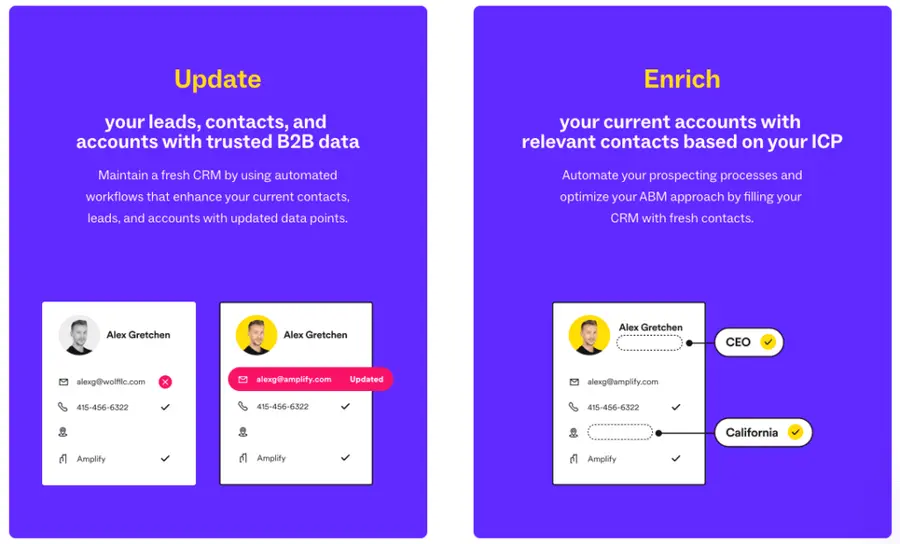
Lusha is a B2B contact/data enrichment platform focused on providing verified email addresses, phone numbers, and company info through a Chrome extension and CRM integrations—great for sales teams refining outreach lists.
Key Features:
- Contact Information: Provides accurate B2B email addresses and phone numbers.
- Browser Extension: Easily finds contact details while browsing LinkedIn or company websites.
- CRM Integration: Seamlessly integrates with major CRMs.
- Data Accuracy: Emphasizes high data quality and verification.
Pros:
- Easy to use for individual sales reps or small teams.
- Affordable entry point compared to enterprise tools.
- Enrichment + contact discovery in one place.
Cons:
- Data depth or breadth may be less than large data providers in certain regions.
- Credit model means cost grows with usage; some features only available at higher tiers.
- Extension‑based enrichment may be less streamlined for bulk or enterprise workflows.
Pricing: Offers a free plan with limited credits, and paid plans structured by credit usage.
7. Kaspr
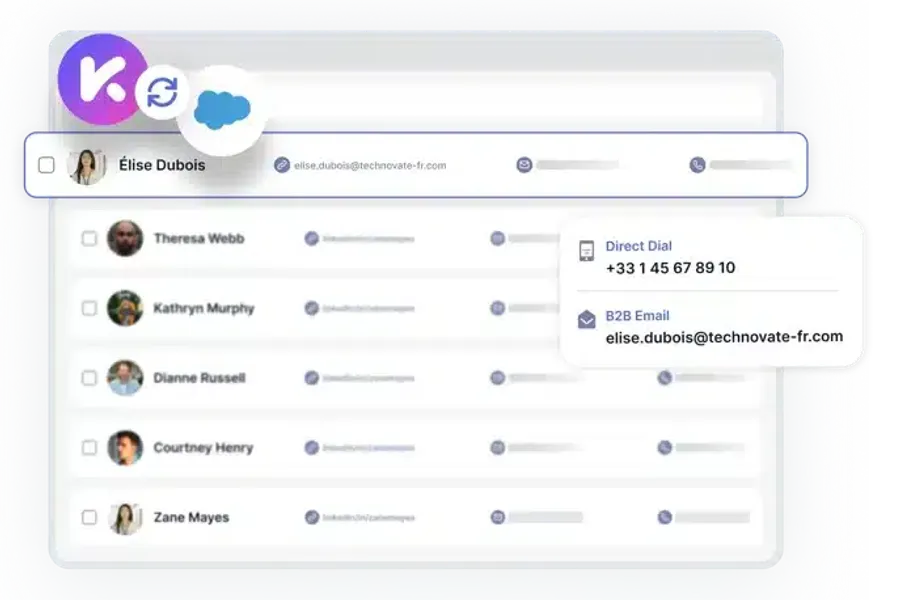
Kaspr is a B2B contact‑enrichment and prospecting tool focused on LinkedIn + Chrome extension workflows — originally European‑centric.
Key Features:
- Chrome Extension: Capture LinkedIn profiles and enrich them with verified emails and phone numbers.
- Bulk CSV Export: Enrich large lists and export clean CSVs ready for outreach.
- API & Integrations: API access, shared credits across users, and CRM/LinkedIn integrations for team workflows.
Pros:
- Good value for small teams and LinkedIn‑heavy workflows.
- Unlimited B2B email credits in paid plans make it flexible.
Cons:
- More niche (LinkedIn/Europe) compared to global databases.
- Pricing & credits can escalate for high‑volume usage.
Pricing: Free plan available; paid plans from €45/month per user.
8. Hunter.io
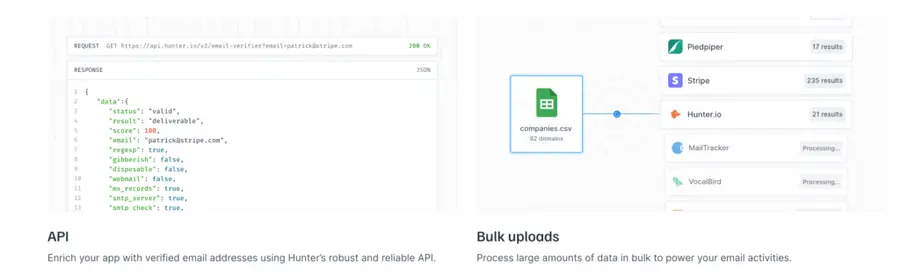
Hunter.io is primarily known for its email finder and verifier, but it also offers lead enrichment capabilities by providing additional data points for discovered contacts.
Key Features:
- Lead Enrichment API: Add demographic and firmographic data to leads using email or LinkedIn.
- Email Finder: Locate verified business email addresses by name and company.
- Email Verifier: Check and confirm email deliverability to reduce bounce rates.
- CRM Integration: Connect with platforms like HubSpot, Salesforce, and Zapier.
Pros:
- Easy to use with a clean interface.
- High email accuracy and deliverability.
- Supports bulk operations and cold outreach.
Cons:
- Limited contact info beyond email.
- Data coverage may vary by region.
- Costs scale with usage credits.
Pricing: Free plan up to 100 companies; paid plans from €99/month.
9. UpLead
UpLead is a B2B database & enrichment platform offering contact verification (email/mobile), technographic data, intent signals, and API/CRM integration.
Key Features:
- Real-Time Verification: Provides verified email addresses and mobile numbers with instant validation.
- Advanced Filtering: Target leads using filters like industry, company size, and tech stack.
- CRM & API Integration: Sync enriched data directly with CRMs or access via API, including intent data enrichment.
Pros:
- Strong data accuracy and usability for outreach.
- Good value for small‑/mid‑size teams.
Cons:
- Larger‑scale or enterprise features require upgrades.
- Outreach/automation features less advanced than some competitors.
Pricing: Essentials plan $99/month, Plus plan $199/month.
10. Leadspace
Leadspace is an enterprise‑grade lead enrichment and data platform that focuses on target‑account modelling (TAM/ICP), multi‑source validation, and integrated enrichment workflows.
Key Features:
- Data Validation: Combines multiple data sources to enrich and verify contact and account information.
- TAM Modeling: Helps build total addressable market (TAM) and ideal customer profile (ICP) strategies.
- Workflow Integration: Connects with CRM and marketing tools to support enrichment across teams.
Pros:
- Great for larger organisations with complex ICP and account‑based strategies.
- Excellent for lead data hygiene and scale.
Cons:
- Pricey and complex to implement for small teams.
- Often requires onboarding or consulting.
Pricing: Custom enterprise pricing.
11. Enricher.io
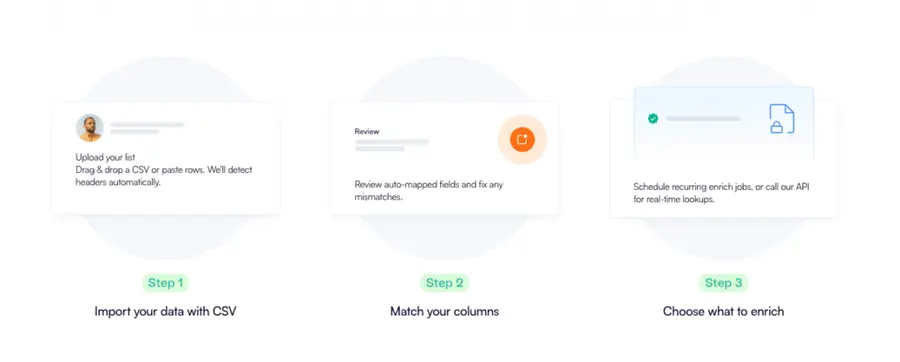
Enricher.io is an automated lead enrichment platform that helps augment lead lists with demographic, firmographic, and social attributes.
Key Features:
- CSV & API Enrichment: Upload spreadsheets or use API to enrich existing contact and company data.
- Complete Data Profiles: Provides a 360-degree view of both individual and business-level attributes.
- CRM Integration: Seamlessly connects with major CRMs to automate enrichment workflows.
Pros:
- Useful for cleaning and upgrading existing lead lists.
- Straightforward interface.
Cons:
- Strict credit limits for large volumes.
- May lack advanced automation or intent signals.
Pricing: Starts at $279/month per user for 10,000 credits.
12. Pipl
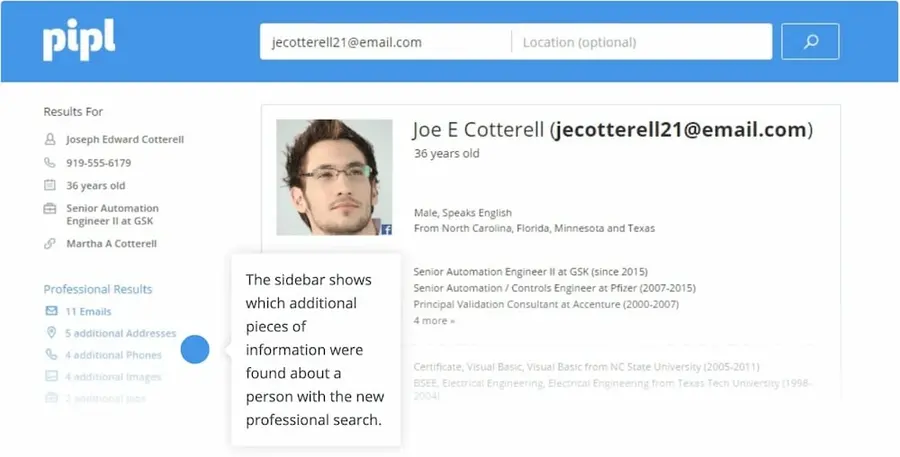
Pipl is specialised in people‑search and identity resolution tool for lead enrichment, focusing on individual identity details.
Key Features:
- Identity Data: Offers detailed personal information including identity, contact details, demographics, and verification.
- Compliance-Focused: Designed for use cases requiring identity verification, such as compliance and fraud prevention.
Pros:
- Strong for identity matching and verification.
Cons:
- Not ideal for bulk B2B enrichment.
- Lacks firmographic and technographic data.
Pricing: Custom quote.
13. Cognism
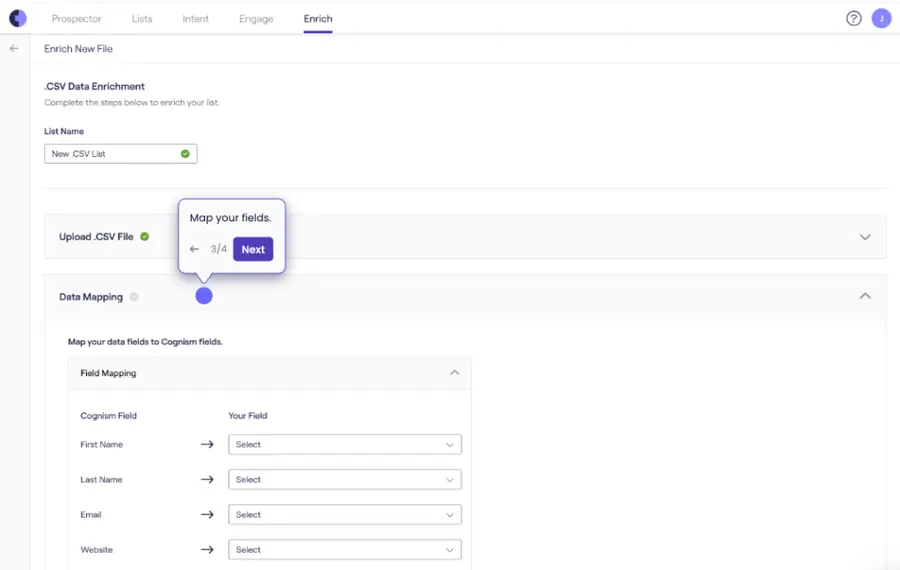
Cognism is an enterprise‑grade lead enrichment & data platform that focuses on high‑quality, compliant B2B data, real‑time enrichment via API/CSV, and global coverage with phone‑verified contacts.
Key Features:
- API & CSV Enrichment: Allows instant enrichment of inbound leads or bulk uploads to refresh and complete your CRM data.
- Intent & Signals: Provides insights like funding events, hiring trends and technographic data to prioritise high‑value leads.
- Global Verified Contacts: Thousands of companies rely on phone‑verified mobile numbers (their “Diamond Data®”) and GDPR‑compliant international data.
Pros:
• Excellent for large organisations with complex ICPs and global coverage. • High‑quality, phone‑verified contact data that can improve connect rates significantly. • Strong compliance (GDPR/CCPA) and integration with major CRMs and data‑systems.
Cons:
• Custom enterprise pricing — can be expensive and less accessible for smaller teams. • Less transparency in pricing publicly — you need to contact sales for a detailed quote.
Pricing: Custom quote required; typical enterprise engagements include plans such as Grow, Elevate (or Platinum/Diamond) with features like intent data and phone‑verified mobile numbers.
14. Datanyze
Datanyze focuses on providing technographic data, helping businesses understand which technologies their prospects are using.
Key Features:
- Technographic Data: Identifies technologies installed on company websites.
- Lead Generation: Helps discover new prospects based on their tech stack.
- Company Profiles: Provides details about companies and their online presence.
- Browser Extension: Easily access technographic data while browsing.
Pros:
• Excellent for SaaS or tech‑focused businesses. • Adds unique technographic layer missing from many tools.
Cons:
• Usage‑based pricing may limit scale. • Lacks advanced outreach or workflow features.
Pricing: Paid plans start at $29/month.
15. Lindy
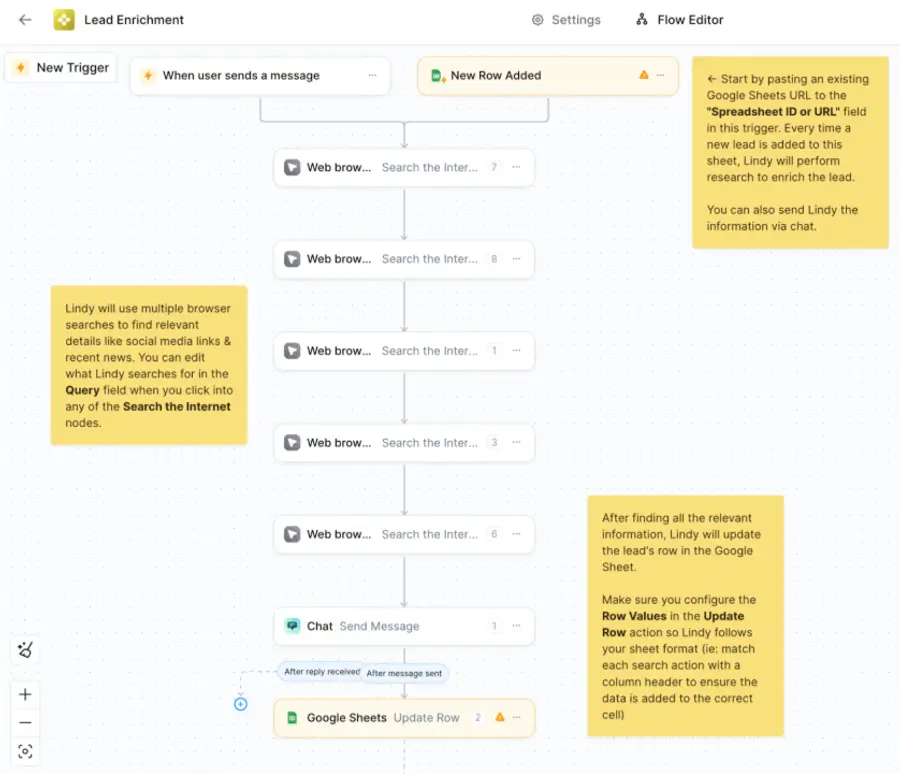
Lindy is an emerging tool for building AI‑driven lead enrichment agents that automate CRM workflows.
Key Features:
- AI-Powered Automation: Uses intelligent agents to handle enrichment tasks and data workflows.
- Multi-Tool Integration: Connects with tools like Google Sheets, Notion, Airtable, and major CRMs for seamless operations.
Pros:
• Automates enrichment + routing workflows. • Affordable AI‑powered option.
Cons:
• Newer tool with smaller dataset. • May require setup and customization.
Pricing: Free tier available; Pro $49.99/month, Business $299.99/month.
What is Lead Enrichment?
Lead enrichment is the process of appending additional data to existing, basic lead information.
Imagine you have a lead’s name and email address. Lead enrichment takes that minimal data and expands it, adding details such as:
- Company information: Industry, size, revenue, location, technologies used.
- Contact information: Job title, role, direct phone number, social media profiles.
- Demographic data: Age range, interests (for B2C).
- Behavioral data: Website activity, engagement with your content.
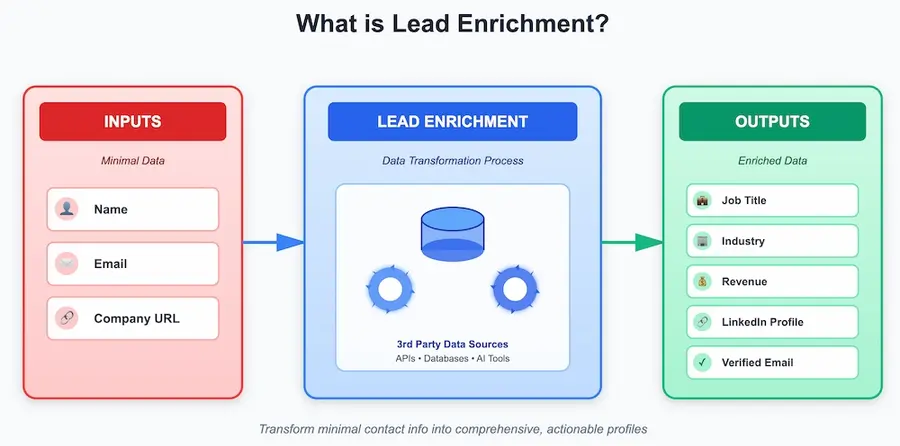
Essentially, it transforms a basic contact into a comprehensive profile, providing the context necessary for highly personalized and effective engagement.
Why Use Lead Enrichment Tools?
Here are the primary reasons to leverage lead enrichment:
1. Improved Personalization: With more data, you can tailor your messaging to specific pain points, roles, and industries.
2. Enhanced Lead Scoring: Richer data allows for more accurate lead scoring models.
3. Better Sales Efficiency: Sales teams spend less time researching and more time selling.
4. Higher Conversion Rates: Personalization and informed outreach contribute to higher engagement.
5. Accurate Market Segmentation: Understand your ICPs better and segment your audience precisely.
6. Reduced Manual Research: Automation eliminates the tedious and error-prone process of manual data gathering.
7. Data Consistency: Enrichment tools help standardize data formats and clean up inconsistencies.
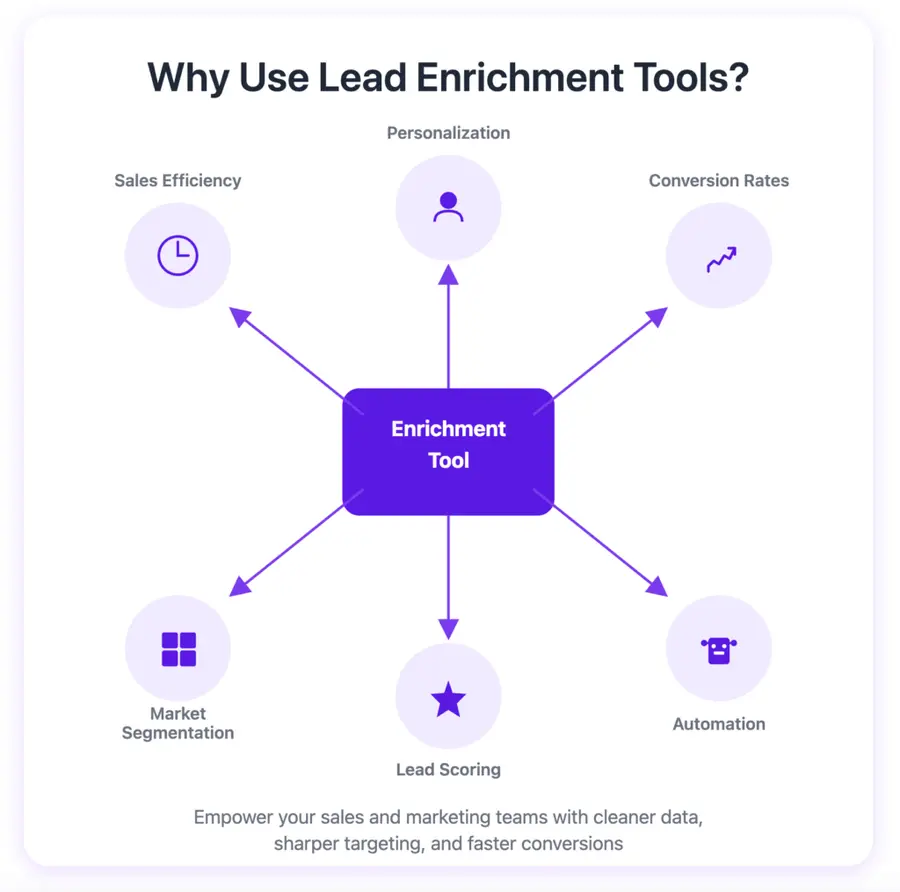
By enriching your leads, you are not just gathering data; you are empowering your sales and marketing teams to operate with greater precision, efficiency, and impact.
How to Choose the Right Lead Enrichment Tool for Your Business
Selecting the ideal lead enrichment tool can feel overwhelming given the array of options.
How do you cut through the noise and pinpoint the perfect fit for your specific business?
Follow these systematic steps to make an informed decision:
- Define Your Needs
- Evaluate Data Quality
- Consider Your Budget
- Check for Integrations
- Read Reviews and Testimonials
1. Define Your Needs
Before you even look at tools, clarify what you aim to achieve with lead enrichment.
- What data points are most critical for your sales and marketing teams? Do you primarily need job titles, company size, or technographic data?
- What problems are you trying to solve? Is it poor personalization, inefficient lead scoring, or excessive manual research?
- How many leads do you typically process? This will influence the volume of enrichments you need.
- What systems do your teams currently use (CRM, marketing automation)? Your chosen tool must integrate with these.
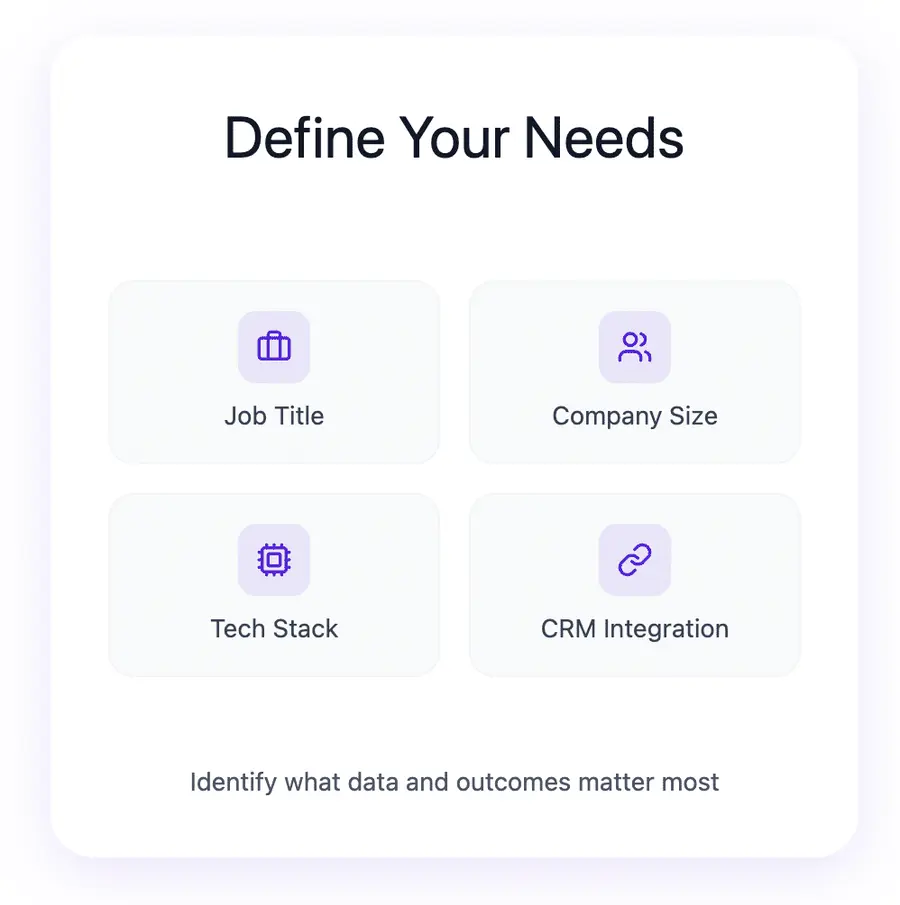
By clearly outlining your requirements, you establish a baseline for evaluating potential solutions.
2. Evaluate Data Quality
Data quality is paramount. A tool with extensive but inaccurate data is worse than useless.
- Request Demos and Trials: Take advantage of free trials and demos to test the data firsthand. Enrich a sample of your own leads and verify the accuracy of the appended information.
- Check Verification Processes: Inquire about how the tool verifies its data. Does it use multiple sources, human verification, or real-time checks?
- Read Reviews: Look for user reviews that specifically mention data accuracy and freshness. G2, Capterra, and TrustRadius are excellent resources.
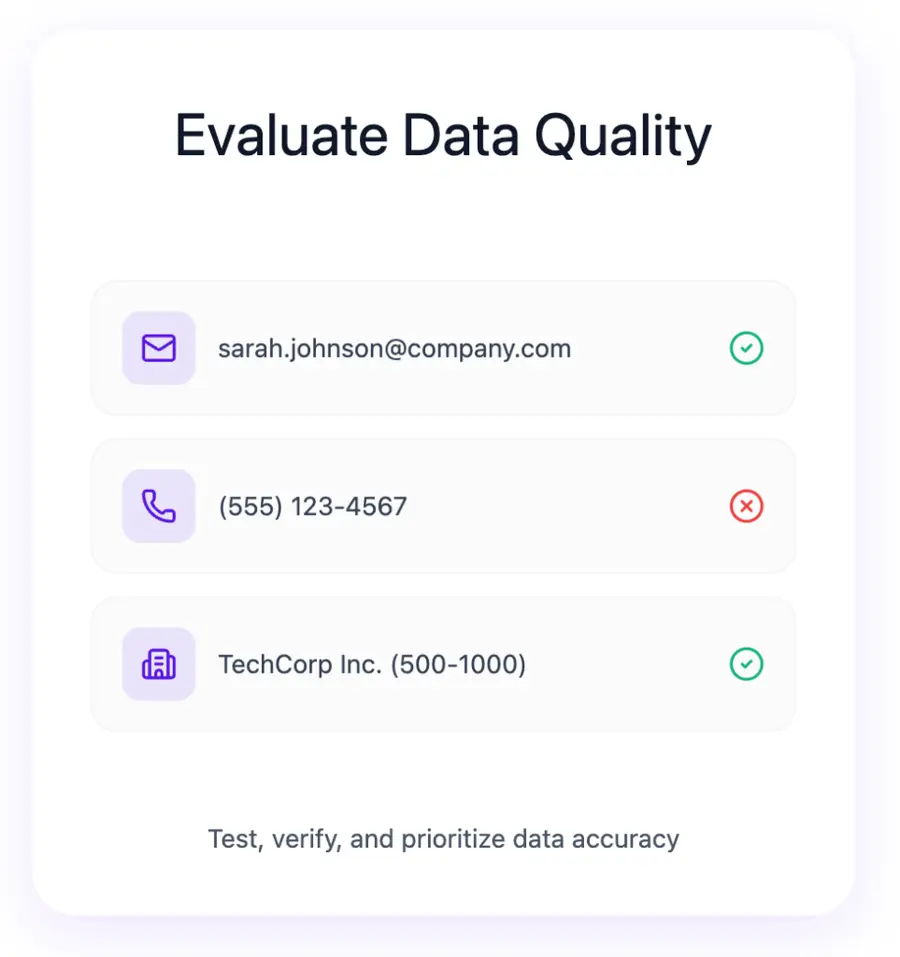
Prioritize tools that demonstrate a strong commitment to high data accuracy and regular updates.
3. Consider Your Budget
Lead enrichment tools vary significantly in price, from free tiers to enterprise-level subscriptions.
- Set a Budget: Determine what you are willing to spend, both initially and on an ongoing basis.
- Compare Pricing Models: Understand whether the tool charges per credit, per user, or offers a flat subscription. Which model aligns best with your expected usage?
- Calculate ROI: Consider the potential return on investment. If a more expensive tool significantly boosts conversion rates, it may be more cost-effective in the long run.
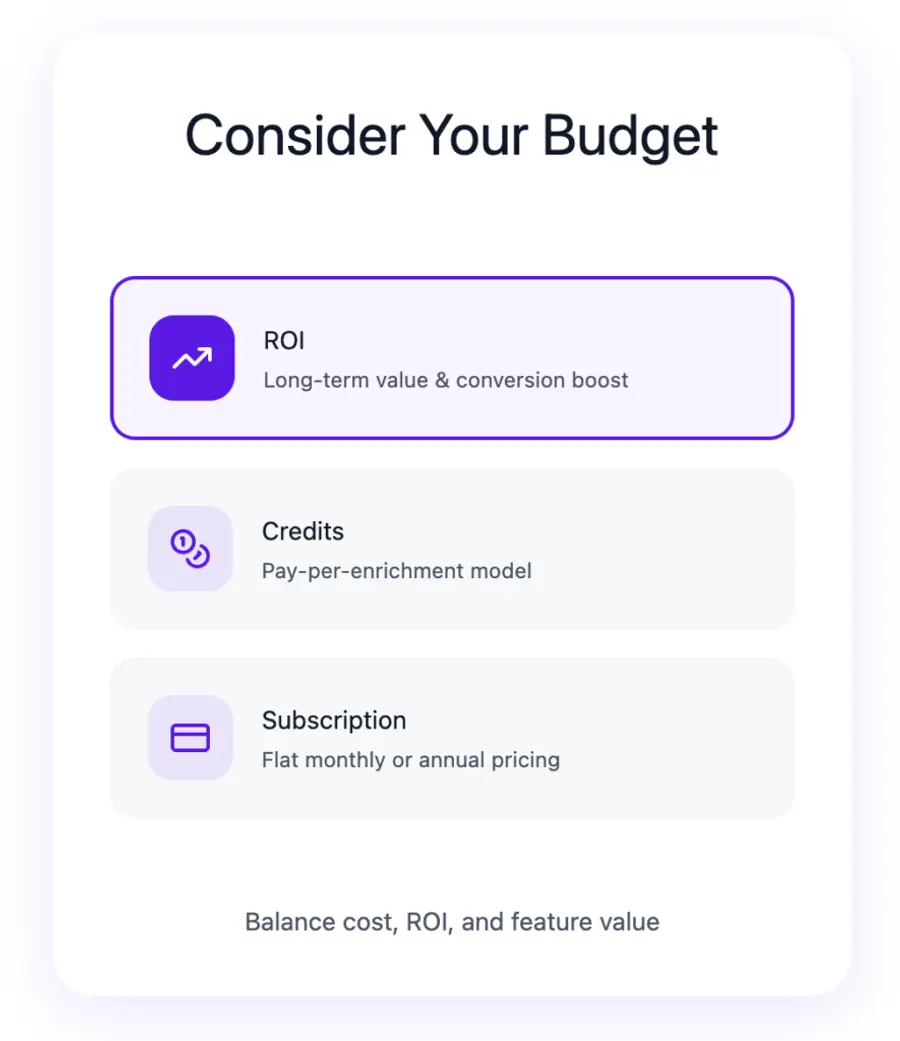
Don’t compromise on essential features to save a small amount, but also avoid overspending on features you won’t use.
4. Check for Integrations
Seamless integration is crucial for an efficient workflow.
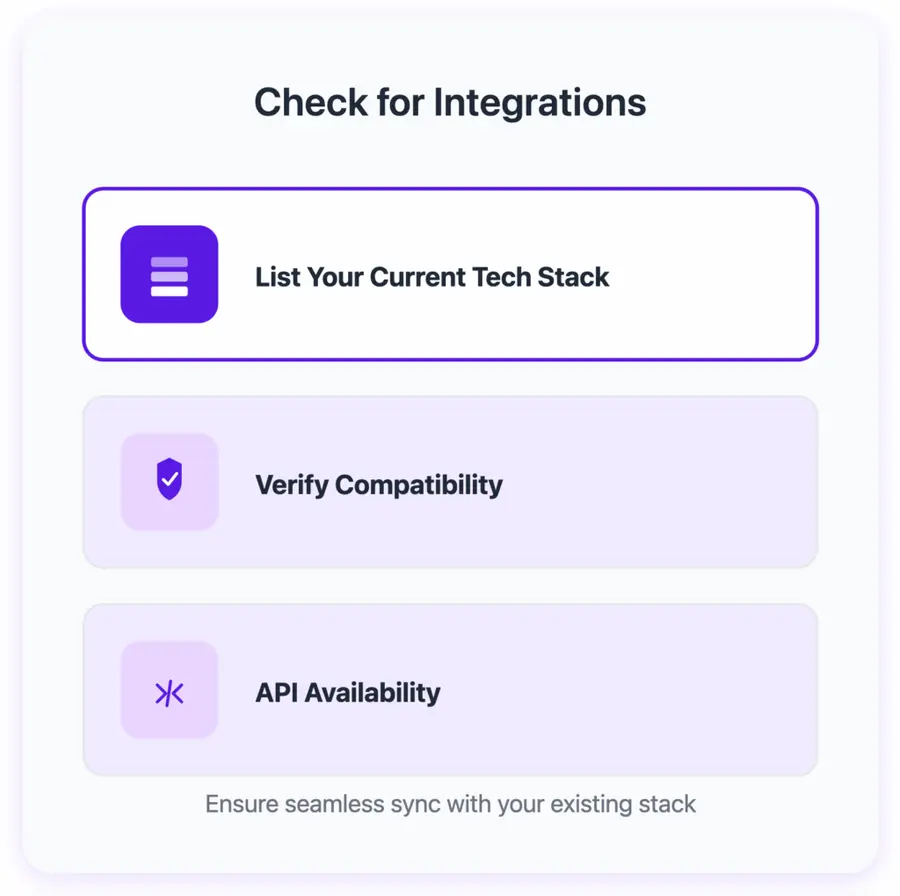
- List Your Current Tech Stack: Identify all the CRMs, marketing automation platforms, and other sales tools you currently use.
- Verify Compatibility: Ensure the lead enrichment tool integrates directly with your core systems. Native integrations are always preferable to custom or workaround solutions.
- API Availability: If you have unique integration needs, confirm that the tool offers a robust API for custom development.
A tool that integrates effortlessly will save your team significant time and prevent data silos.
5. Read Reviews and Testimonials
User experiences offer invaluable insights that product descriptions might not.
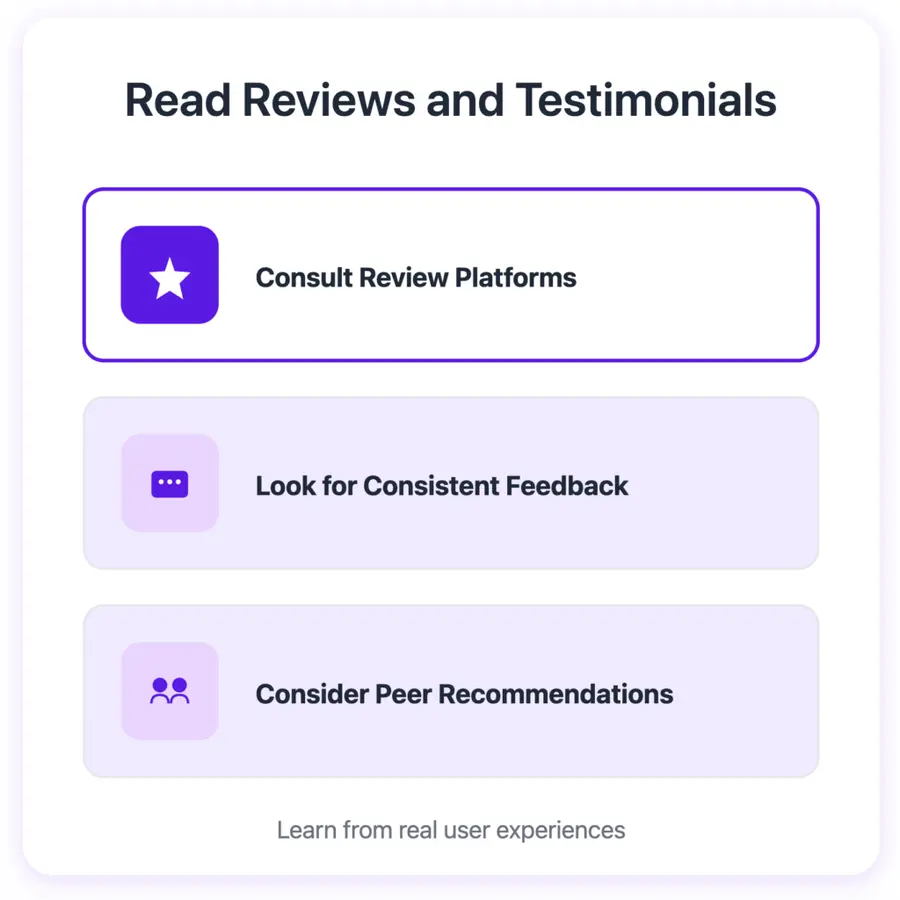
- Consult Review Platforms: Sites like G2, Capterra, TrustRadius, and LinkedIn can provide real-world feedback on ease of use, customer support, and specific feature performance.
- Look for Consistent Feedback: Pay attention to recurring themes in reviews, both positive and negative.
- Consider Peer Recommendations: If you know others in your industry who use these tools, ask for their direct recommendations and experiences.
By systematically addressing these points, you can confidently select a lead enrichment tool that aligns perfectly with your business goals and operational needs.
Conclusion
Bad data kills good outreach.
Lead enrichment keeps your CRM fresh, accurate, and ready to convert — no more chasing outdated contacts or missing key decision-makers.
With tools like Evaboot, you can extract, clean, and enrich your leads in one click, turning raw lists into real opportunities.
Better data. Better results.
FAQs
What is the difference between lead generation and lead enrichment?
Lead generation is the process of identifying and attracting potential customers (leads) to your business. This often involves collecting initial contact information like a name and email through forms, content downloads, or events.
Lead enrichment, on the other hand, is the process of taking those generated leads and adding more detailed information to their profiles. It involves appending data such as job title, company size, industry, revenue, location, and technologies used.
Lead generation focuses on quantity (getting leads), while lead enrichment focuses on quality (making leads more valuable and actionable).
Are there free lead enrichment tools available?
Yes, many lead enrichment tools offer free plans or free trials with limited functionality or a specific number of credits.
Tools like Hunter.io, Apollo.io, Lusha, LeadIQ, and Snov.io often provide free tiers that allow you to test their capabilities before committing to a paid subscription.
These free options are excellent for small businesses or for evaluating a tool’s effectiveness. For extensive use, however, a paid plan will typically be necessary.
How often should I enrich my leads?
Lead data decays fast and should be enriched every 3-6 months to maintain accuracy.
Can lead enrichment help with personalization?
Absolutely. Personalization is one of the most significant benefits of lead enrichment. By appending detailed data to your leads, you gain a deeper understanding of their specific needs, challenges, and context.
Is lead enrichment compliant with data privacy regulations?
The compliance of lead enrichment with data privacy regulations like GDPR (General Data Protection Regulation) and CCPA (California Consumer Privacy Act) is a critical concern.
Reputable tools invest heavily in ensuring their data collection and usage practices adhere to these regulations.
But you should always review the privacy policies of any lead enrichment tool you consider, and ensure your internal practices align with data privacy laws.


