
Did you know that LinkedIn messages are 3 times more likely to get a response than most emails or cold calls?
If your nod is a yes, kudos to you!
Plus, if you invest time composing personalized outreach messages, you’re playing the game right!
What if I tell you that many people still fail at this stage?
Like this:
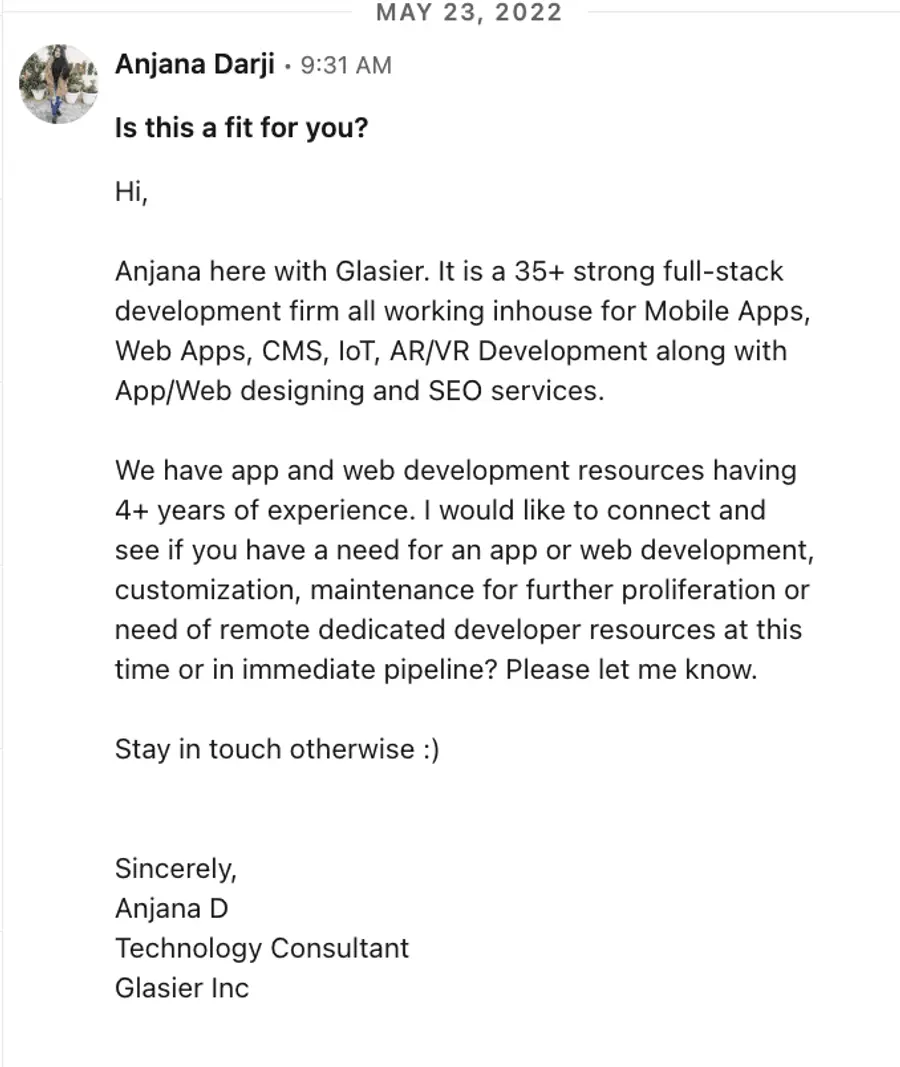
The truth is that hyper-personalized messages are the key to initiating meaningful connections with your intended target audience.
So, this guide includes hacks for writing hyper-personalized LinkedIn prospecting messages and ready-to-use message templates for your next campaign.

I’ll also cover:
- How to send hyper-personalized LinkedIn messages
- Common mistakes to avoid when sending LinkedIn outreach messages
- 5 hyper-personalized LinkedIn message templates
- How to automate hyper-personalized LinkedIn outreach
Are you ready to move to the next level?
Follow along as we explore these insights.
How to Send Hyper-Personalized LinkedIn Messages?
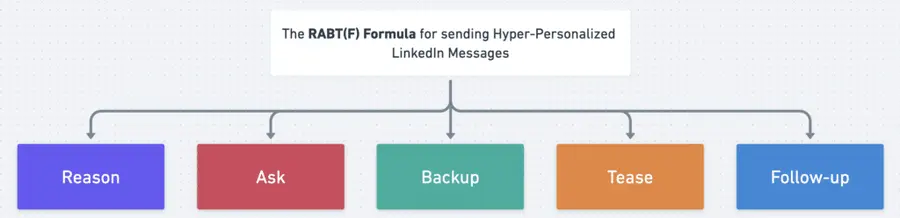
Write hyper-personalized LinkedIn messages in 5 steps:
- Give a reason for outreach
- Ask a question
- Backup with data
- Tease a solution
- Follow-up
1. Give a reason for outreach
First and foremost, if you’re not already connected to the prospect, directly send a connection request, with or without a note.
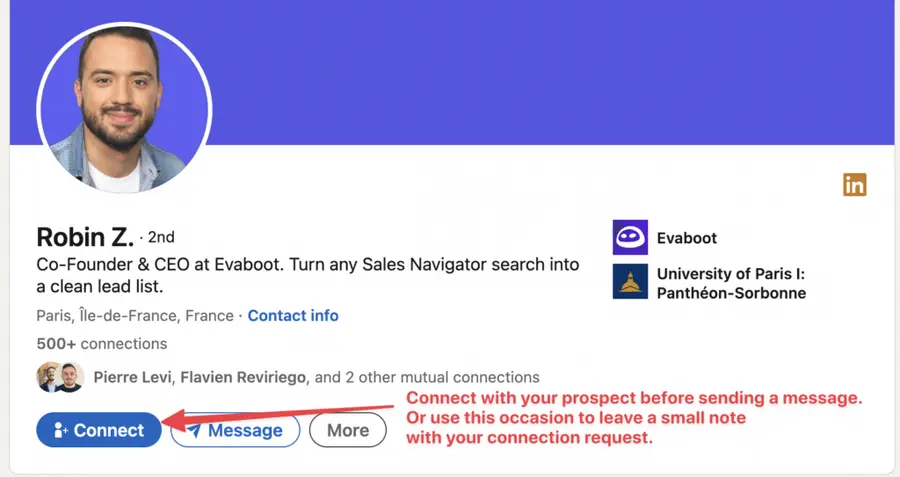
The bigger your network is, the higher your acceptance rate will be.
Initiate contact by providing a clear, motive-driven reason to draw your prospect’s attention (you can even include simple gifs or hyper-personalized images).
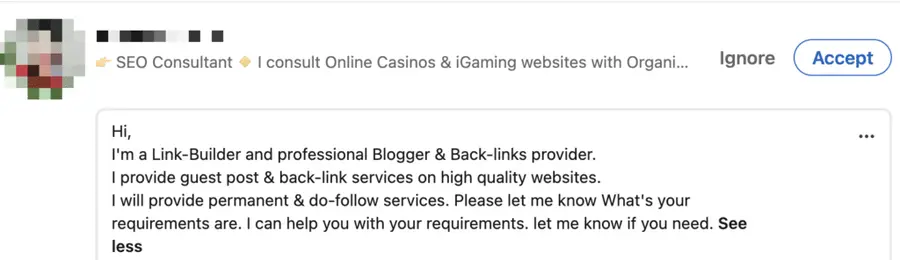
This demonstrates that you’re not bombarding them with unsolicited, generic messages but instead are reaching out with their interests in mind.
Ideally, your reason should connect directly to their professional profile, industry-specific news, corporate developments, or challenges they may be facing.
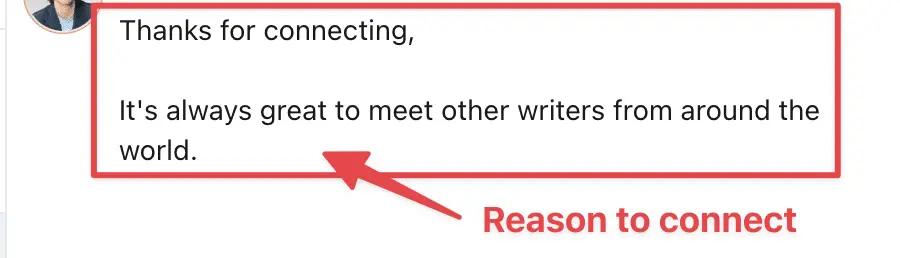
Then, you can start the conversation by referring to a recent post they shared, a common interest, or even highlighting a potential opportunity that aligns with their goals.
2. Ask a question
To further engage your prospect, pose a thoughtful inquiry that prompts their participation and allows you to delve into their objectives or pain points.
A practical question is open-ended, finely tuned to the context of your outreach, and sparks dialogue.

You might inquire about their perspective on a topical issue or their experiences, discuss a current dilemma, or explore their ambitions.
3. Backup with data
Support your query by incorporating compelling data that underlines your expertise and the value you can provide.
Credibility and trust are established when you share relevant and impactful data.
Consider adding:
- Pertinent statistics,
- Recounting a success story,
- Customer testimonials,
- Concrete results achieved by your organization.
4. Tease a solution
In your fourth step, suggest a solution tailored to your prospect’s challenges or objectives.
Piquing their curiosity about your offer could motivate them to engage further.
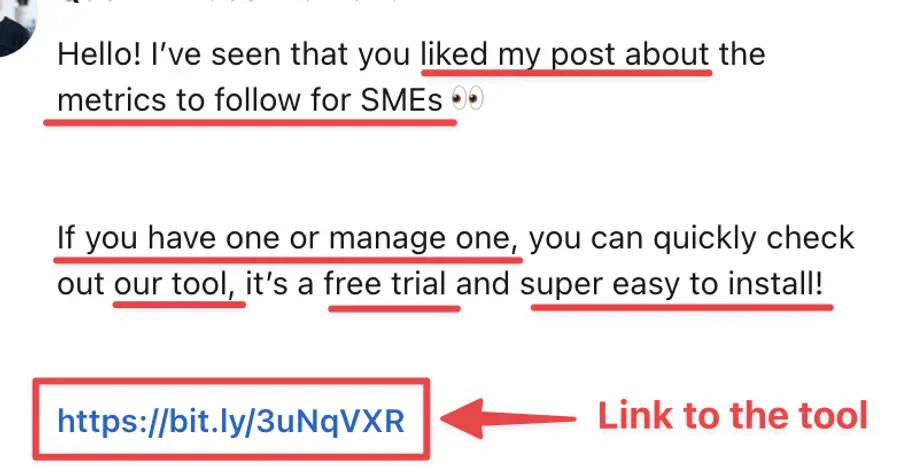
Ensure your suggested solution is directly linked to their needs and presents clear advantages.
You could:
- Introduce a product or service,
- Recommend a tool,
- A step-by-step guide or case study,
- Share a resource or a tutorial,
- Propose a strategic approach provided by you or your company.
5. Follow-up
Completing our five-step framework is the crucial follow-up stage.
Your task is to keep in contact with your potential customer by consistently reaching out until you receive a response or secure a meeting.
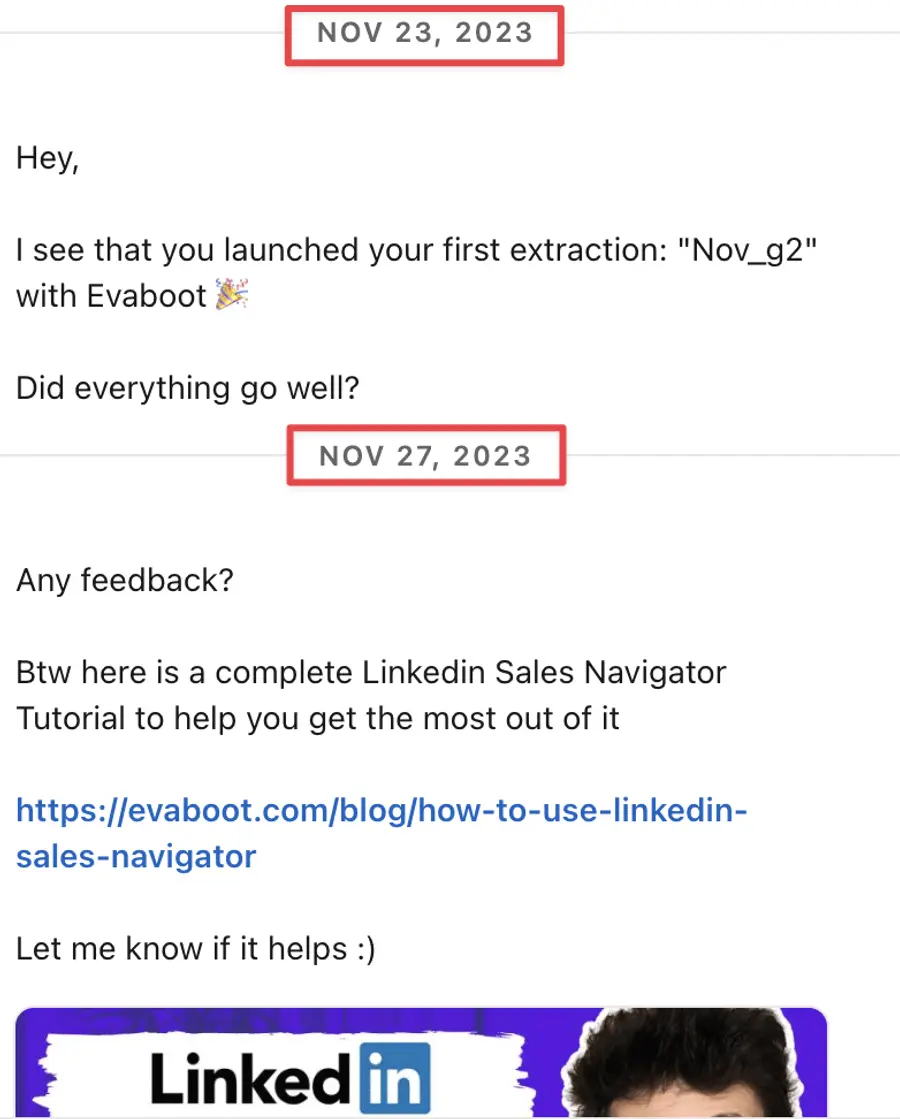
This tenacity keeps you fresh in their memory and demonstrates your dedication and professionalism.
An effective follow-up strategy is characterized by timeliness, courteousness, and customization.
For instance, if you haven’t heard back after several days, you might consider sending a thoughtfully crafted reminder, an enticing value proposition, compelling social proof, or an engaging call to action.
But here is another tip.
To multiply your possibilities of getting a response, don’t hesitate to send an InMail message, which is more effective than a simple cold message.
1. Keep your InMail messages under 400 characters, as shorter InMails achieve a 22% higher response rate.
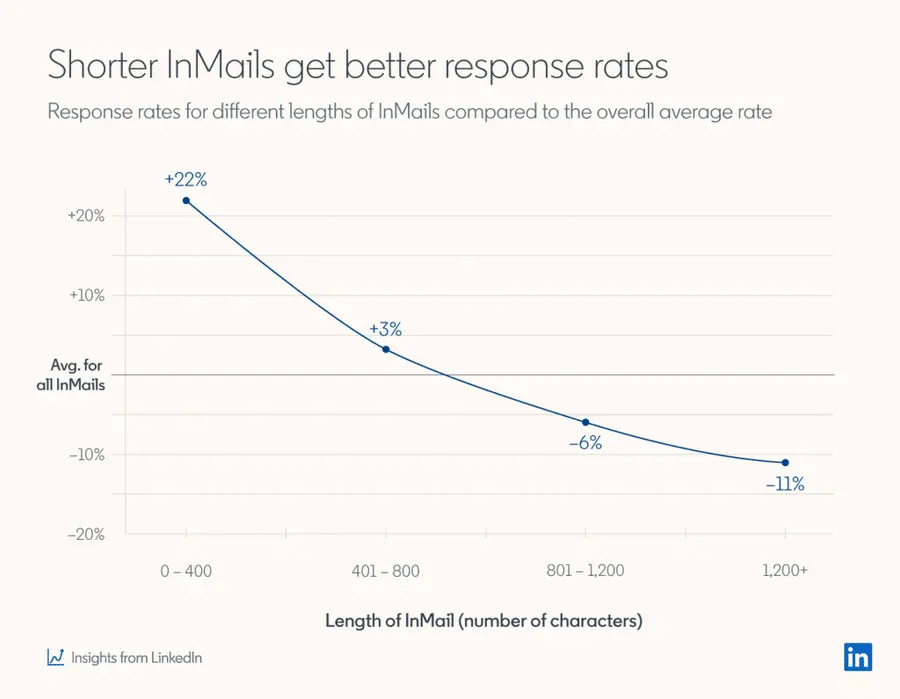
This is because today people are busy!
This way, you respect the recipient’s time and increase your chances of getting a reply.
2. Write short subject lines
Your profile picture and InMail subject lines are the first things people see in your InMail.
The average email open rate is about 21.6%, and LinkedIn InMail has a 57.5% open rate, which can be further optimized with the right subject line strategy.
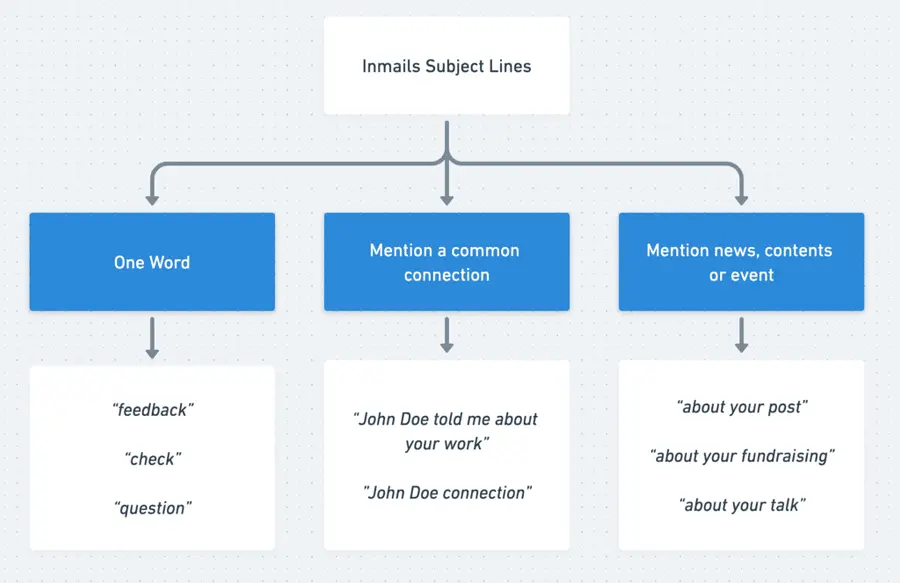
Here are three tactics to consider:
- One-word subject: Creates intrigue and gives the recipient a reason to open the message.
- Mention a mutual connection: Uses existing relationships to build trust and rapport.
- Mention recent news: Shows that your message aligns with their interests or concerns.
3. Use InMails as your rescue option
LinkedIn InMails should be your strategic option rather than your first choice when connecting with prospects.
Only send an InMail when your emails and LinkedIn messages don’t generate a response.
Here is why: With a Sales Navigator account, you’re limited to 50 InMail monthly credits, making it a scarce resource.
Meanwhile, you can send up to 200 emails and 150 LinkedIn messages daily.
Here’s an effective Multichannel outreach strategy to use:
- First, send 2-3 emails.
- If there’s no response, send a connection request.
- Follow up with 2-3 LinkedIn messages if your connection request is accepted.
- If these messages go unanswered, consider using an InMail.
So now you know how to write hyper-personalized messages and increase your response rate with a multichannel outreach strategy.
Common Mistakes to Avoid When Sending LinkedIn Outreach Messages
Now, let’s see the common mistakes in LinkedIn outreach messages:
- Overly Generic Messages
- Long Messages
- Asking for a meeting right away
1. Overly Generic Messages
The greatest mistake you can make in LinkedIn messaging is relying on dull, template-based messages that lack a personal touch and don’t engage your prospects.
These messages often start with this familiar line:
Generic message example
In contrast, investing effort into tailoring your message with specific details and dynamic placeholders will demonstrate that you’ve genuinely researched and are offering something of substance.
2. Long Messages
Sending long messages is another blunder that can burden recipients with too much information and multiple calls to action.
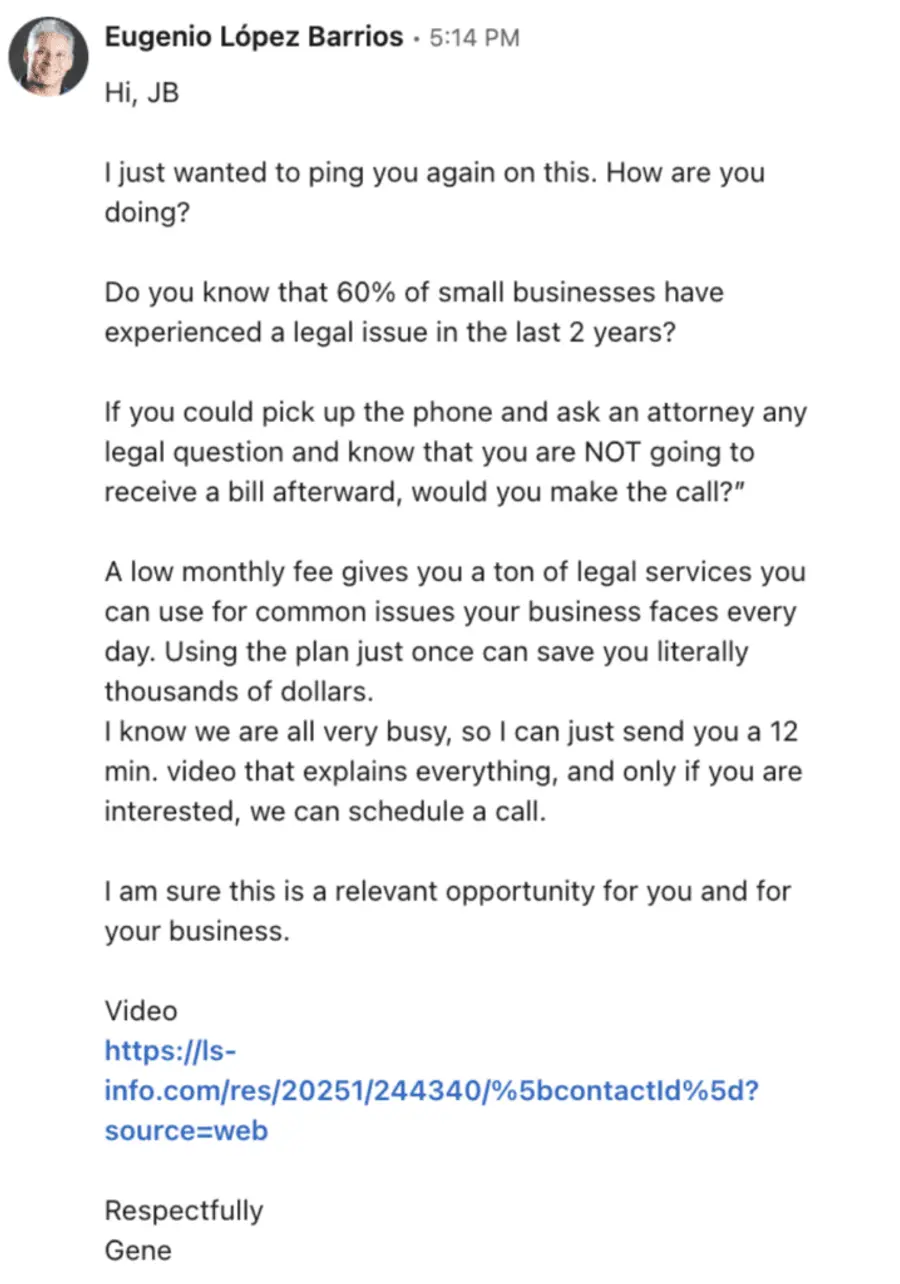
A message stuffed with a long introduction and pitch can discourage and decrease the response rate.

For better results, keep your messages concise:
- One main point,
- A single call to action,
- No more than three sentences,
- And easily glanceable in a single-screen view.
3. Asking for Meetings Right Away
Jumping the gun by requesting a meeting immediately is a common misstep.
This approach can come off as overly aggressive and make undue assumptions about the prospect’s interest level.
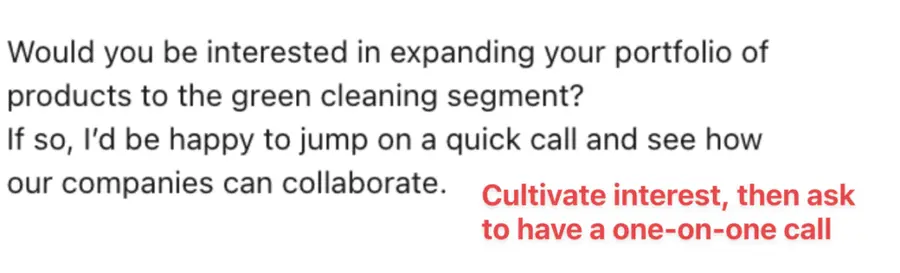
To cultivate a more fruitful interaction:
- Start with a qualifying question to gauge their interest,
- Then, suggest a meeting as a logical next step.
Ideally, discussions of meetings should be broached after trust and interest have been nurtured over a few exchanges.
5 Hyper-Personalized LinkedIn Message Templates
Here are 5 LinkedIn message templates you can use:
- React to a recent LinkedIn post
- React to a comment on a LinkedIn post
- Follow-up message after a LinkedIn event
- React to a new position
- React to an appearance in the news
1. React to a recent LinkedIn post
Use this template to engage with someone who has shared an intriguing or pertinent post on LinkedIn.
Express your gratitude, contribute thoughtful insights, and initiate a dialogue.
React to a LinkedIn post
This effective approach demonstrates genuine engagement with the post’s content and encourages a deeper connection by querying its inspiration.
2. React to a Comment on a LinkedIn Post
This template is ideal for reaching out to someone on LinkedIn who has commented on a post with whom you have also interacted.
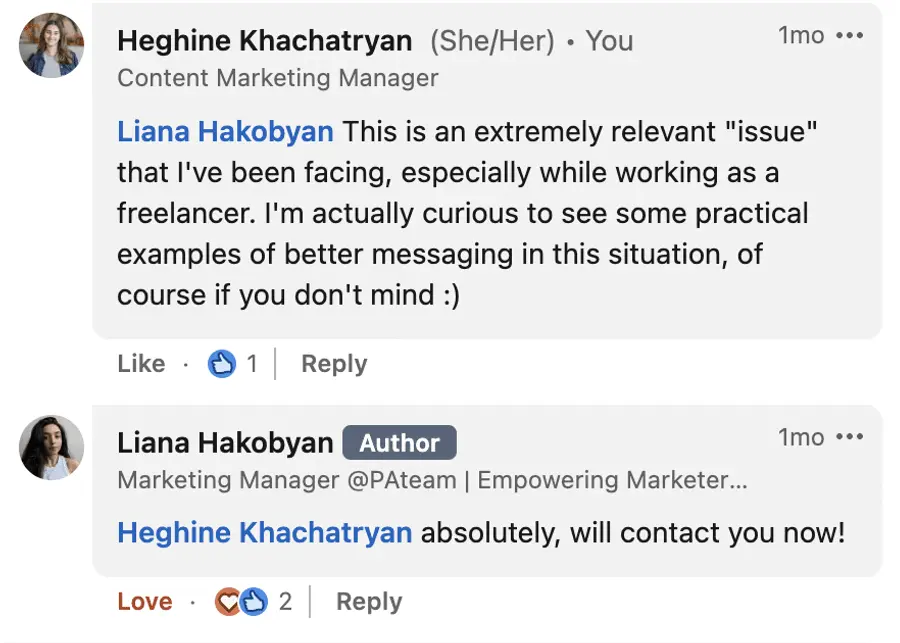
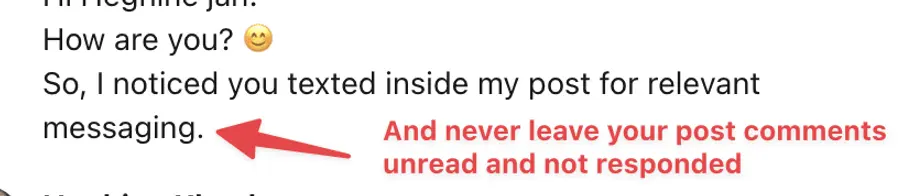
Establish a shared interest, express your curiosity, and prompt a discussion of their viewpoints.
React to a comment on a LinkedIn post
This template encourages reciprocity and shows that you value their perspective by focusing on common ground and seeking their viewpoint on a specific element of the discussion.
3. Follow-Up Message After a LinkedIn Event
Reach out to individuals you met at a LinkedIn event using this template.
Share your memories of the event or the webinar, offer your insights, and express your interest in continuing to connect.
Follow-up after an event
This template demonstrates attentiveness to the shared experience at the event.
It creates an opportunity for continued engagement based on shared professional interests.
4. React to a New Position
When someone announces a new position on LinkedIn, use this template to congratulate them, express genuine interest, and offer support.
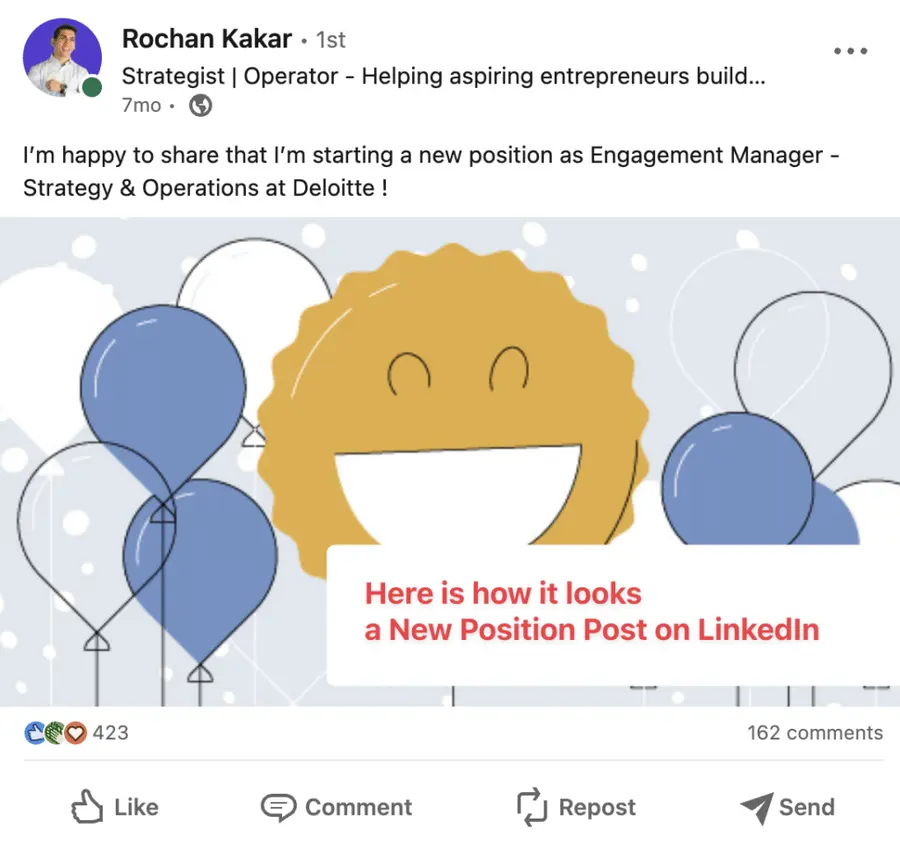
Cangratulate on new position
This template effectively conveys enthusiasm for their professional advancement and readiness to assist, fostering a supportive network connection.
5. React to an appearance in the news
Use this format when reaching out to individuals who have recently made headlines for positive or noteworthy achievements.
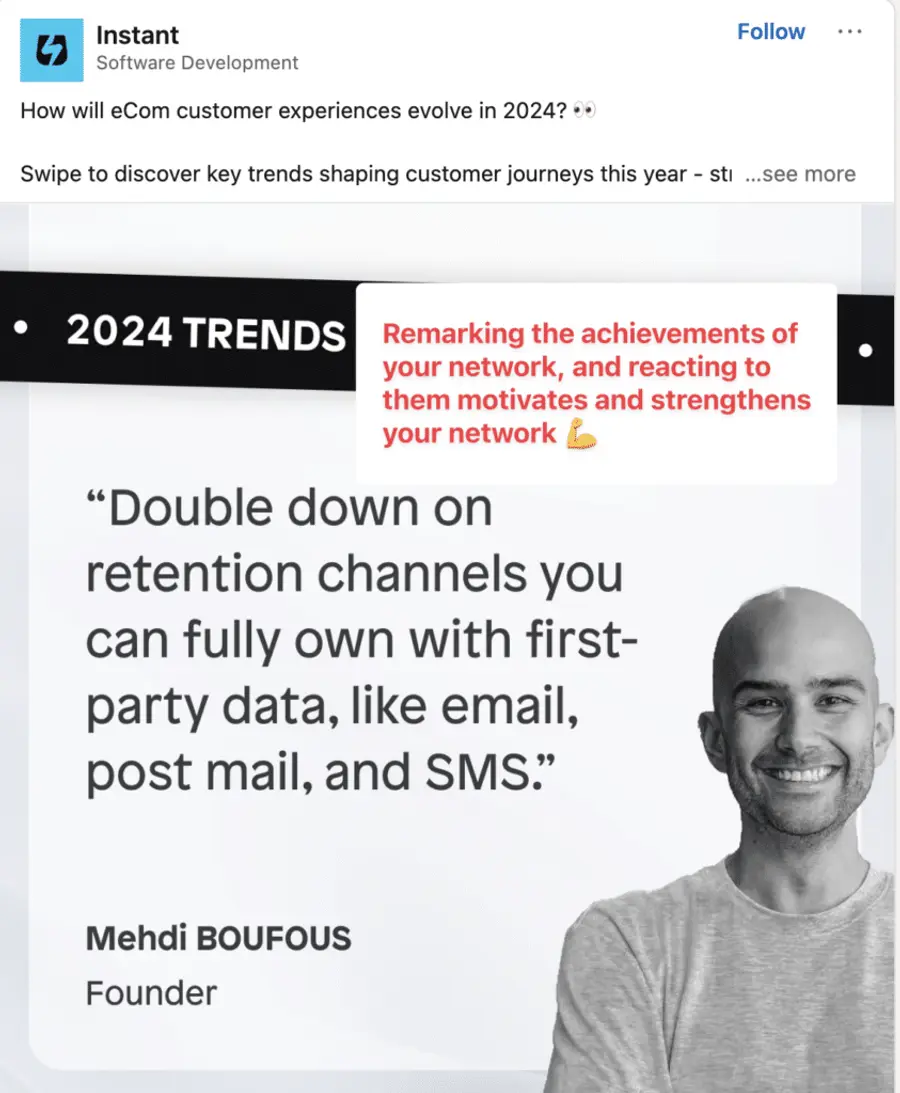
It’s a friendly way to congratulate them, express your admiration, and suggest a meet-up.
Congratulate on appearing in the news
This template is effective because it demonstrates a sincere recognition of their recent media spotlight and an authentic respect for their work.
It subtly requests a meeting in a cordial manner that is neither too forward nor promotional.
How To Automate Hyper-Personalized LinkedIn Outreach?
Here is how to automate hyper-personalized LinkedIn outreach:
- Build and export lead list with LinkedIn Sales Navigator
- Automate LinkedIn message personalization
- Analyse Performance
- Start multichannel-outreach
1. Build a lead list with LinkedIn Sales Navigator
Use LinkedIn Sales Navigator to construct a prospecting list of potential leads that align with your ideal customer profile (ICP) for better lead generation.
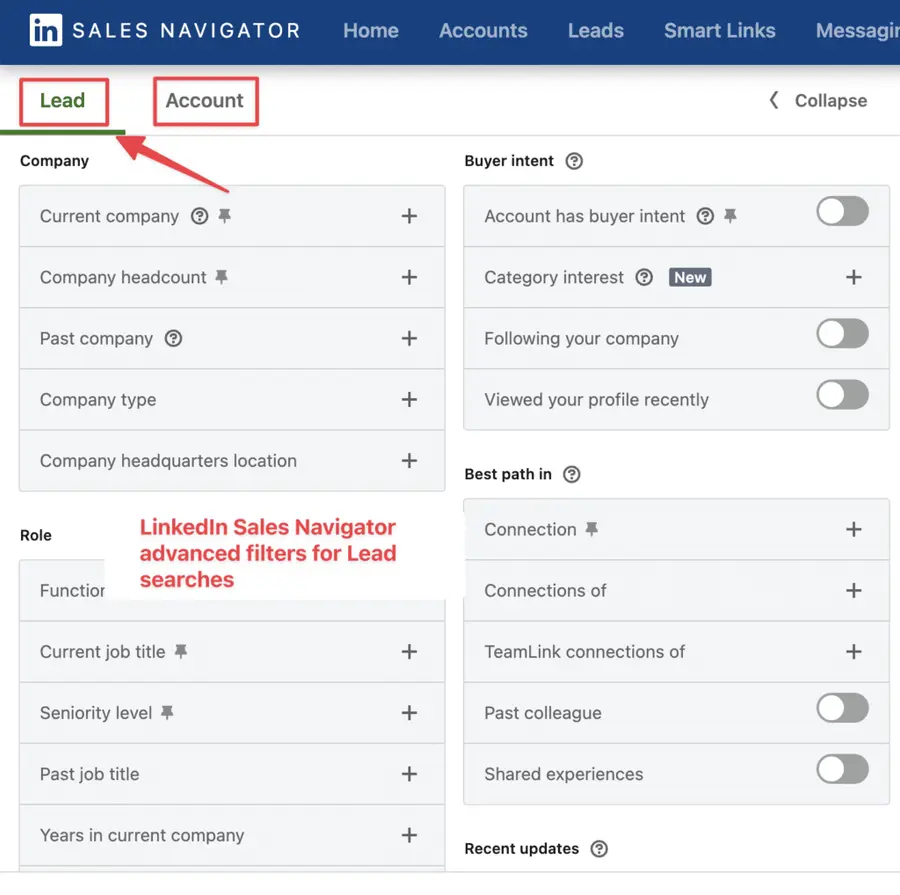
This tool empowers you to refine your search for potential clients.
You can filter them by industry, geographic location, company size, job title, etc.
Save your search parameters to receive updates when new candidates fit your profile.
Once you’ve cultivated this list, you can download it as a CSV file or integrate it directly with your Customer Relationship Management (CRM) system.
2. Automate LinkedIn Messages Personalization
For your second act, bring automation into personalizing your LinkedIn outreach messages.
Use a LinkedIn automation tool, or LaGrowthMachine, to enhance productivity by leveraging dynamic message templates and smart sequences that adapt based on recipient engagement.
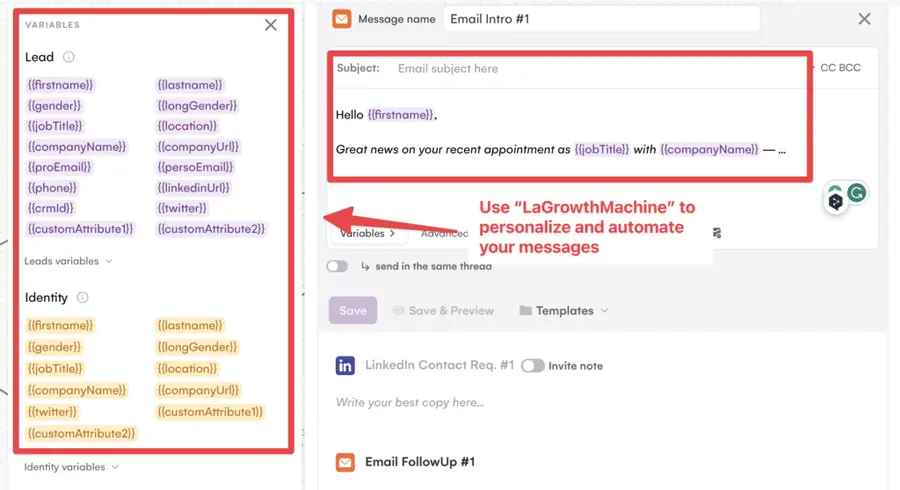
Include hyper-personalized content crafted by AI, like ChatGPT, which can base messages on your leads’ LinkedIn profiles, recent activity, and mutual connections.
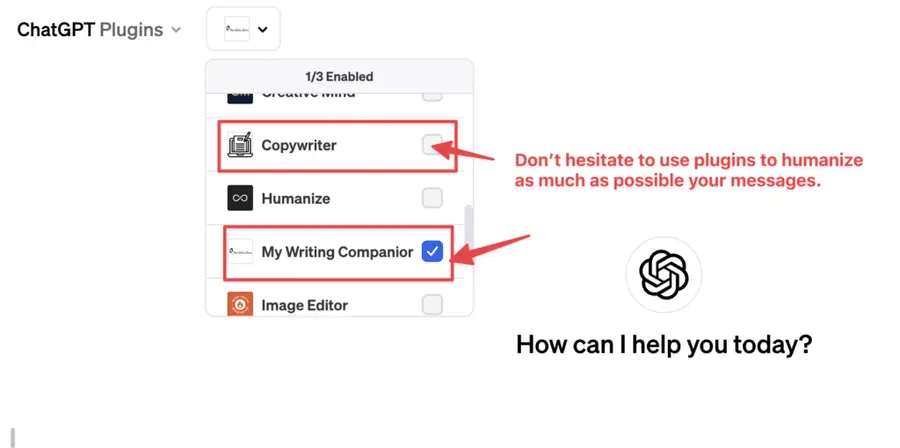
This goes beyond simple personalization, as ChatGPT can generate context-aware messaging that fosters a sense that a recruiter has personally taken the time to understand the recipient’s challenges and goals.
3. Analyse Performances
Monitoring and adjusting your LinkedIn outreach is crucial.
With LaGrowthMachine, analyze your campaign’s reach with in-depth analytics on metrics such as messages sent, replies, and conversions.
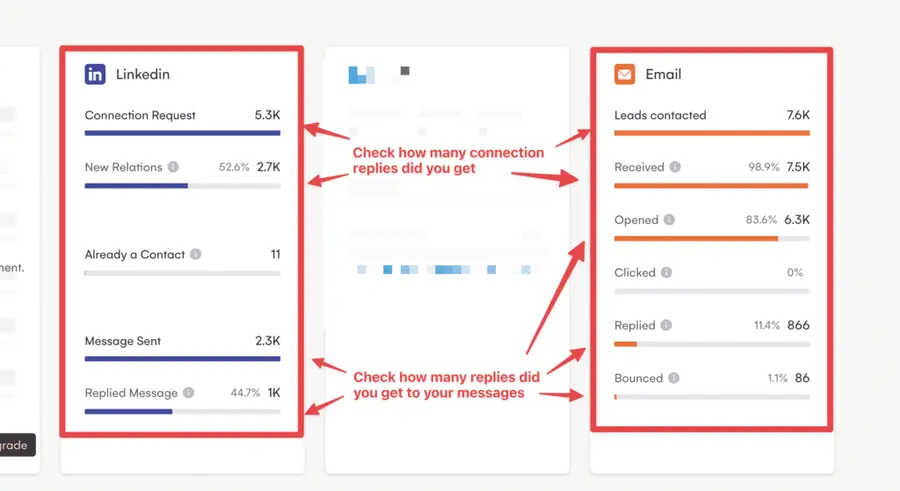
Furthermore, by examining the data on individual messages and sequences, you can understand which ones truly resonate with your audience.
Experiment with A/B testing to refine your messaging and uncover the most compelling content.
4. Start Multichannel Outreach
Our final step recommends expanding your outreach to a multichannel approach, including LinkedIn and classic emails or cold emails.
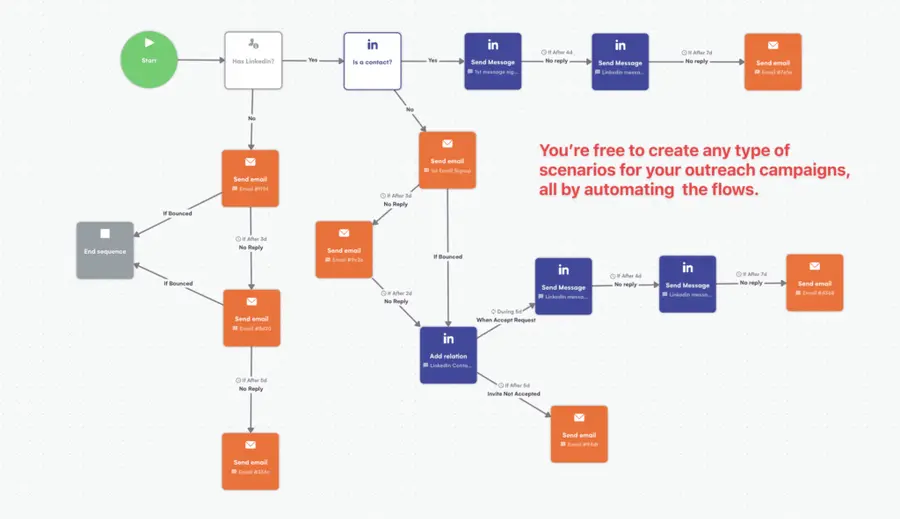
This ensures higher chances of engagement since different prospects have different communication preferences.
With LaGrowthMachine, seamlessly merge your LinkedIn and email outreach, creating cohesive multichannel sequences.
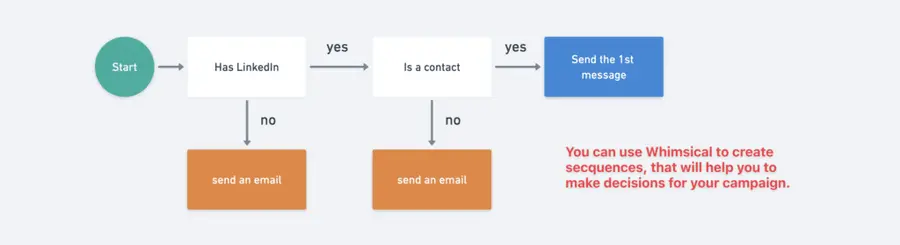
You can also sync your contacts and interactions with your CRM, ensuring all your engagement efforts are coordinated and traceable.
Conclusion
Now, you have a complete guide to writing hyper-personalized LinkedIn messages for your next outreach campaign.
So here are the key takeaways for you to bear in mind:
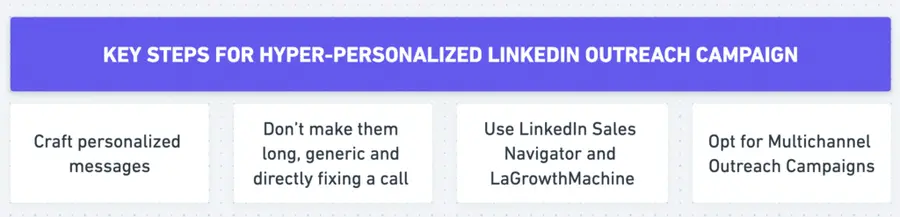
- To craft hyper-personalized LinkedIn messages, stick to a five-step approach:
- Provide a reason for reaching out
- Ask a question
- Support with evidence
- Suggest a potential solution
- And ensure follow-up
- Avoid writing generic, lengthy messages and prematurely proposing meetings
- Use LinkedIn Sales Navigator and LaGrowthMachine for setting uo hyper-personalized outreach automation
- Create multichannel outreach campaigns, including LinkedIn messages, InMails, emails, and follow-up messages
FAQ
What is a hyper-personalized message?
A hyper-personalized message goes beyond using basic information such as name or location.
It leverages detailed, real-time data and user behavior to create highly relevant and timely messages tailored to specific contexts.
These messages demonstrate a deep understanding of the prospect’s challenges and offer solutions perfectly aligned with their unique needs.
How do I personalize my LinkedIn messages?
To personalize your LinkedIn messages, follow these 5 steps:
- Provide a reason for reaching out to establish a clear context and show genuine interest.
- Ask a question to engage the recipient and prompt a response.
- Back up your message with data to add credibility and demonstrate research.
- Introduce a solution to show how you can address their needs or challenges.
- Plan a follow-up to continue the conversation and build a relationship.
What is the best LinkedIn introduction message?
The best LinkedIn introduction message should be personalized and show genuine interest in the person you’re contacting.
Personalized LinekdIn Introduction Message
This approach shows you’ve taken the time to engage and opens the door to a deeper conversation based on shared interests.
Disclosure
![LinkedIn InMail Messages: What is It and How Do They Work? [2026 Guide]](https://cdn.sanity.io/images/c7r5pqu4/production/a55265d8bc2b16a0f80e0fd05ad764564faf6cfc-1280x720.jpg?rect=5,0,1271,720&w=600&h=340&fm=webp&fit=crop)

![The 35 Best LinkedIn Automation Tools in 2026 [Free & Paid]](https://cdn.sanity.io/images/c7r5pqu4/production/8bd8e61c426ef77738a8bf09007e54d17c541bbc-2296x1286.png?rect=14,0,2269,1286&w=600&h=340&fm=webp&fit=crop)