
30-Second Summary
- COO email lists help you connect directly with operational leaders — the people who run logistics, HR, and internal systems.
- Evaboot is the fastest way to build verified COO email lists using LinkedIn Sales Navigator, with clean exports and smart filtering.
- ZoomInfo and Apollo.io offer powerful segmentation, intent data, and CRM integrations to target COOs at scale.
- Tools like SalesIntel, Lusha, and Clearbit provide GDPR/CCPA-compliant data with high accuracy and firmographic filters.
- When choosing a provider, prioritize email verification, segmentation options, compliance, and deliverability safeguards to protect your sender reputation and improve ROI.
Finding a COO email list that’s accurate, compliant, and ready to use is easier said than done. Most lists are outdated, overpriced, or full of irrelevant titles that get you nowhere.
That’s where B2B prospecting tools come in.
The right tool doesn’t just give you a spreadsheet of emails. It gives you verified and updated contact data.
Whether you’re selling enterprise SaaS, logistics services, or B2B consulting, connecting with Chief Operating Officers can unlock massive pipeline opportunities — but only if your data is clean and targeted.
In this guide, we’ll break down:
- Top 10 COO Email List Providers
- What is a COO Email List?
- Why Use a COO Email List?
- How to Choose the Right COO Email List Provider
Let’s dive in.
Top 10 COO Email List Providers
Below are the best platforms for finding Chief Operating Officers contacts in 2026:
- Evaboot
- ZoomInfo
- Apollo.io
- Lusha
- Clearbit
- SalesIntel
- RocketReach
- UpLead
- Hunter.io
- Seamless.AI
1. Evaboot
Evaboot is the fastest way to build a clean, verified COO email list by exporting leads from Sales Navigator.
It cleans and enriches data while helping you discover verified emails for COOs.
Key Features:
- Export Leads: Export lists and searches from Sales Navigator to CSV.
- Email Finder: Utilize scraping and email finder algorithms to find professional emails.
- Email Verifier: Test all emails found to verify their existence.
- Clean Data: Automatically clean names, job titles, and company names.
- Filter Leads: Verify if your leads match your Sales Navigator search filters.
Pros:
- Optimized for LinkedIn Sales Navigator: Built specifically for LinkedIn-based prospecting
- User-Friendly Interface: No technical skills required — upload your URL and get clean, verified data in minutes.
- Affordable Pricing: Credit-based pricing makes it ideal for solo reps, freelancers, and small teams.
- Time-Saving Automation: Cuts hours of manual lead cleaning, scraping, and email verification from your workflow.
Cons:
- Limited to LinkedIn Data: Only works with leads from LinkedIn Sales Navigator.
- No Outreach Automation: Doesn’t include email sequencing or direct CRM/email tool integrations.
Pricing: Starts at $9/month (credits-based system).
2. ZoomInfo
ZoomInfo offers extensive data, powerful segmentation, and robust verification processes. Expect comprehensive profiles and high accuracy.
Key Features:
- Vast database of COO contacts with direct dials and email addresses.
- Advanced search filters by industry, revenue, employee size, technology stack, and more.
- Real-time data verification and update cycles.
- Integration capabilities with CRM and sales engagement platforms.
Pros:
- Data Depth: Provides detailed company and contact information.
- High Accuracy: Known for frequently updated and verified data.
- Comprehensive Segmentation: Allows for highly targeted list building.
- Intent Data: Identifies active buyers, increasing conversion potential.
Cons:
- Premium Pricing: Can be significantly more expensive than alternatives.
- Learning Curve: Full utilization requires time to master its extensive features.
- Minimum Contracts: Often requires annual commitments, unsuitable for one-off needs.
Pricing: Custom quotes required (often starts around $15,000/year)
3. Apollo.io
Apollo.io combines a robust B2B database with sales engagement tools, offering a complete solution for identifying COOs and executing outreach campaigns.
Key Features:
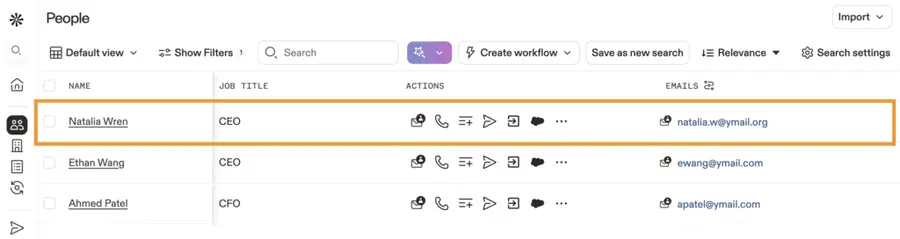
- Database of millions of B2B contacts, including COOs, with verified email addresses and phone numbers.
- Built-in email sender and dialer for outreach execution.
- Sequence automation for personalized follow-ups.
- Granular search filters and CRM integrations.
- Free tier available for limited use, enabling preliminary testing.
Pros:
- Integrated Platform: Combines data acquisition with outreach execution.
- Cost-Effective (for its features): Offers significant value, especially with its free tier.
- User-Friendly Interface: Relatively easy to navigate and utilize.
- Strong Segmentation: Supports targeted list building.
Cons:
- Data Accuracy Can Vary: While generally good, some users report occasional inaccuracies compared to top-tier dedicated data providers.
- Support Response: Can be inconsistent for some users.
- Feature Overload: For users only interested in lists, the full sales engagement suite might be more than needed.
Pricing: Free plan available; paid plans from $49/month per user
4. Lusha
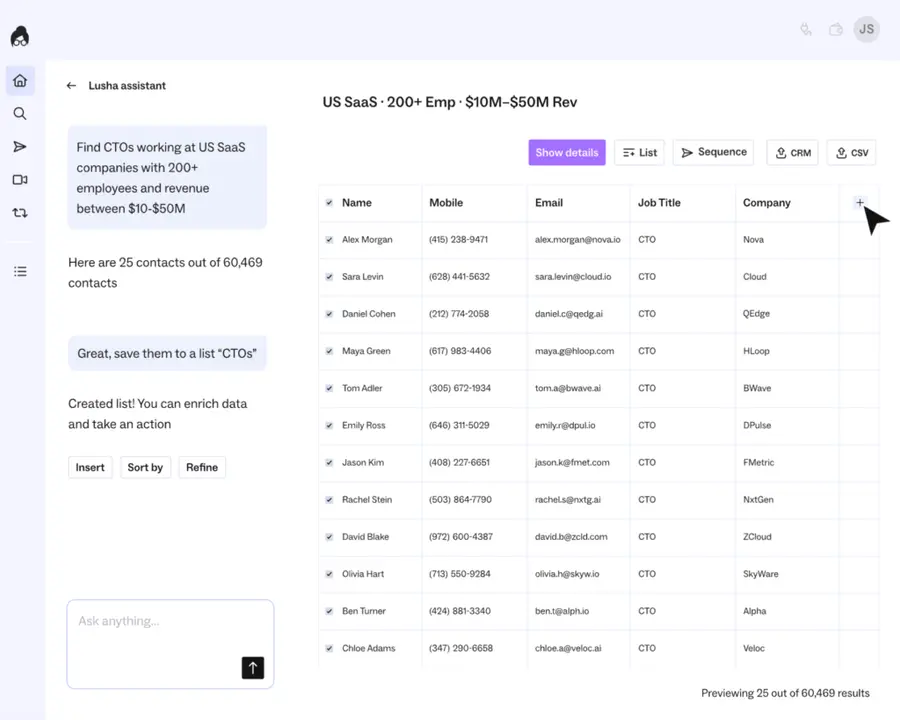
Lusha focuses on providing accurate B2B contact data through a user-friendly browser extension, making it efficient for sales teams to acquire COO contact information directly from LinkedIn or company websites.
Key Features:
- Browser extension for one-click access to contact details (email, phone).
- Integration with LinkedIn Sales Navigator.
- Large database of verified B2B contacts.
- GDPR and CCPA compliant.
- API access for bulk data retrieval.
Pros:
- Ease of Use: Highly intuitive, especially with its browser extension.
- High Accuracy for Direct Dials: Often praised for accurate phone numbers.
- Cost-Effective Starter Plans: Accessible pricing tiers.
- Strong Compliance Focus: Prioritizes data protection regulations.
Cons:
- Email Accuracy Can Be Inconsistent: While good, some users report email validation challenges compared to phone data.
- Limited Segmentation: Primarily a contact lookup tool rather than a full list-building platform.
- No Intent Data: Does not offer insights into buying signals.
Pricing: Free plan available; paid plans from $29/month
5. Clearbit
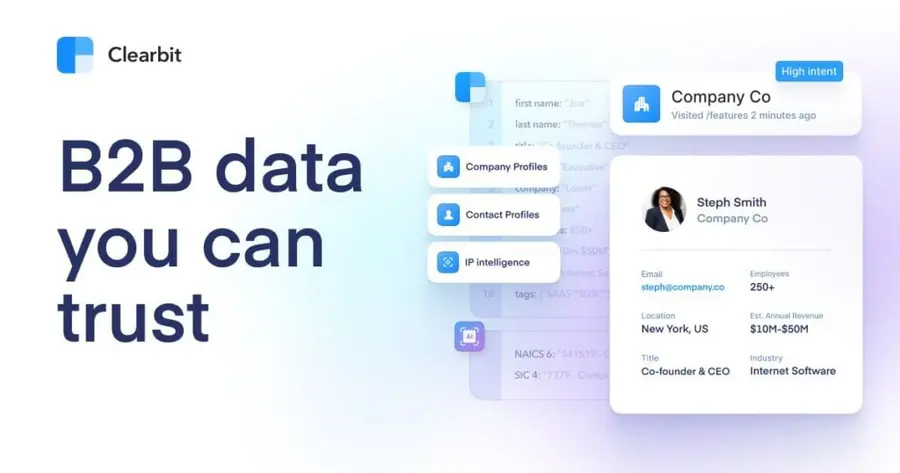
Clearbit provides a suite of data enrichment and lead generation tools. While not exclusively a list provider, its Prospector tool allows for building highly qualified COO lists based on extensive company and contact data.
Features:
- Prospector tool for building targeted lists based on technographics, firmographics, and contact roles.
- Data enrichment to append missing information to existing lists.
- API for real-time data access.
- Integration with CRM systems.
- Tracks company events and technologies.
Pros:
- Powerful Data Enrichment: Enhances existing data significantly.
- Technographic Data: Excellent for targeting COOs based on the technology their company uses.
- Flexible API: Ideal for developers and custom integrations.
- High-Quality Data: Known for robust data sourcing and accuracy.
Cons:
- Steep Learning Curve: Requires technical understanding for full utilization, especially with its API.
- Higher Price Point: Geared towards larger enterprises.
- Not a Standalone List Provider: Best used in conjunction with other tools or for enrichment.
- Limited Direct Outreach Tools: Focuses on data provision, not email sending.
Pricing: Custom pricing; typically starts at $12K/year for enrichment-only use
6. SalesIntel
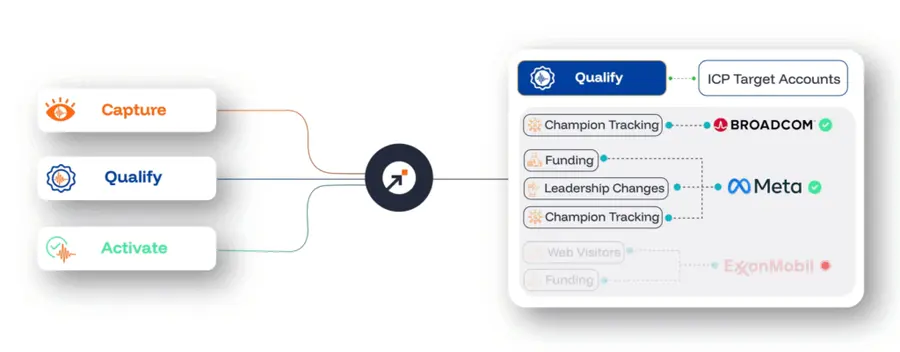
SalesIntel distinguishes itself with a strong emphasis on human verification for its contact data, ensuring high accuracy and reducing bounced emails for COO email lists.
Key Features:
- 95% human-verified contact data for emails and direct dials.
- On-demand research requests for hard-to-find contacts.
- Technographic and firmographic filters for precise segmentation.
- Intent data from Bombora.
- CRM integrations.
Pros:
- Exceptional Data Accuracy: Human verification significantly reduces invalid contacts.
- On-Demand Research: Can fulfill specific requests for niche COO profiles.
- Good Coverage for Direct Dials: Provides reliable phone numbers.
- Strong Customer Support: Often praised for responsiveness.
Cons:
- Smaller Database than Some Competitors: May have fewer contacts in highly specialized or international markets.
- Higher Cost: Human verification comes at a premium.
- Interface Can Be Less Intuitive: Some users find the UI less polished than competitors.
Pricing: Demand-based pricing.
7. RocketReach
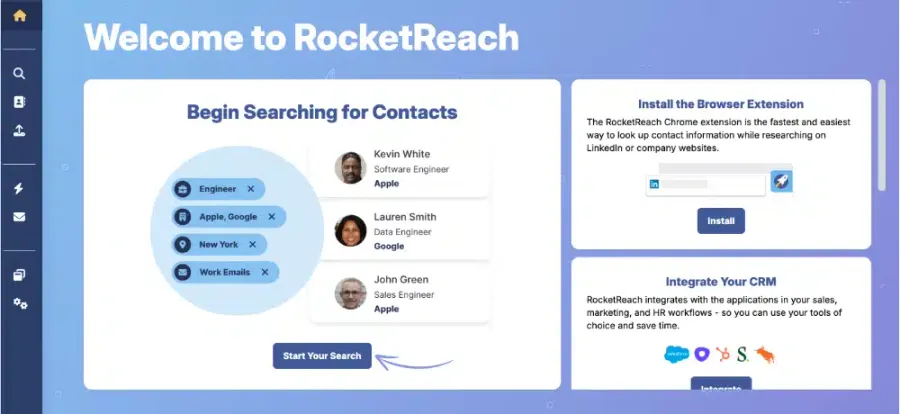
RocketReach offers a vast database of professional contacts, making it a reliable choice for finding COOs across various industries and company sizes. It’s known for its broad coverage.
Key Features:
- Extensive database with millions of professional profiles.
- Email and phone number lookup capabilities.
- Search by name, company, title, industry, and location.
- Browser extension for one-click contact discovery.
- CRM export functionality.
Pros:
- Massive Database: One of the largest available, increasing the likelihood of finding specific COOs.
- User-Friendly Interface: Simple and straightforward to use.
- Competitive Pricing: Offers good value for the volume of data.
- Broad Coverage: Finds contacts across a wide range of companies and sectors.
Cons:
- Data Accuracy Varies: While good, it’s not as consistently high as platforms with heavy human verification.
- Limited Advanced Segmentation: Filters are less granular than specialized platforms.
- Fewer Advanced Features: Lacks intent data or deep technographic insights.
Pricing: paid plans start at $19/month. Team and custom plans available.
8. UpLead
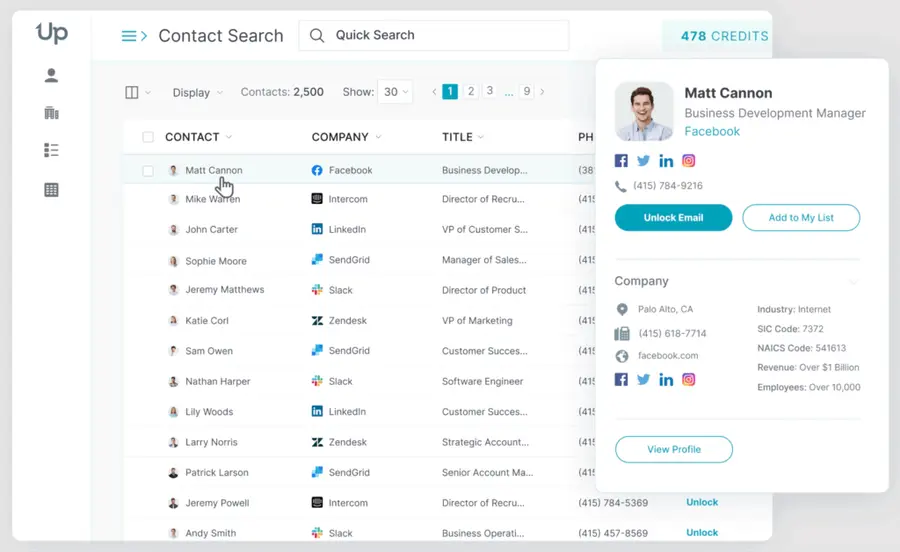
UpLead guarantees a high data accuracy rate, often boasting 95% or more, making it a strong contender for building reliable COO email lists. They emphasize real-time email verification.
Key Features:
- 95%+ data accuracy guarantee on contact information.
- Real-time email verification before download.
- 20+ search filters, including industry, revenue, employee size, job title, and technology used.
- CRM integrations.
- Technographic data insights.
- Free trial available.
Pros:
- High Data Accuracy Guarantee: Provides confidence in deliverability.
- Real-Time Verification: Ensures emails are valid at the point of download.
- Excellent Segmentation: Allows for highly targeted list creation.
- User-Friendly: Intuitive platform.
Cons:
- Database Size: May not be as extensive as some larger competitors, particularly for niche roles.
- Pricing Can Add Up: While competitive, higher usage tiers can become costly.
- Limited Intent Data: Not its primary focus, unlike some competitors.
Pricing: Free trial available; paid plans start at $74/month
9. Hunter.io
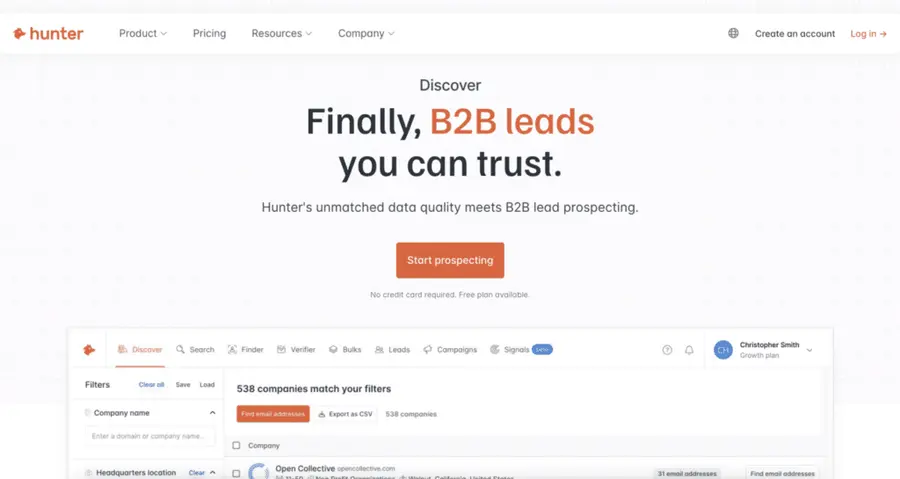
Hunter.io specializes in finding email addresses associated with specific companies and verifying them. It’s a valuable tool for building COO lists when you know the target companies.
Key Features:
- Email Finder: Finds email addresses from a domain or for specific individuals.
- Email Verifier: Checks the validity of email addresses.
- Bulk Email Finder: For large-scale email discovery.
- Domain Search: Lists all known email addresses for a specific company.
- Browser extension and Google Sheets add-on.
- Pros:
- Excellent for Domain-Based Email Discovery: Highly effective if you have target companies.
- Reliable Email Verification: Reduces bounce rates.
- Cost-Effective: Offers a generous free tier and affordable paid plans.
- Simplicity and Ease of Use: Very straightforward functionality.
- Cons:
- Not a Traditional List Builder: Requires you to know the target companies or COOs beforehand.
- Limited Segmentation: Does not offer firmographic or technographic filters to build lists from scratch.
- Primarily Email-Focused: Does not typically provide phone numbers or other contact details.
Pricing: Free plan available; paid plans start at $34/month
10. Seamless.AI
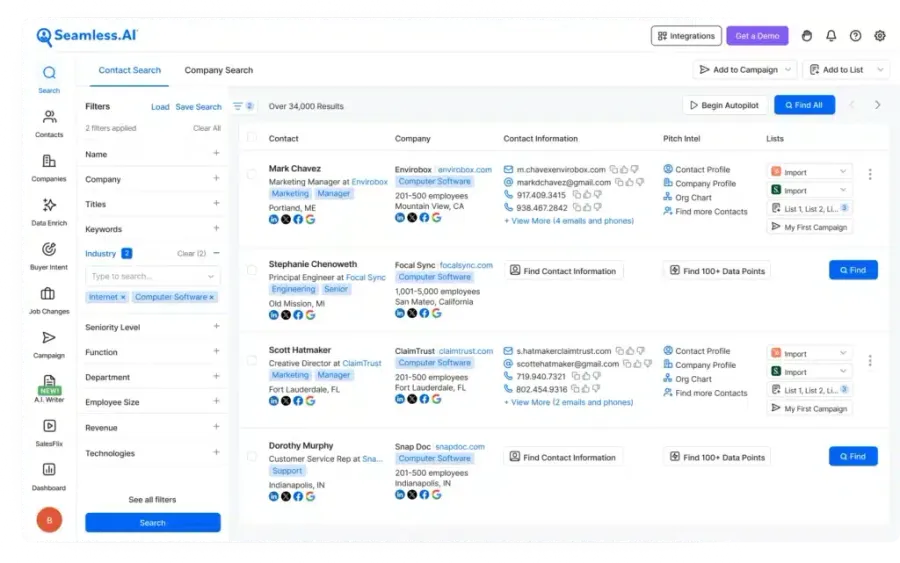
Seamless.AI leverages AI to find verified contact information and company insights in real-time, positioning itself as a comprehensive sales intelligence tool for B2B professionals.
Key Features:
- Real-time search for verified email addresses and phone numbers.
- AI-powered prospecting to find ideal customer profiles.
- Integration with CRM and sales engagement platforms.
- Company insights and firmographic data.
- Browser extension for LinkedIn and company websites.
Pros:
- Real-Time Verification: Aims to provide the freshest data possible.
- AI-Powered Efficiency: Streamlines the prospecting process.
- Strong for Individual Contact Discovery: Excellent for finding specific COOs.
- User-Friendly Interface: Generally easy to navigate.
Cons:
- Accuracy Can Vary: As with any AI-driven tool, occasional inaccuracies may occur.
- Bulk List Building: While possible, it may be less intuitive than dedicated list platforms.
Pricing: Free trial; paid plans from $147/month
What is a COO Email List?
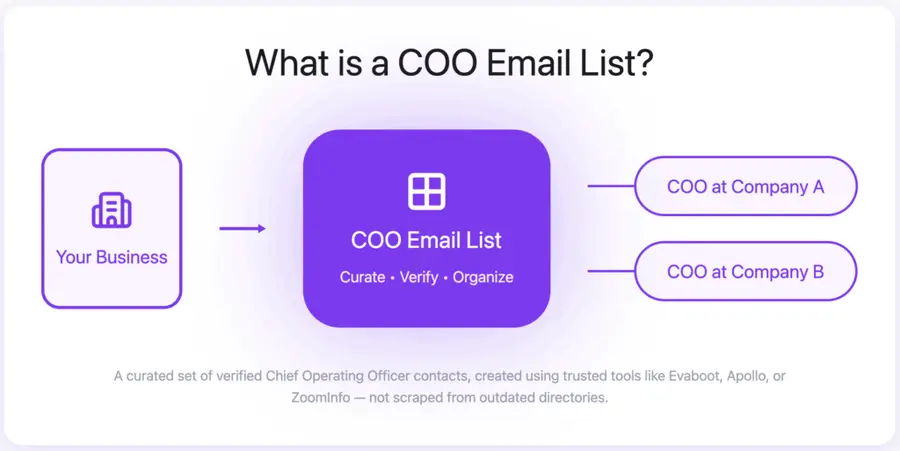
A COO email list is a curated database of verified contact details for Chief Operating Officers, built to help sales and marketing teams connect directly with operational decision-makers.
Unlike outdated or scraped lists, modern COO mailing lists are generated through tools like Evaboot, Apollo, or ZoomInfo — providing accurate, real-time data based on filters like company size, industry, or location.
Because COOs oversee day-to-day operations and influence critical areas like logistics, HR, and process improvement, reaching them directly is essential for B2B teams selling software, services, or operational solutions.
Why Use a COO Email List?
Using a COO email list is one of the most effective ways to connect with the people responsible for a company’s daily operations and execution strategy.
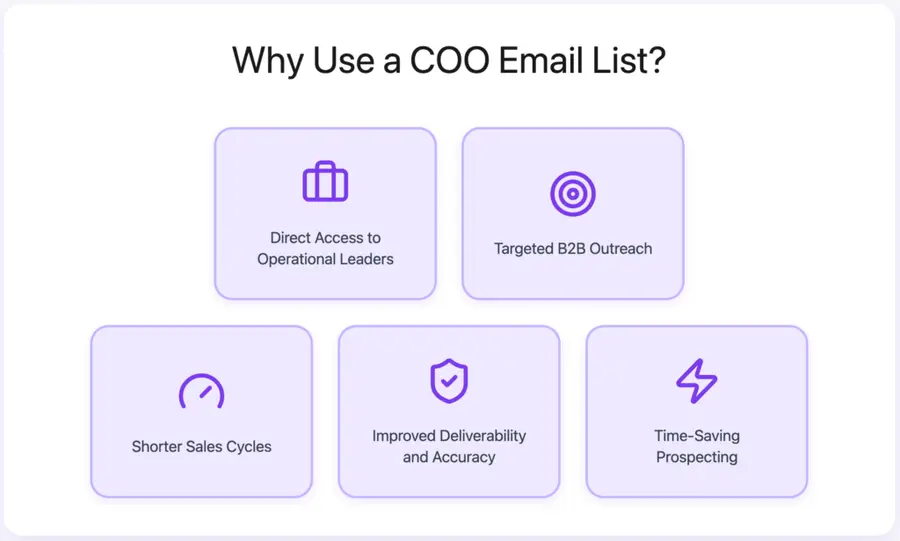
- Direct Access to Operational Leaders: Reach the executives who oversee logistics, HR, procurement, and internal systems — not just the final decision-maker, but the one who implements.
- Targeted B2B Outreach: Focus your messaging on companies by size, location, or industry, and engage only with COOs who match your ideal customer profile.
- Shorter Sales Cycles: COOs are often the ones who identify problems and move fast on solutions — especially for tools related to process, automation, or supply chain.
- Improved Email Deliverability and Accuracy: Verified email tools reduce bounce rates and ensure your outreach lands in real inboxes.
- Time-Saving Prospecting: Skip the guesswork and manual scraping — tools like Evaboot or Apollo let you build COO contact lists in seconds, not hours.
How to Choose the Right COO Email List Provider
Not all COO mailing list providers are created equal.
To make sure you’re paying for real value — not inflated promises or outdated data — here are the non-negotiables to check before you commit:
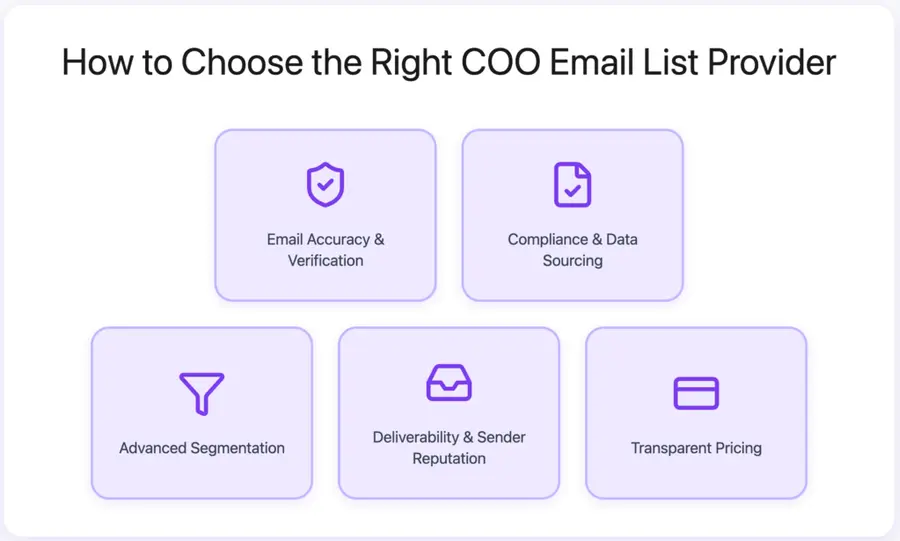
- Email Accuracy & Verification: Look for tools with email verification, low bounce rate guarantees, and clear info on how often their data is updated.
- Compliance & Data Sourcing: Your provider should comply with GDPR, CCPA, and other data laws. Always verify how contacts were sourced and whether opt-in status is confirmed.
- Advanced Segmentation: The best tools let you filter COOs by industry, location, company size, revenue, tech stack, or job function — so every list matches your ICP.
- Deliverability & Sender Reputation: Avoid providers that don’t clean their lists. High bounce rates kill your deliverability. Look for tools with built-in hygiene and blacklisting safeguards.
- Transparent Pricing: Understand if you’re paying per lead, per export, or via monthly subscription — and always check for hidden fees like setup costs or data limits.
Conclusion
A high-quality COO email list isn’t just a convenience: it’s your shortcut to decision-makers who actually move deals forward.
Instead of chasing referrals or dealing with gatekeepers, you can build a targeted COO mailing list and reach operational leaders directly — with verified emails, smart filters, and clean data.
The tools listed above give you everything you need to build, verify, and scale outreach to COOs, whether you’re targeting enterprise companies or mid-size B2B firms.
Stop guessing. Start sending. Your next deal might be one email away.
FAQs
How often are COO email lists updated?
The best COO email list providers update their databases weekly or monthly — with some offering real-time enrichment and validation (like Evaboot, ZoomInfo, or Apollo).
Others rely on human verification teams to refresh high-value roles like C-level contacts regularly.
Avoid platforms that don’t disclose their update frequency. Stale data = high bounce rates and wasted outreach.
Can I get a customized COO email list?
Yes, most platforms allow you to build a custom COO list based on filters like:
• Company size or revenue • Industry or tech stack • Geographic region • Seniority or exact job function
Some tools (like Evaboot’s Sales Navigator URL generator) even let you describe your ideal COO targets in plain English and generate a Sales Navigator search URL in one click.
What is the typical cost of a COO email list?
Prices vary widely depending on the platform and volume of leads.
• Self-serve platforms (like Hunter, Apollo, or Kaspr) start from $39–$99/month • Premium tools (like ZoomInfo or Cognism) can cost $5,000–$20,000+/year, depending on seats, features, and integrations • Some offer pay-per-lead or credits-based pricing, while others run on monthly subscriptions
Are these lists GDPR and CCPA compliant?
The best providers are fully GDPR and CCPA compliant, but not all tools follow the same standards. Look for platforms that:
• Clearly explain their data sourcing and opt-in process • Offer privacy policies aligned with regional regulations • Allow you to filter contacts by region or consent status if needed
Compliance protects both your reputation and your deliverability. When in doubt, ask providers how they gather, store, and verify consent.


