
30-Second Summary
- Buying email lists sounds easy, but it often leads to low-quality leads, compliance issues, and high bounce rates.
- Evaboot helps you build clean, accurate contact lists directly from LinkedIn Sales Navigator — no shady vendors involved.
- Apollo.io and ZoomInfo offer powerful lead databases with real-time verification, filters, and CRM integrations.
- Tools like Cognism, Lusha, and Clearbit prioritize data compliance (GDPR, CCPA) and support global outreach.
- Evaluate tools based on data accuracy, legal compliance, filtering capabilities, pricing models, and CRM compatibility.
Buy email list may sound like a shortcut to fast results — but in reality, it’s a trap that can sink your email deliverability, ruin your domain reputation, and expose you to compliance risks.
Too many teams still purchase generic email lists from shady providers, only to discover outdated contacts, irrelevant industries, or invalid addresses that bounce on first send.
There’s a better way.
Modern sales and marketing teams don’t buy static lists, they build dynamic ones. With tools like Evaboot, Apollo.io, or Hunter.io, you can automate the entire process of finding verified email leads by industry, role, and company size.
Whether you’re looking for CMO email lists, B2B SaaS buyers, or outbound prospects in manufacturing, these platforms let you build lists tailored to your ICP, and refresh them in real-time.
Here’s what you’ll find in this guide:
- 10 Top Databases to Consider for Email Lists
- The Risks of Buying Email Lists
- Key Features to Compare When Buying Email Lists
Let’s dive in, and ditch the shady lists for good.
10 Top Databases to Consider for Email Lists
While the direct purchase of email lists is generally discouraged due to associated risks, many platforms offer robust prospecting tools that allow you to build targeted contact lists ethically.
These services provide access to extensive databases, enabling you to identify and connect with potential leads:
- Evaboot
- ZoomInfo
- Apollo.io
- Cognism
- Kaspr
- Lusha
- Clearbit
- LeadIQ
- RocketReach
- Hunter.io
1. Evaboot
Evaboot is a Chrome-based tool that exports leads directly from LinkedIn Sales Navigator. It enriches your contact list with verified email addresses while helping you avoid duplicates and messy exports.
Key Features:
- Export Leads: Export lists and searches from Sales Navigator to CSV.
- Email Finder: Utilize scraping and email finder algorithms to find professional emails.
- Email Verifier: Test all emails found to verify their existence.
- Clean Data: Automatically clean names, job titles, and company names.
- Filter Leads: Verify if your leads match your Sales Navigator search filters.
Pros:
- Perfect for LinkedIn-based lead sourcing
- Easy to use, fast setup
- Ideal for SMBs, agencies, and growth teams
Cons:
- Works only with Sales Navigator
- No built-in CRM or outreach features
Pricing: Starts at $9/month (credits-based)
2. ZoomInfo
ZoomInfo is a full-scale B2B intelligence platform used by enterprise sales and marketing teams. It provides access to verified business emails, phone numbers, and intent signals.
Key Features:
- 100M+ contacts across regions and roles
- Advanced filters and intent data
- Real-time enrichment and updates
- Deep CRM and automation integrations
Pros:
- Huge global database
- Strong support for ABM strategies
- Ideal for large sales teams
Cons:
- Custom pricing and higher entry cost
- Credit-based access model
Pricing: Custom quote required (starts around $15,000/year)
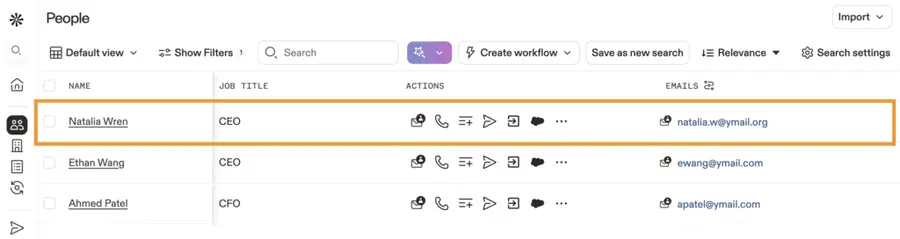
3. Apollo.io
Apollo.io is a popular all-in-one platform for lead discovery, enrichment, and outreach. You can filter leads by role, company size, and tech stack — then launch email sequences without leaving the tool.
Key Features:
- 250M+ B2B contacts
- Built-in email outreach + engagement tracking
- Chrome extension for LinkedIn
- Real-time email verification
Pros:
- Generous free plan
- Combines search + outreach in one
- Strong support community
Cons:
- Some data may need re-verification
- Credits reset monthly
Pricing: Free plan available; paid plans start at $49/month per user
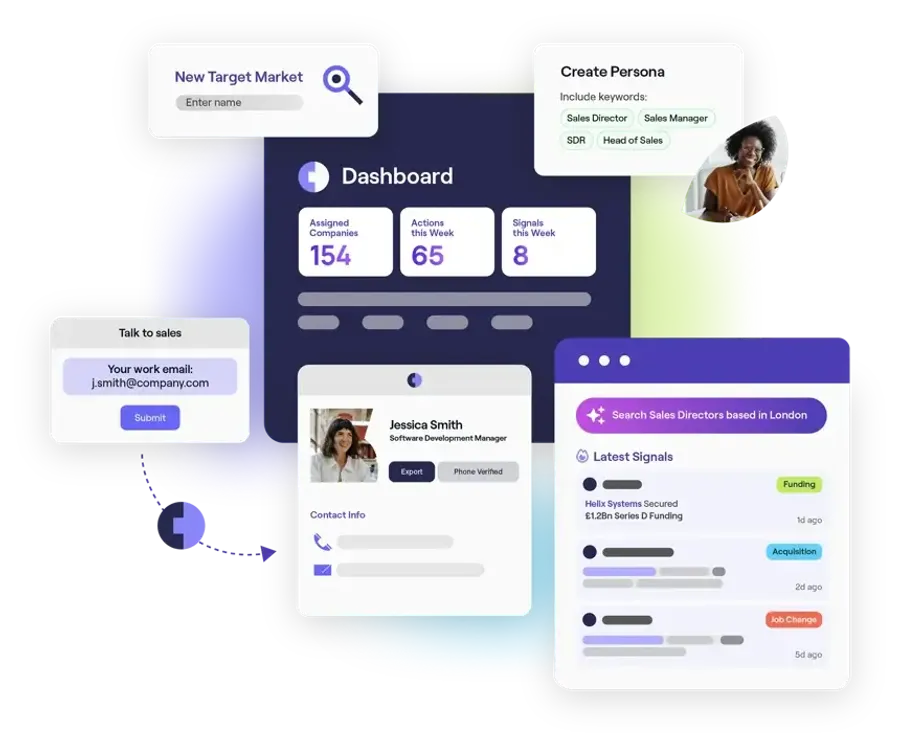
4. Cognism
Cognism is known for offering compliant email list — especially strong in the EMEA and US regions. Ideal for companies with strict legal requirements or complex outbound workflows.
Key Features:
- GDPR & CCPA-compliant contact data
- Diamond Data® for mobile number verification
- Intent signals + sales triggers
- Integrates with Salesforce, Outreach, HubSpot, etc.
Pros:
- Excellent accuracy and compliance
- Strong coverage in regulated markets
- Great customer support
Cons:
- Higher price point
- Requires demo to access pricing
Pricing: Custom pricing under a fair use model
5. Kaspr
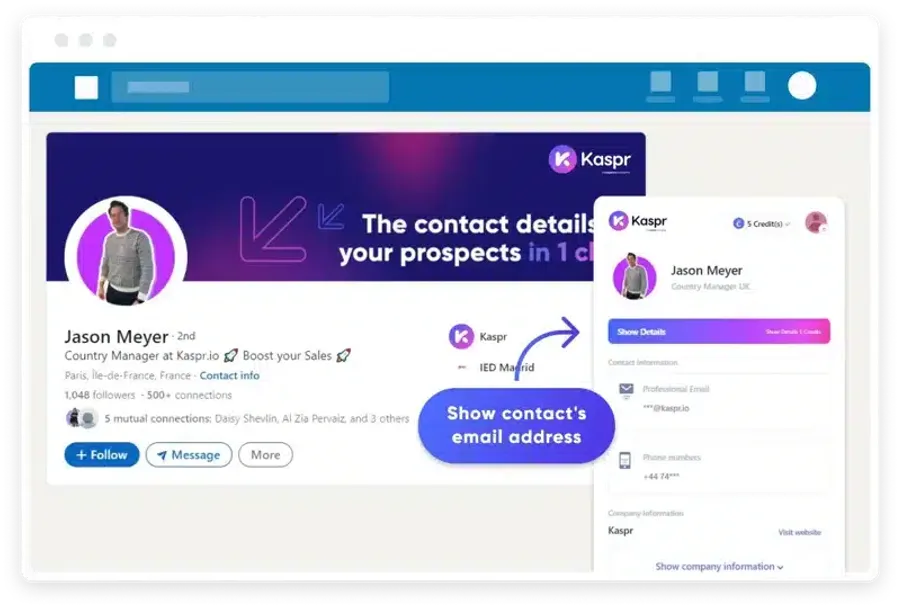
Kaspr is a B2B prospecting tool built for LinkedIn users. Its Chrome extension lets you instantly uncover contact info from profiles, posts, or groups — ideal for SDRs and recruiters.
Key Features:
- Email + phone extraction from LinkedIn
- CRM integrations
- GDPR-aligned data collection
- Basic automation tools
Pros:
- Great for solo reps and fast outreach
- Simple setup
- Real-time enrichment
Cons:
- Not built for bulk prospecting
- No advanced filters or intent data
Pricing: Free plan available; paid plans from €45/month
6. Lusha
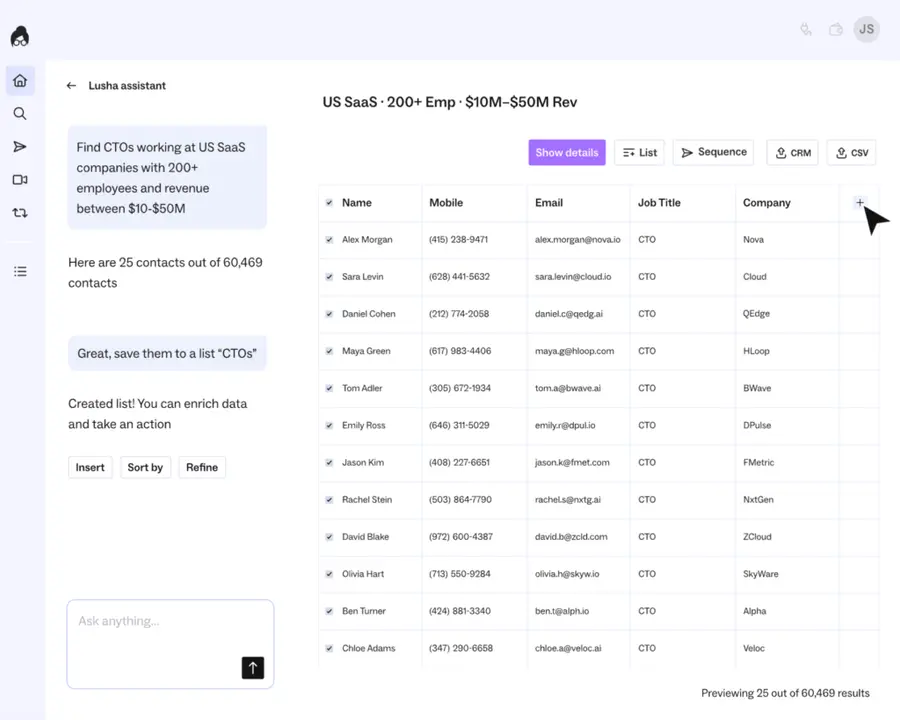
Lusha delivers real-time email and phone data directly inside your workflow. It’s widely used by sales reps for its simple browser extension and fast integration with CRMs.
Key Features:
- Chrome extension for LinkedIn + web
- Verified contact and company data
- CRM integrations: HubSpot, Salesforce, etc.
- Credit-based usage model
Pros:
- User-friendly
- Fast contact reveal
- Affordable for small teams
Cons:
- Limited firmographic filters
- Some data may require cross-verification
Pricing: Free tier available; paid plans from $29/month
7. Clearbit
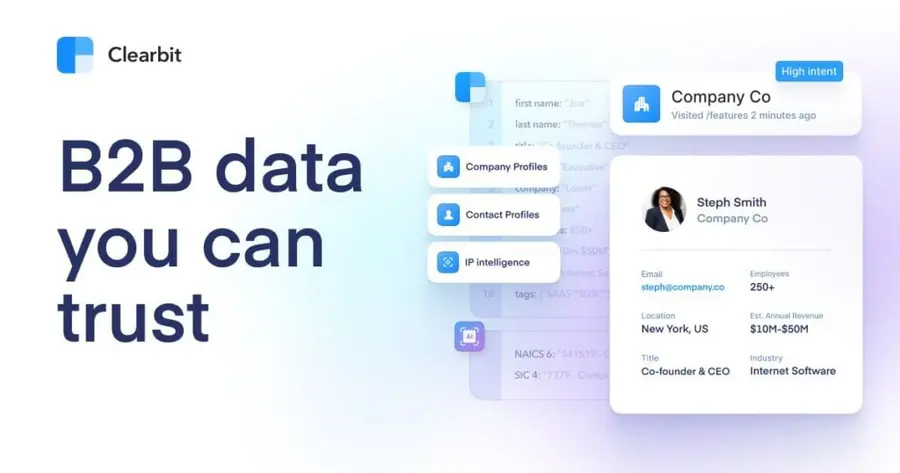
Clearbit enriches your CRM or inbound leads with firmographic and technographic data — perfect for teams wanting to personalize cold emails or build targeted email lists by industry.
Key Features:
- Real-time enrichment API
- Reveal anonymous traffic by IP
- Segment by role, size, and vertical
- Integrates with major CRMs and CDPs
Pros:
- Strong inbound & ABM support
- Data enrichment is automatic
- Ideal for SaaS marketing teams
Cons:
- Requires dev setup for full potential
- Not built for prospecting from scratch
Pricing: Custom quote required
8. LeadIQ
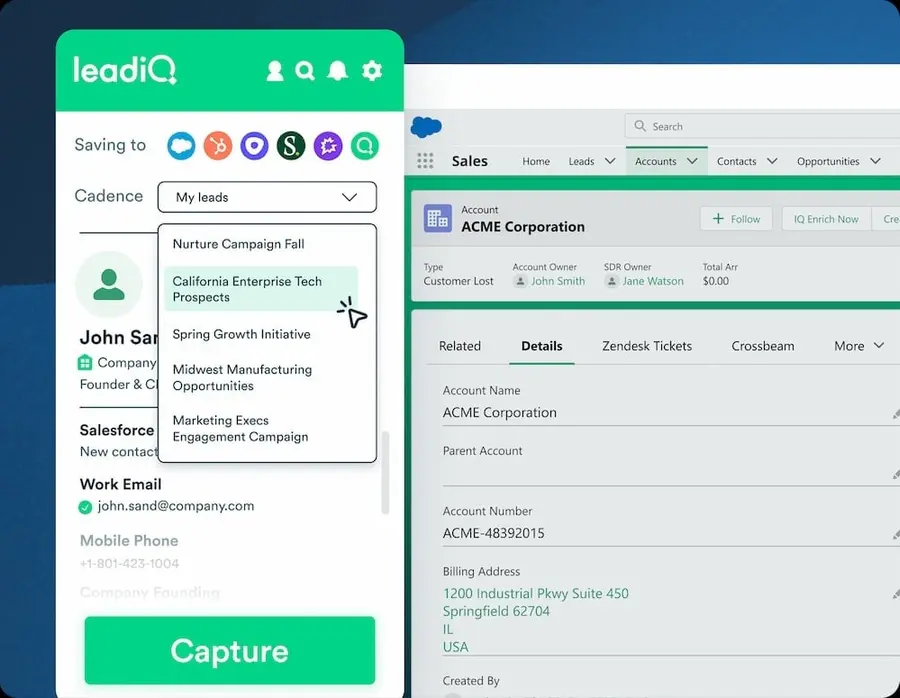
LeadIQ helps outbound teams capture leads as they browse. With its Chrome extension, you can find and verify emails instantly — and sync them to your CRM with one click.
Key Features:
- Real-time contact capture
- Salesforce + Outreach integrations
- Built-in email verifier
- Lead lists + team collaboration features
Pros:
- Fast workflow for SDRs
- Clean UX
- Good mid-tier pricing
Cons:
- Limited filtering power
- Not ideal for high-volume scraping
Pricing: Free plan available; paid plans start at $39/month
9. RocketReach
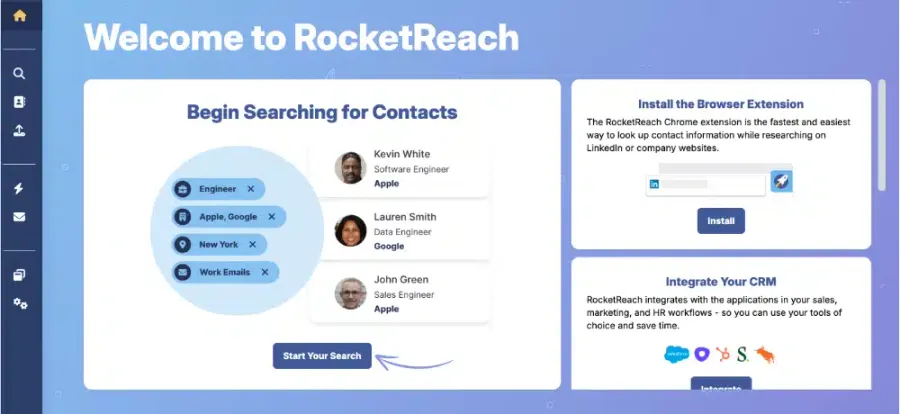
RocketReach offers a large B2B contact database with flexible search filters. You can look up email addresses and phone numbers by domain, title, or individual name.
Key Features:
- 700M+ professional profiles
- Bulk CSV upload and lookup
- LinkedIn browser extension
- Email verification tool
Pros:
- Easy to use
- Strong for recruiting + sales
- Competitive pricing
Cons:
- No intent data or sales triggers
- Less effective for enterprise ABM
Pricing: Free searches; paid plans from $39/month
10. Hunter.io
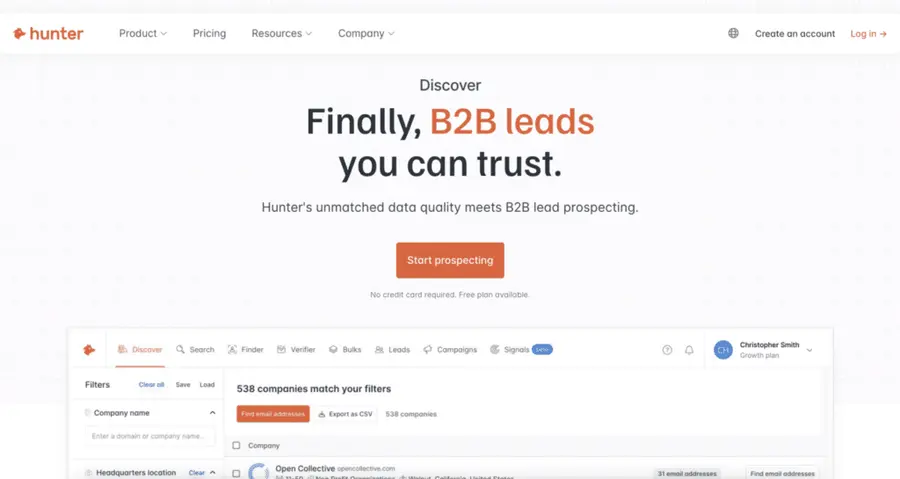
Hunter.io is a powerful tool for verifying email addresses and discovering them via domain logic — especially useful for cold outreach to specific companies.
Key Features:
- Domain search + email pattern prediction
- Email verification at scale
- Bulk lookup + Google Sheets add-on
- Cold email templates built-in
Pros:
- Very clean UX
- Great for domain-based outreach
- Free plan with useful features
Cons:
- No firmographic filters
- Not suitable for role-based prospecting
Pricing: Free plan available; paid plans from $34/month
The Risks of Buying Email Lists
While the allure of a large, pre-made audience is strong, purchasing email lists carries substantial risks that often outweigh the perceived benefits.
Understanding the following pitfalls is important for protecting your business and reputation.
1. Low Quality Leads: Purchased lists frequently contain outdated, irrelevant, or incorrect information.
2. Damaged Sender Reputation: Internet Service Providers (ISPs) actively monitor sending behavior. Sending emails to a large number of uninterested or invalid addresses will flag your domain as a potential spammer.
3. Legal and Compliance Issues: Laws like GDPR and CAN-SPAM require explicit consent before sending marketing emails. Purchased lists rarely provide this consent, exposing your business to legal repercussions.
4. Low Engagement Rates: Recipients on purchased lists have not opted into your communications. This mean they are unlikely to be interested in your offerings, resulting in low open rates, click-through rates, and conversion rates.
5. High Bounce Rates: Emails bounce when they can’t be delivered because the address is invalid, inactive, or full. Purchased lists often include a significant percentage of such addresses, contributing to poor sender reputation.
Key Features to Compare When Buying Email Lists
When evaluating lead generation tools that ethically provide contact information, focus on these critical features.
1. Data Accuracy: Prioritize providers with high verification standards to minimize bounce rates and maximize deliverability.
2. Pricing Models: Compare pricing models against the volume and quality of data provided to ensure value for money.
3. Filtering Options: Robust filtering capabilities allow you to create highly targeted lists, improving the relevance and effectiveness of your outreach.
4. Integration Capabilities: Seamless integration with your existing CRM, marketing automation platforms, and sales tools can significantly streamline your workflow and data management.
5. Customer Support: Responsive customer support is essential for resolving issues, understanding platform features, and maximizing your investment.
Conclusion
The direct purchase of email lists is a risky endeavor that often leads to damaged sender reputation, legal complications, and poor ROI.
Instead of seeking shortcuts, invest in intelligent lead generation and data enrichment tools.
These platforms empower you to ethically build highly targeted email lists, ensuring higher engagement, better deliverability, and sustainable growth.
FAQs
Is it legal to buy email lists?
While it may not be explicitly illegal to purchase an email list in many jurisdictions, sending unsolicited marketing emails to individuals on such lists without their explicit consent is illegal under privacy laws like GDPR and CAN-SPAM.
The legality hinges on how the list was acquired and whether proper consent was obtained.
What is the average cost of an email list?
The cost of an email list varies widely based on factors such as the number of contacts, targeting specificity, and data freshness.
Prices can range from a few cents to several dollars per contact. However, consider this an investment with high risk and often low return.
How accurate are purchased email lists?
Purchased email lists often suffer from low accuracy, with a significant percentage of outdated, invalid, or generic email addresses.
This leads to high bounce rates and diminished campaign performance.
Can buying email lists hurt my sender reputation?
Yes, sending emails to a purchased list, especially one with low-quality or uninterested contacts, will significantly harm your sender reputation.
ISPs will flag your domain, leading to emails being blocked or routed to spam folders, even for your legitimate subscribers.
What are the best practices after buying an email list?
The best practice is to avoid buying email lists entirely.
If, against advice, you choose to acquire one, you must first obtain explicit consent from each individual before sending any marketing communications.
This typically involves a re-permission campaign, which often yields very low opt-in rates, underscoring the inefficiency and risk of purchasing lists.
Instead, focus on building your list organically through lead magnets, content marketing, and ethical prospecting tools.


