
Using the right email scraper will ensure you collect accurate, targeted email addresses, resulting in higher response rates and a better return on investment (ROI).
But with so many email scraping tools out there, which one should you choose?
If you’ve landed on this article, you know that cold emailing remains one of the most effective strategies for businesses to reach prospects, generate leads, and drive sales.
When done right, cold emails can significantly impact your bottom line with an average open rate of 15-25% and conversion rates between 1-5%.
However, the success of your campaigns depends heavily on the quality of your email list.
In this article, we’ll explore 15 email scraping tools to help you maximize your prospecting and lead generation campaign efforts, including:
- Best Email Scraping Tools Compared
- 15 Best Email Scraping Tools
- What Is Email Scraping?
- Is Email Scraping Legal?
Without further ado, let’s get into it!
Best Email Scraping Tools Compared
Before diving into the details of each tool, here is a full comparison of the top 15 email scraping tools, including pricing, features, and user reviews.
| Tool | Pricing | Key Features | G2 Rating |
|---|---|---|---|
| Evaboot | Starts at $9/month | Sales Navigator scraping, email verification, data cleaning | 4.6 / 5 |
| ZoomInfo | Custom pricing | B2B database, segmentation, CRM integrations | 4.4 / 5 |
| Apollo.io | Free + paid plans | Email sequences, enriched data, outreach automation | 4.8 / 5 |
| UpLead | Starts at $99/month | Real-time email verification, CRM integration | 4.7 / 5 |
| RocketReach | Starts at $39/month | Email + phone finder, Chrome extension | 4.2 / 5 |
| Cognism | Custom pricing | GDPR-compliant B2B data, enrichment, CRM | 4.6 / 5 |
| Hunter.io | Free + paid plans | Domain search, email verification, Chrome add-on | 4.5 / 5 |
| Kaspr | Starts at $49/month | LinkedIn scraping, phone finder, CRM ready | 4.4 / 5 |
| Lusha | Free + paid plans | B2B enrichment, Chrome plugin, CRM sync | 4.3 / 5 |
| Scrupp | Starts at $39/month | LinkedIn scraping, email validation, CSV export | 4.1 / 5 |
| Skrapp.io | Free + paid plans | Professional email lookup, integrations | 4.2 / 5 |
| Findymail | Starts at $49/month | Verified emails, automation, export | 4.3 / 5 |
| Seamless.ai | Free + paid plans | Prospecting automation, B2B database | 4.5 / 5 |
| GetProspect | Starts at $49/month | LinkedIn scraping, email finder, integrations | 4.0 / 5 |
| Snov.io | Free + paid plans | Email finder, drip campaigns, API access | 4.5 / 5 |
15 Best Email Scraping Tools
Now let’s explore the main features of every email scraper listed below, and get ready to extract the most accurate and up-to-date emails to increase your cold email ROI.
- Evaboot
- ZoomInfo
- Apollo.io
- UpLead
- RocketReach
- Cognism
- Hunter.io
- Kaspr
- Lusha
- Scrupp
- Skrapp.io
- Findymail
- Seamless.ai
- GetProspect
- Snov.io
1. Evaboot
4.6 out of 5 stars on G2
Evaboot Chrome extension is a LinkedIn Sales Navigator scraping tool designed to export clean and up-to-date contact data and find emails from LinkedIn.
It provides you with ready-for-outreach CSV files in just one click.
This is an excellent tool if you do lead-scraping on LinkedIn or LinkedIn Sales Navigator and want to export the data and extract verified emails for those lists.
Key Features
- Find professional emails
- Email verification and validation
- Export leads from LinkedIn Sales Navigator
- Export company profiles
- Export LinkedIn profile URLs
- Clean the data (emojis, capital letters, typos…)
- Detect false positives in your search results
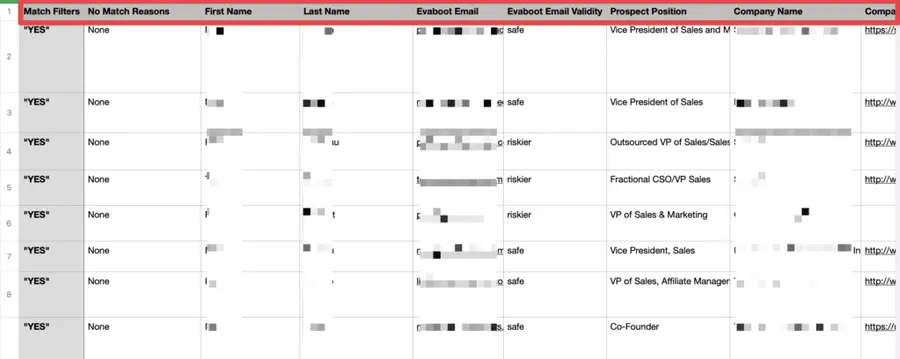
The final results are based on the search filters you used on LinkedIn Sales Navigator.
So whenever it sees a lead that doesn’t match your search requirements, the “Match Filter” will indicate “NO”.
It’s straightforward to use:
1. Click the extension button on the top right of your Sales Navigator page.
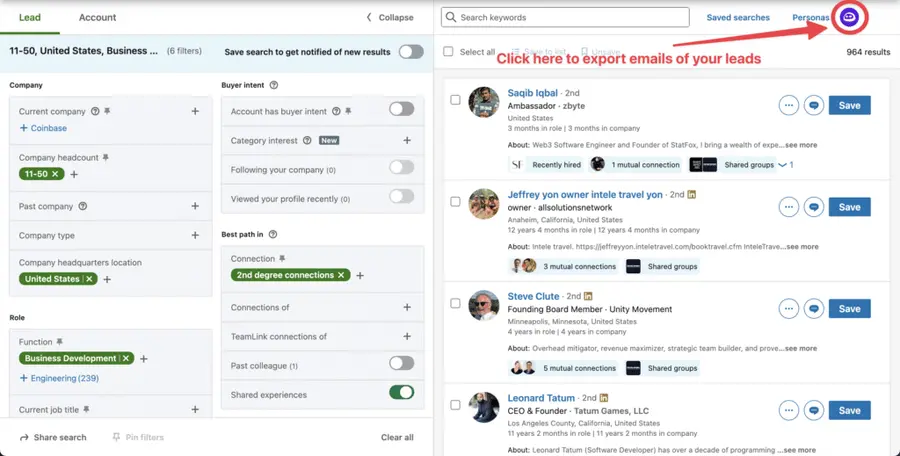
2. It’ll redirect to the Evaboot dashboard, where you can launch the export.
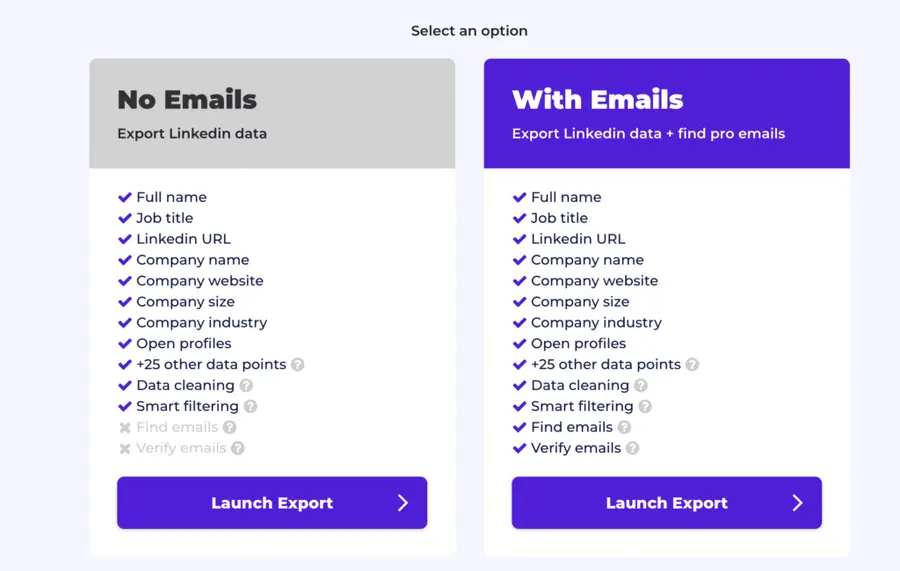
Once the export is done, you can download the email lists with all the other lead information needed to personalize your outreach messages.
Another great thing about Evaboot is that it does not give you false emails.
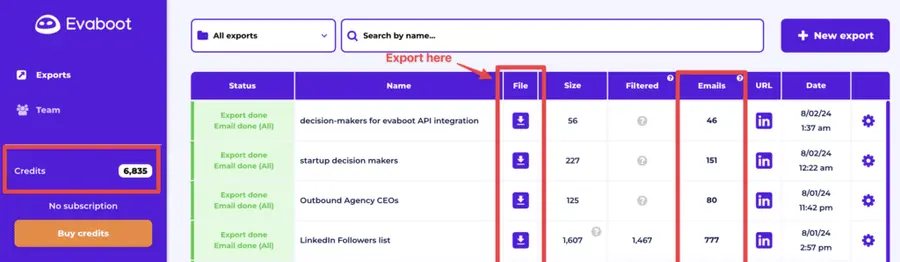
If the address is risky or old, it will be excluded from the list. (See the numbers in the size and emails columns)
You can import the exported file to a CRM or email outreach software and launch your campaign without concern.
Pricing
Evaboot’s pricing is credit-based.
The most basic plan starts at $9 for 100 credits.
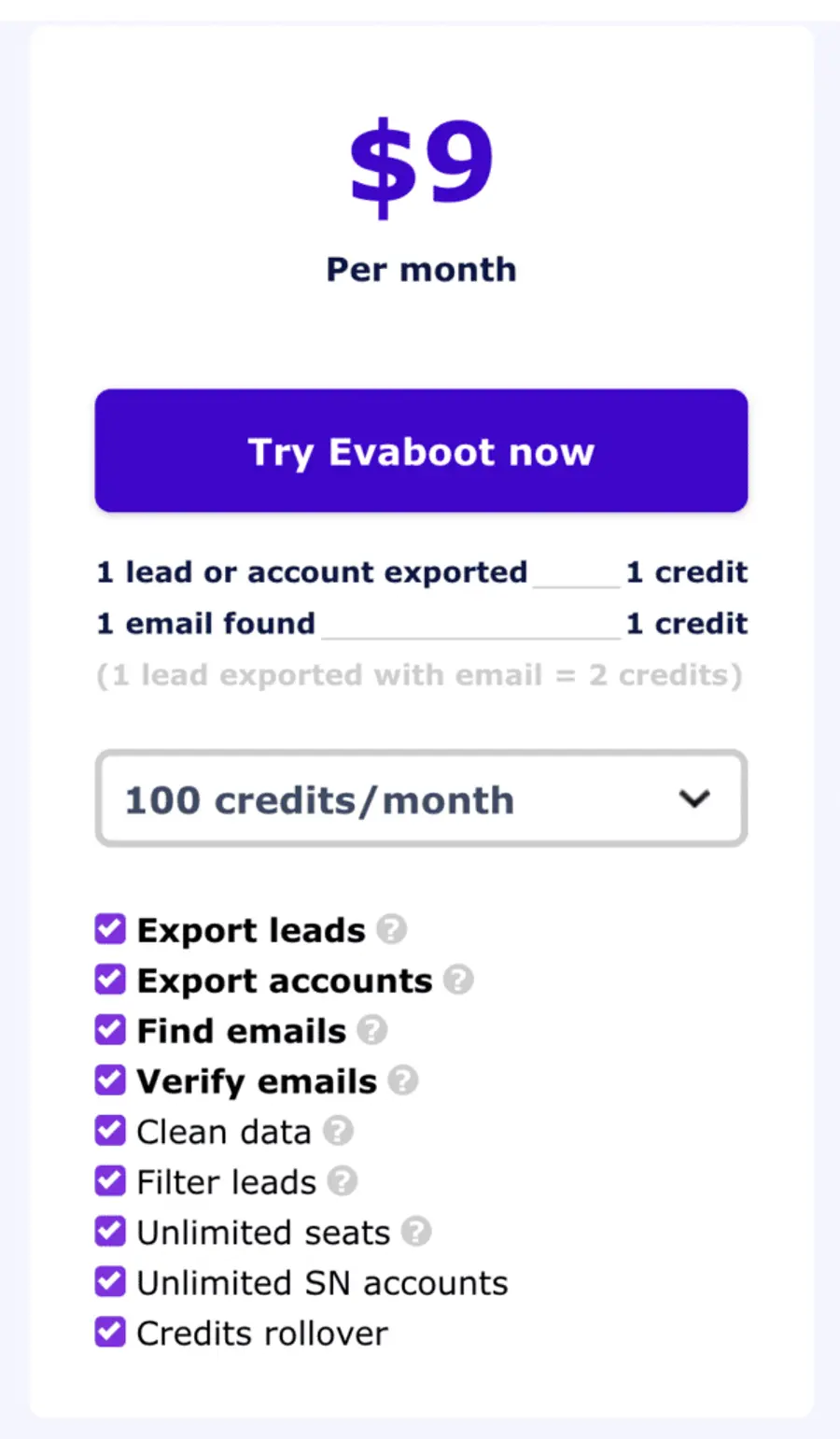
With Evaboot, you don’t have to worry about the quality and legality of the data.
You’ll have GDPR-compliant and verified emails ready to exploit in your next outreach campaign.
Pros
- Easy to use with Chrome extension
- Delivers ready-for-outreach CSV files in one click
- GDPR-compliant and verified emails
- Provides clean and up-to-date contact data
- Safe to use (won’t let you export more than 2500 leads per day)
- API access
Cons
- Requires a Sales Navigator account
2. ZoomInfo
4.4 out of 5 stars on G2
ZoomInfo is a B2B database and intelligence platform. It provides up-to-date information on decision-makers, companies, and market trends.
Check this tutorial on how to use ZoomInfo and create quality lead lists for sales, marketing, and talent acquisition:
Key Features
- B2B database and intelligence platform
- Provides up-to-date information on decision-makers
- Offers company and contact data
- Tracks market trends
- Advanced filtering capabilities
They collect all the emails, contact details, and company information in their database through data collection systems, ensuring that all business data is accurate, actionable, and compliant with privacy regulations.
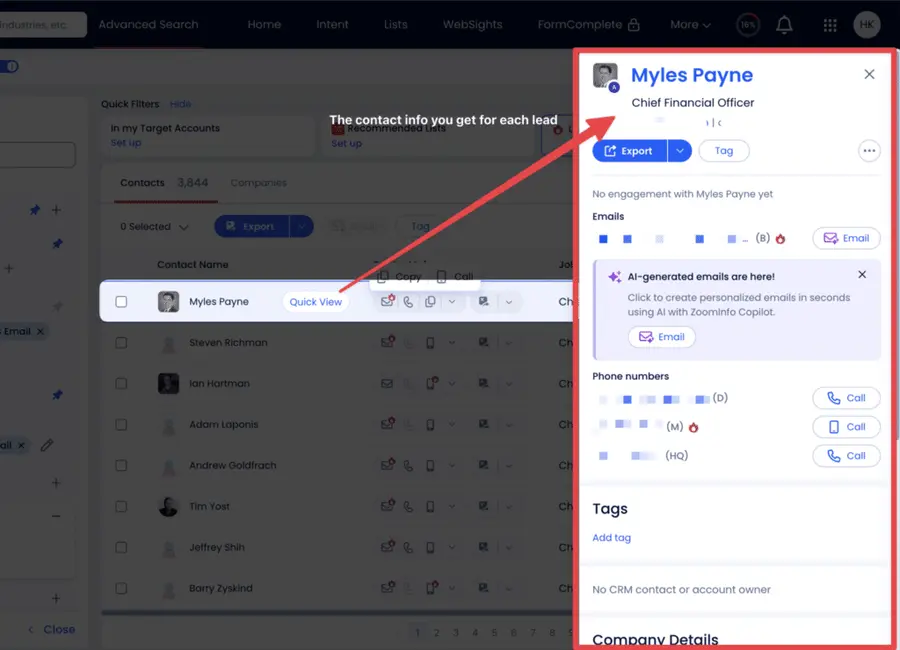
Moreover, they have a Google Chrome Extension that instantly scrapes phone numbers, email addresses, and key buying signals from LinkedIn and other websites.
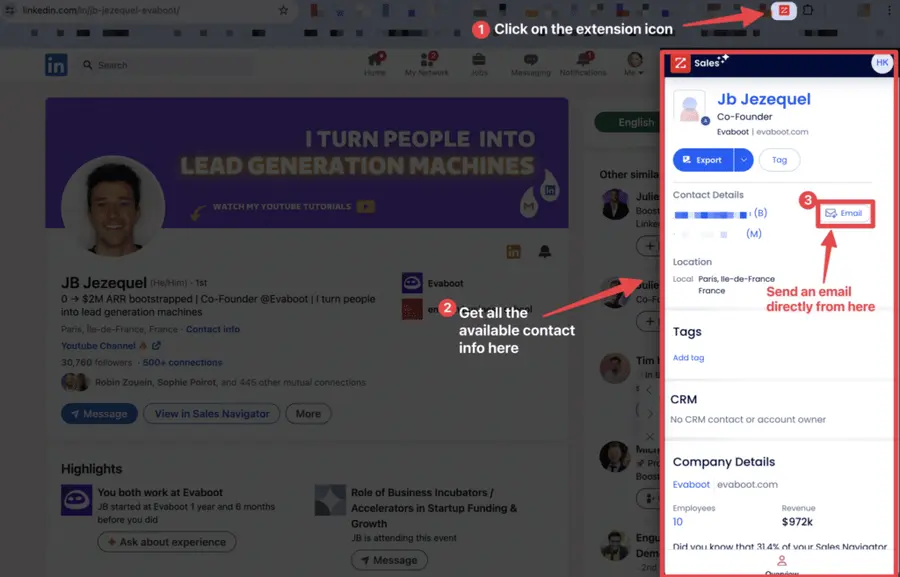
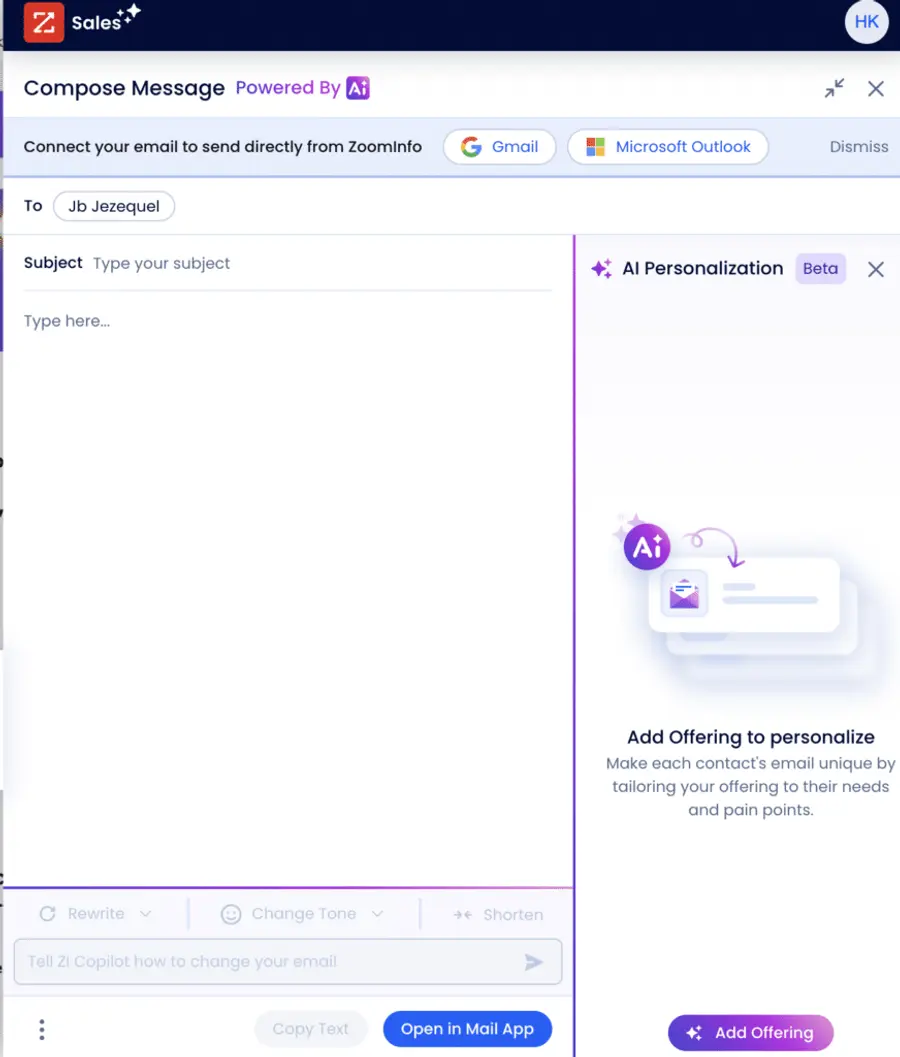
You can use its conversation intelligence, AI, to generate messages to contact the leads quickly.
It’s even more scalable with LinkedIn Sales Navigator.
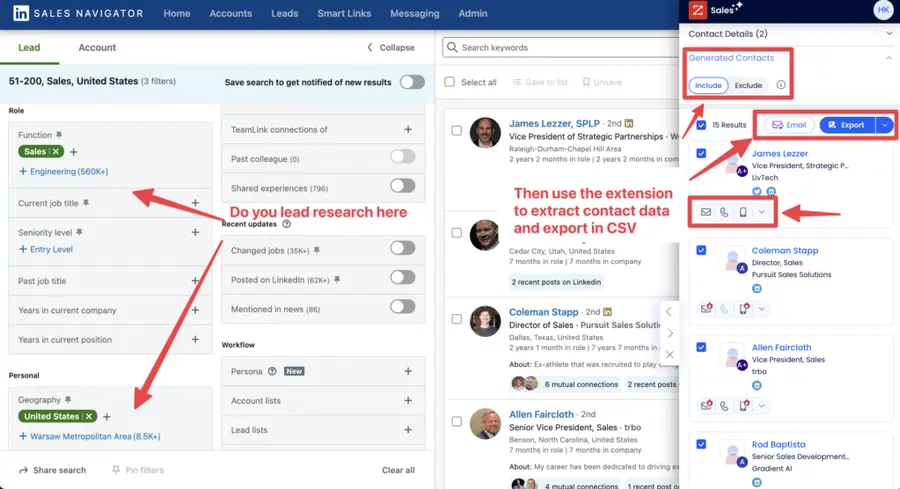
Once satisfied with your search results, you can create a prospect list directly in the extension and integrate it with your CRM without leaving Sales Navigator, which depends on the subscription plan you get.
However, using ZoomInfo only as an email lookup tool makes no sense.
It’s an expensive lead generation and research system suitable for big companies and enterprises.
Pricing
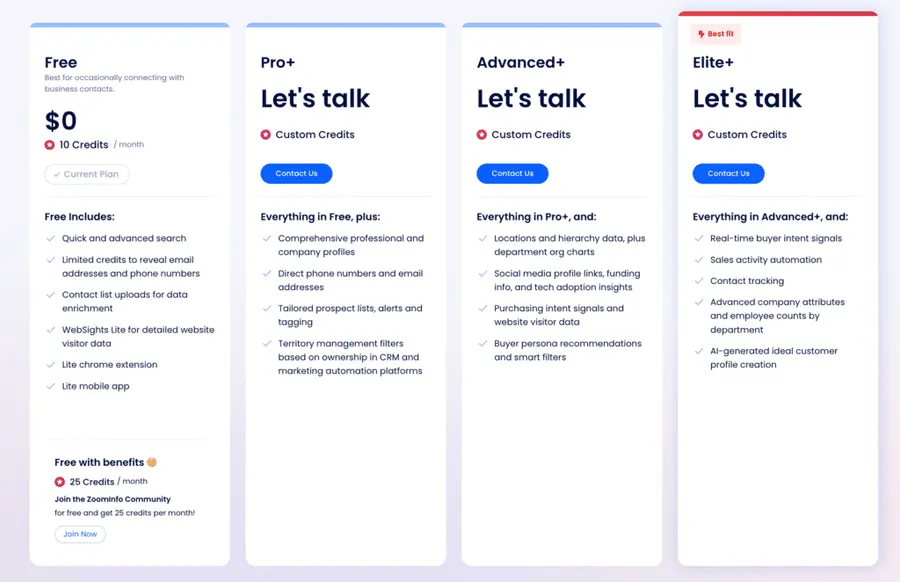
You need to schedule a demo call to get a 48-hour free trial or get ZoomInfo Lite (Community Edition).
Zoominfo Pricing plans start with ZoomInfo Copilot Pro for $14,995/year.
Pros
- Comprehensive database with accurate contact information
- Regular data updates
- Integration with major CRM platforms
- Advanced search filters
- Detailed company insights
Cons
- Higher price point compared to competitors
- Requires annual contract commitment
- Some users report occasional data accuracy issues
- Complex interface for beginners
3. Apollo.io
4.8 out of 5 stars on G2
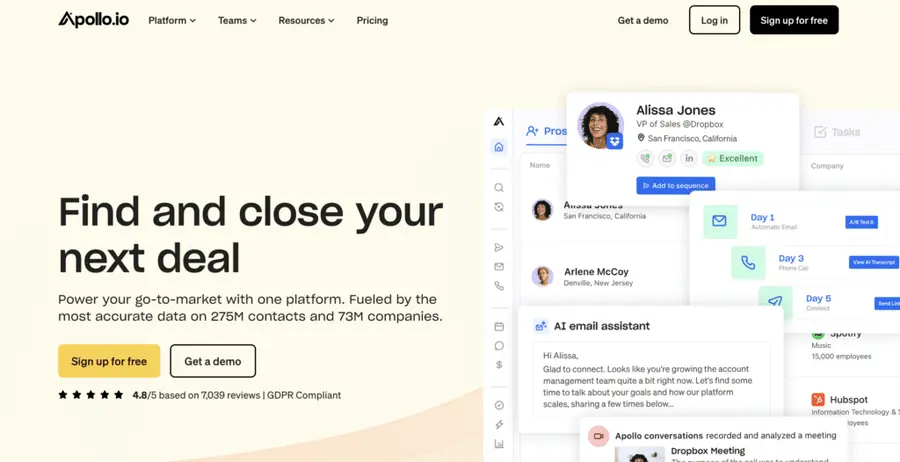
Apollo.io is an end-to-end sales platform.
With its extensive database and powerful AI features, you can:
- find the right prospects
- find emails
- send messages
- automate these workflows
- and close deals
Key Features
- Prospect & Enrich: Apollo provides access to over 275 million contacts, and 65+ criteria can be used to filter and identify qualified leads.
- Sales Engagement: Allows to engage with prospects via email, mobile numbers, SMS, chatbots, and social networks.
- End-to-End Workflows & AI
- Easy-to-use interface
- Google Chrome Extension to instant web scraping
Pricing
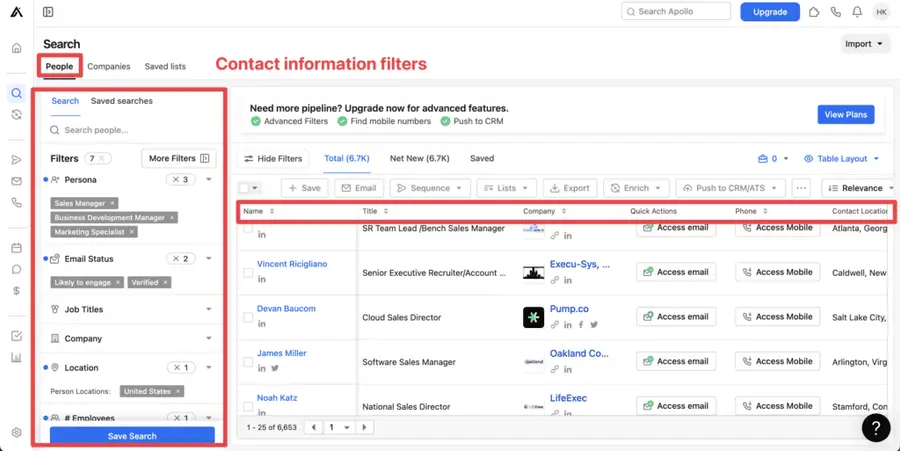
Its free plan includes features such as sequence automation and up to 250 daily emails.
Pricing plans start at $49 per month.
Pros
- Combines prospecting and engagement tools
- Free tier available with limited features
- Good data accuracy
- User-friendly interface
- Chrome extension for easy access
Cons
- Limited email verification in lower tiers
- Some users report incomplete data for certain industries
- Export limitations on free plan
- Can be expensive for small businesses
4. UpLead
4.7 out of 5 stars on G2
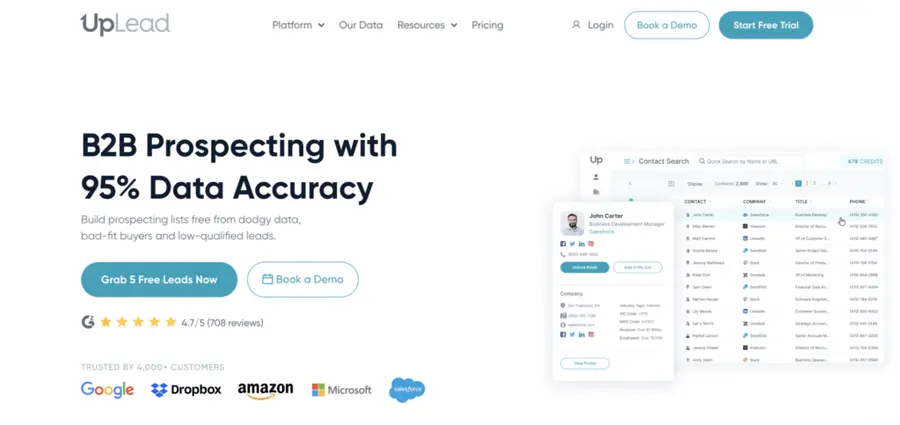
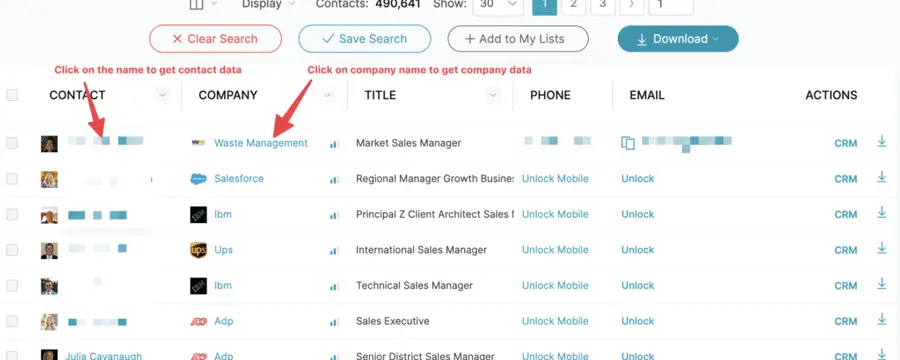
UpLead is a go-to source for identifying and authenticating B2B leads.
With more than 50 filters, you can pinpoint viable 40 million business contacts and 30 million decision-makers.
Key Features
- Extensive Contact Database
- Email Enrichment
- Chrome Extension
- CRM Integrations
- Over 50 Advanced Search Criteria
- Intent Data
Pricing
The UpLead trial gives you 5 free leads and one week to explore the platform.
During this trial period, you’ll have full access to all features, including those in the most expensive plans.
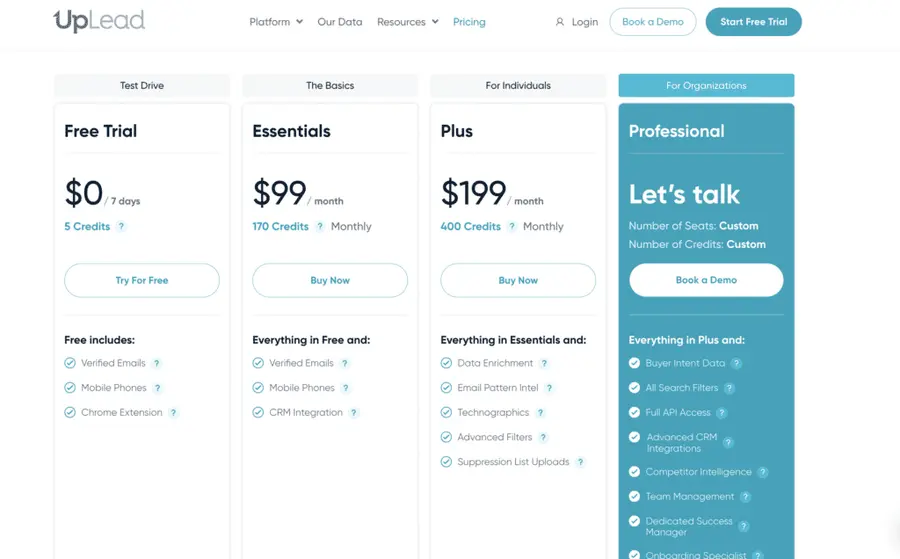
The basic plan costs $99/monthly or $890 annually ($74/monthly).
Pros
- Pay-as-you-go option available
- High data accuracy
- Credit refund for bounced emails
- User-friendly interface
- Comprehensive filtering options
Cons
- Limited features in basic plans
- Credits expire after 12 months
- Some international data may be less comprehensive
5. RocketReach
4.5 out of 5 stars on G2
RocketReach is an extensive and accurate database of professional and personal emails and phone numbers. 4.5 out of 5
It provides 620 million professionals across 20 million companies worldwide, all verified in real time.
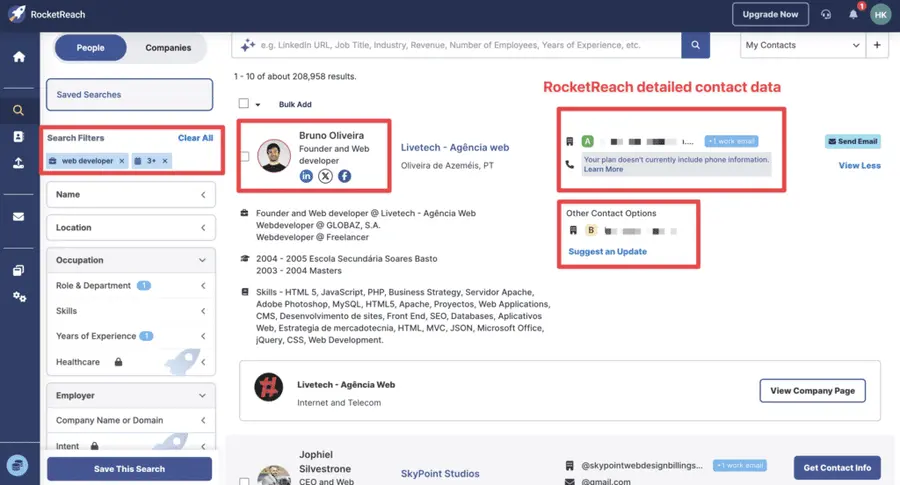
Their user-friendly search interface makes finding contacts in any industry or location easy.
Key Features
- Verified Email and Phone Number Data
- Company Search
- Contact Search
- Bulk Lookups
- Saved Searches
- Integrations
- Chrome Extension
- Intent Signals
- AI-powered search prompts
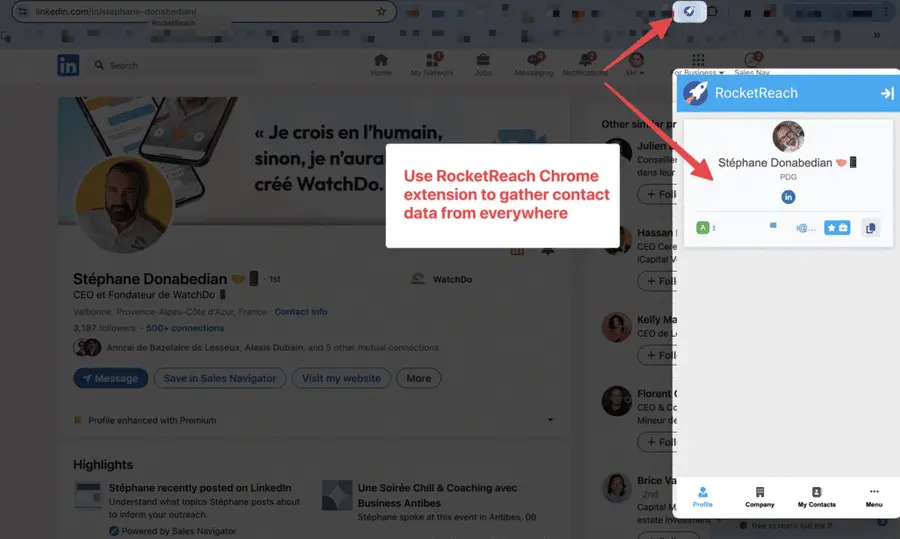
Pricing
RocketReach offers a free version with limited access to 5 free monthly lookups and basic features.
The Essential Plan costs $70/month for 70 lookups per user, including people search, personal and professional emails, browser extension, and 25 emails daily.
Pros
- Finds multiple contact methods (not just email)
- Intuitive user interface
- Good accuracy rate
- Bulk search functionality
- Browser extension for LinkedIn integration
Cons
- Limited searches on lower-tier plans
- Can be expensive for high-volume needs
- Some users report inconsistent data quality
- Customer support response times vary
6. Cognism
4.6 out of 5 stars on G2
Cognism is a sales intelligence platform providing accurate, high-quality, worldwide contact data for B2B lead generation.
With a focus on innovation, Cognism continually enhances its prospecting capabilities to meet its clients’ evolving needs.
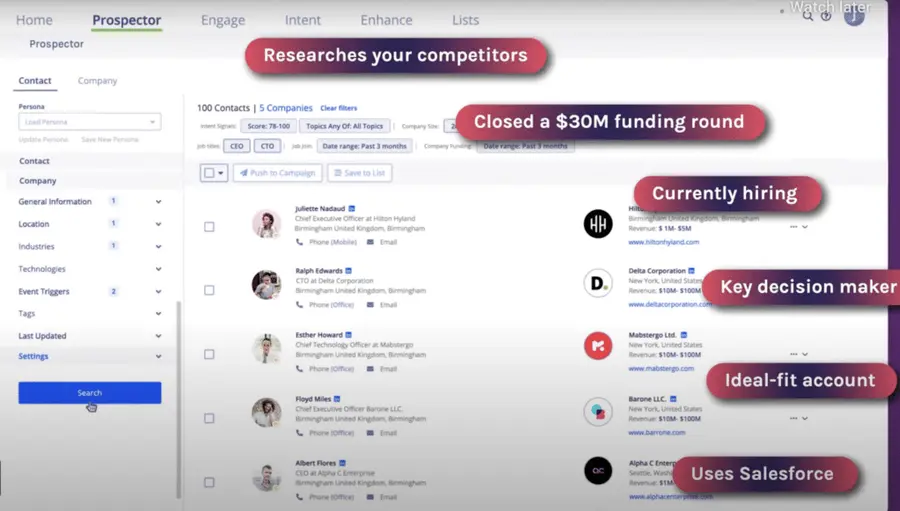
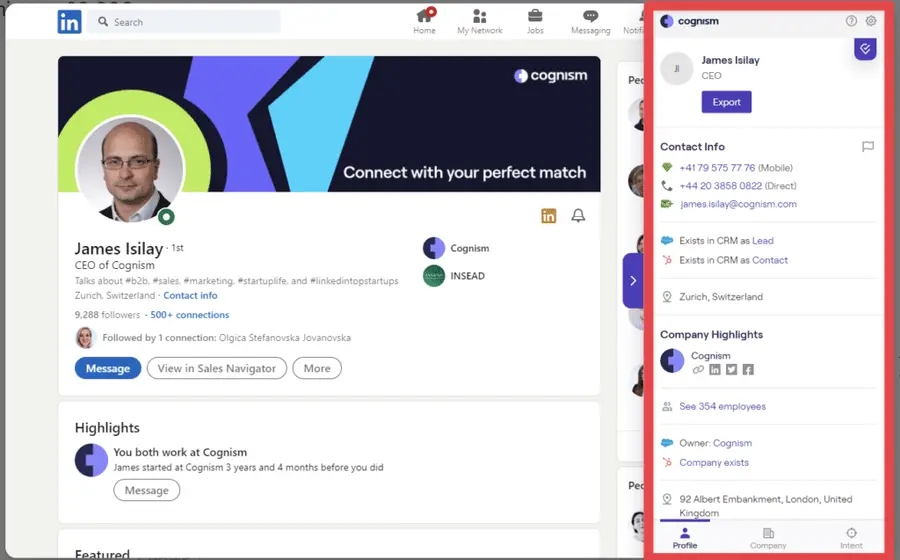
Cognism provides validated emails and verified mobile phone numbers of key prospects in your target accounts, ensuring you spend less time dialing the wrong numbers and more time talking to the right people.
Key Features
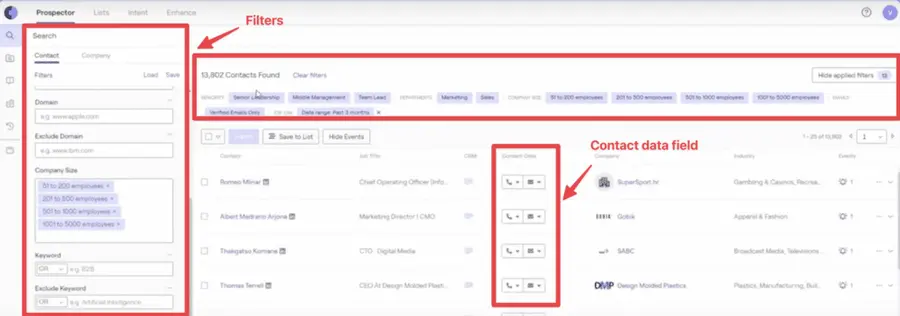
- An accurate and up-to-date global contact database
- Diamond Verified Phone Data®, providing sales teams with human-verified, accurate mobile numbers
- Complete data coverage in EMEA of over 200 million contacts and European data
- Intent data powered by Bombora
- Unlimited views and unrestricted exports at the individual and page level
- CRM Integrations, Sales Engagement, and Marketing automation
- Google Chrome extension for LinkedIn, sales engagement tools, and corporate websites.
Pricing
Cognism does not offer pricing tiers or a standard free trial but offers 25 free leads.
If you want to learn about Cognism pricing, book a live demo and talk to a sales representative.
Pros
- Strong compliance with international regulations
- High-quality international data
- Advanced filtering capabilities
- Regular data refreshes
- Good customer support
Cons
- Higher price point than many competitors
- Steep learning curve
- Primarily focused on enterprise clients
7. Hunter.io
4.4 out of 5 stars on G2
Hunter.io is a leading email search engine specializing in discovering and verifying professional email addresses across the web.
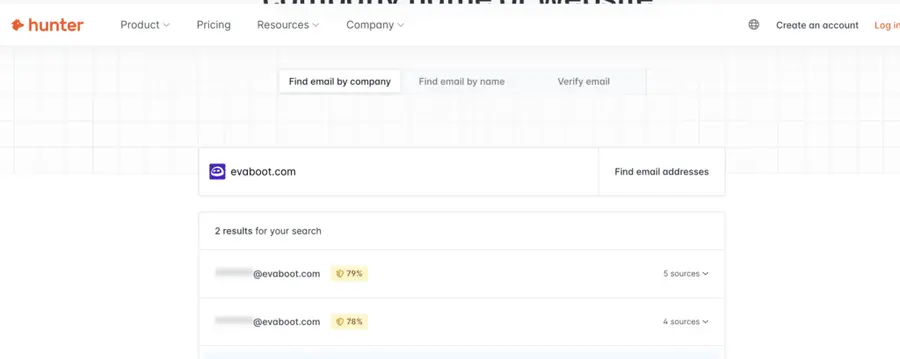
Hunter discovers emails via any company domain, company name, prospect name, Bulk email finder, API, Google Sheets Add-on, or Hunter plugin.
Key Features
- Finding professional email addresses associated with any domain
- Domain search to find all the publicly available email addresses associated with it
- Integrate Hunter.io with your CRM, such as HubSpot or Salesforce, to automate lead generation
- Perform bulk searches to find multiple email addresses at once
- Use the Hunter API to find emails
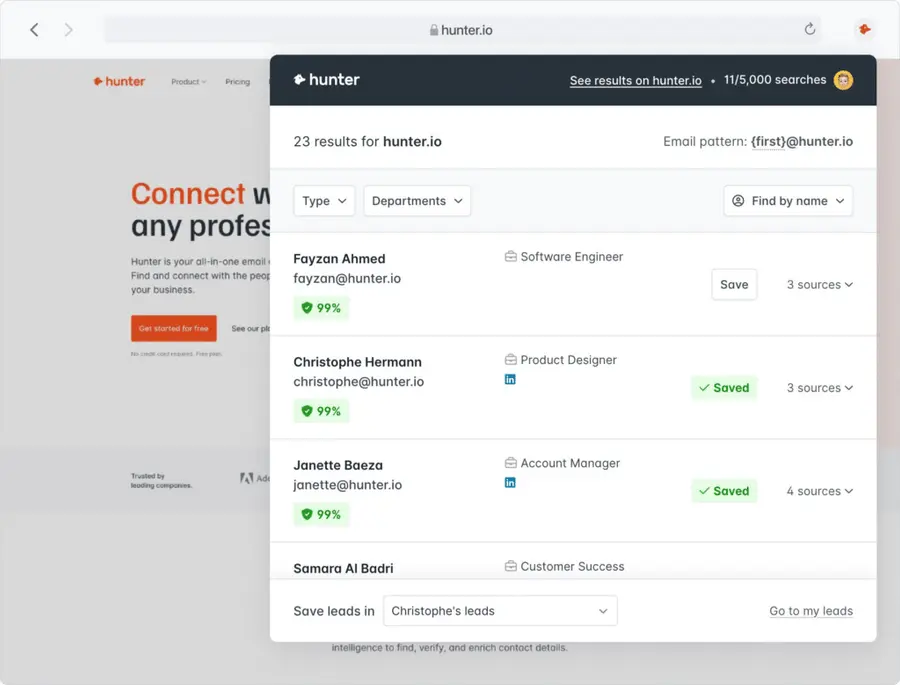
- Email Finder extension to find emails from the website you’re in
Pricing
You can try Hunter.io for free, which offers 25 searches and 50 verifications per month. The Starter Plan starts at €49/month, including 500 searches and 1,000 monthly verifications.
Pros
- User-friendly interface
- Transparent confidence score for emails
- Free plan available (limited searches)
- Affordable pricing tiers
- Good API documentation
Cons
- Limited features compared to all-in-one platforms
- Success rate varies by industry and company size
- Some users report accuracy issues with less common domains
8. Kaspr
4.4 out of 5 stars on G2
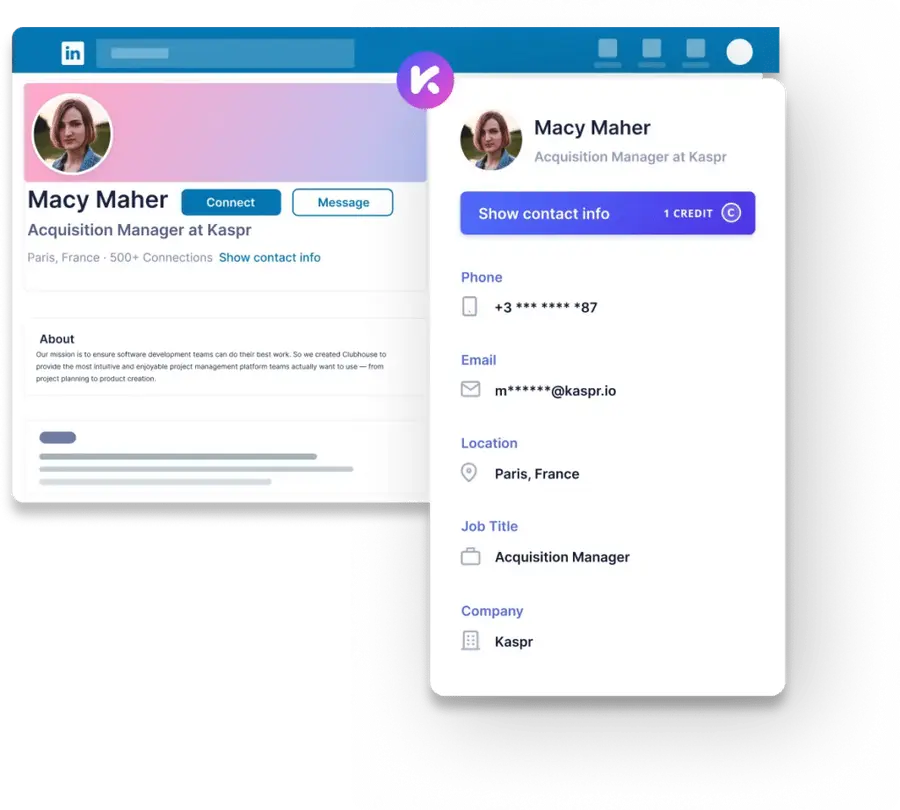
Kaspr is a LinkedIn email extractor that scrapes verified emails, phone numbers, and other company information.
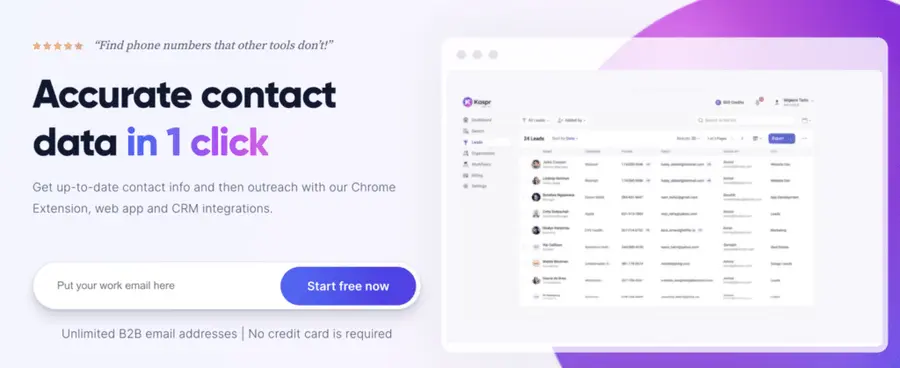
It scrapes LinkedIn’s social profiles, Sales Navigator, Groups, and Recruiter Lite.
Kaspr facilitates lead management, outreach automation, and seamless syncing with your CRM and tech stack.
It helps individuals, startups, sales and marketing teams, and recruiters find prospects and top candidates. It offers a database of 500M+ phone numbers and email addresses.
Key Features
- Access to LinkedIn Chrome extension, API, integrations, and lead management
- Accurate email and other contact details of your prospects
- Valuable insights and analytics on potential leads
- Manage and organize qualified leads directly within the platform
- Option to export contact details for seamless integration into your workflow
Pricing
You can try Kaspr for free, offering unlimited B2B email credits, 5 Phone, 5 Direct email, and 10 Export credits.
To use its advanced feature, you can upgrade your plan starting at $49 monthly.
Pros
- Easy LinkedIn integration
- User-friendly interface
- Team sharing capabilities
- Exports to major CRMs
- Good for social selling
Cons
- Requires LinkedIn account
- Limited functionality outside of LinkedIn
- Some users report occasional LinkedIn detection issues
- Higher price point for small teams
9. Lusha
4.3 out of 5 stars on G2
Lusha is another excellent prospecting and sales automation tool.
It’s a platform for finding accurate B2B emails and contact data and closing quality deals with your ideal customers.
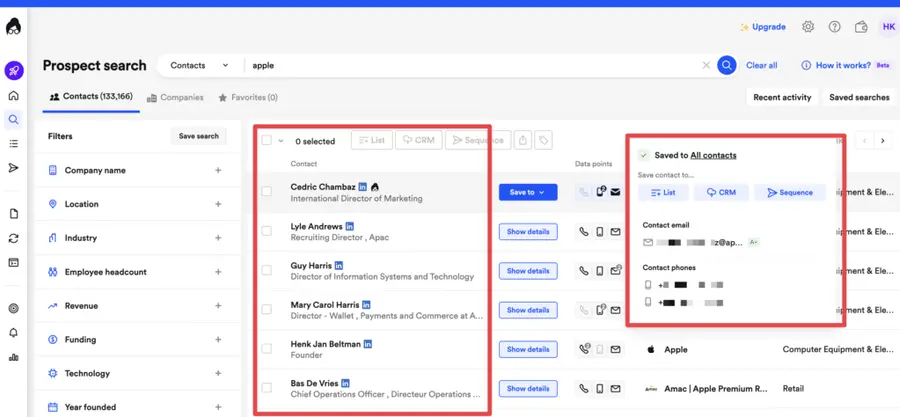
Lusha has 36 million C-level profiles, 100 million business profiles, and 15 million company profiles. It’s easy to find contact information for many top professionals and conduct company profile searches.
Key Features
- Automatic enrichment of your CRM with accurate and valuable data
- Dashboard analytics of your team’s performance and credit management
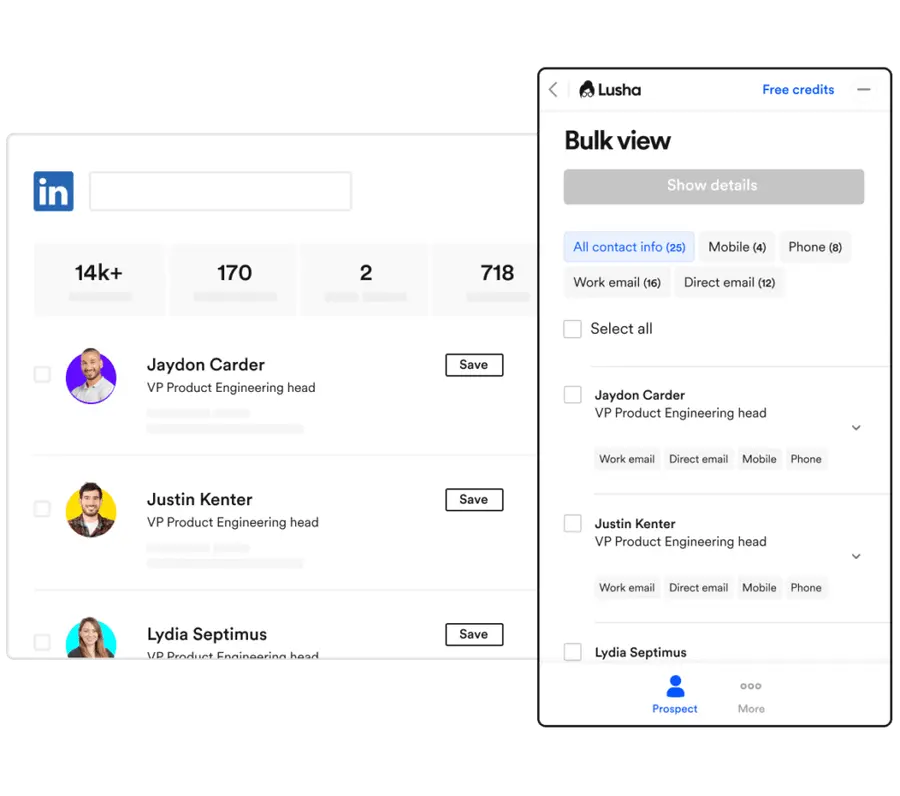
- Chrome Extension to add decision makers to sequences
- Native integrations and API to automate data syncing
- Extracts contact details directly from LinkedIn profiles, company websites, and other online sources
Pricing
Its free plan offers 5 credits to find emails, and the paid plans start from $39/month for 40 credits.
Pros
- Simple and intuitive interface
- Good accuracy for business emails
- GDPR and CCPA compliant
- Free plan available (limited credits)
- Quick setup process
Cons
- Limited credits on lower plans
- Some users report inconsistent data quality
- Price increases significantly for team plans
- Limited customer support on basic plans
10. Scrupp
4.8 out of 5 stars on G2
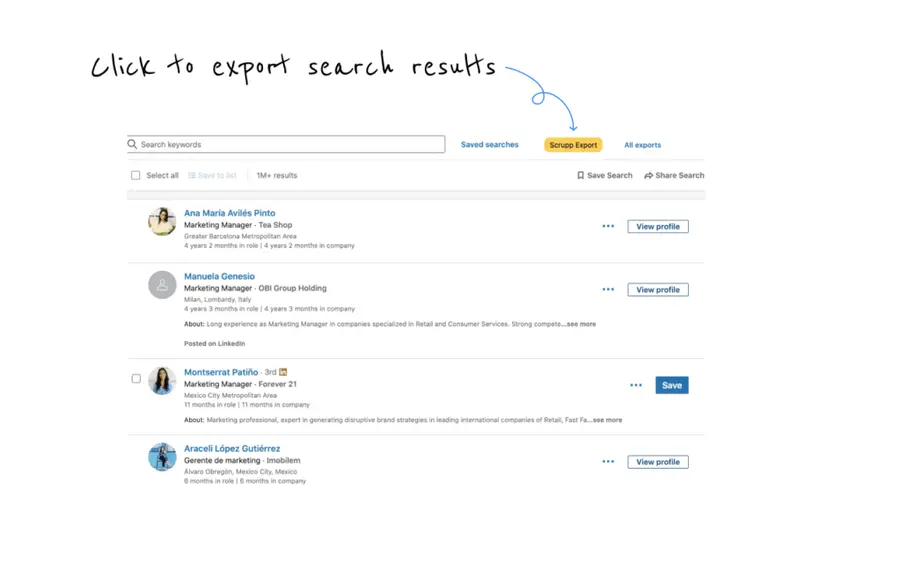
Scrupp is a LinkedIn and Sales Navigator scraping tool for efficient lead extraction and email finding.
It offers a one-click export of leads from Sales Navigator, ensuring clean lists suitable for email campaigns and CRM integration.
Key Features
- Google Chrome Extension to export leads from LinkedIn and Sales Navigator
- Email Finder: Finds professional, verified email addresses
- Unlimited Scraping: No limit on the number of pages for scraping
- Data Enrichment: Provides clean, usable data lists
Pricing
You can try Scrupp for free, which offers five credits. The paid plans start at $39/month for 40 credits.
Pros
- Affordable pricing
- Easy to use interface
- Good accuracy rate
- Quick verification process
- Responsive customer support
Cons
- Smaller database than major competitors
- Limited advanced features
- Less known brand with fewer integrations
11. Skrapp.io
4.0 out of 5 stars on G2
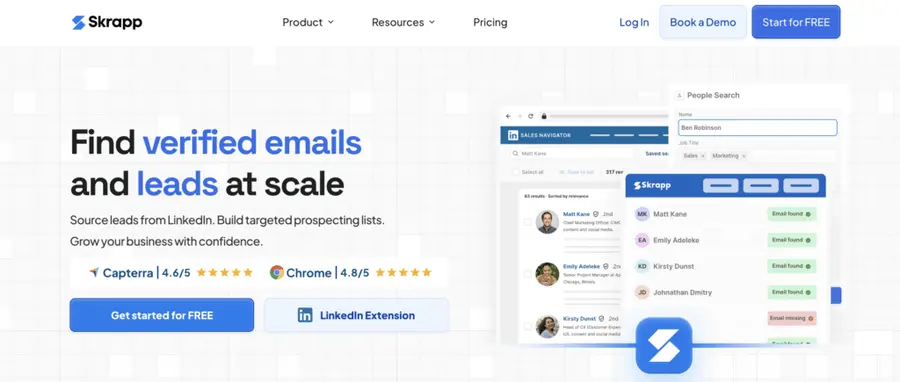
Skrapp is a B2B email scraper tool for setting up sales prospecting campaigns and helping professionals with outreach and email marketing campaigns.
It uses public data to find verified professional email addresses, reducing the time spent on email research.
Key Features
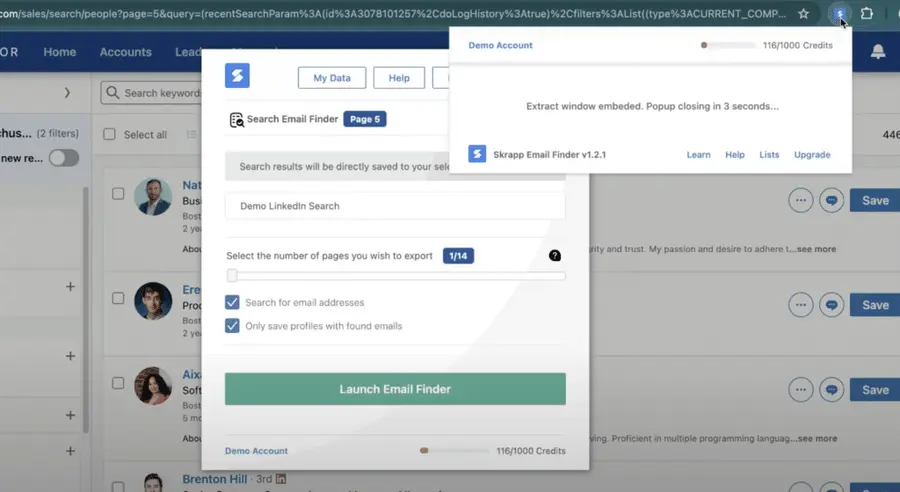
- Instantly find verified business email addresses on LinkedIn
- Launch email campaigns with accurate contact information
- Create segmented email lists with high deliverability
- Identify decision-makers and key employees with targeted searches
- Quickly export leads to your CRM, email marketing service, or CSV/Excel files
- Find emails directly from LinkedIn profiles with a Chrome extension
Pricing
You can use its free plan and get 100 monthly deliverable emails and 200 Email Verifications.
Or upgrade to paid plans, starting from €39 for 1000 monthly deliverable emails and 2000 Email Verifications.
Pros
- User-friendly interface
- Affordable pricing
- Good accuracy for business domains
- Bulk search capabilities
- Regular database updates
Cons
- Limited features compared to all-in-one tools
- Some users report occasional accuracy issues
- Customer support response times vary
12. Findymail
4.8 out of 5 stars on G2
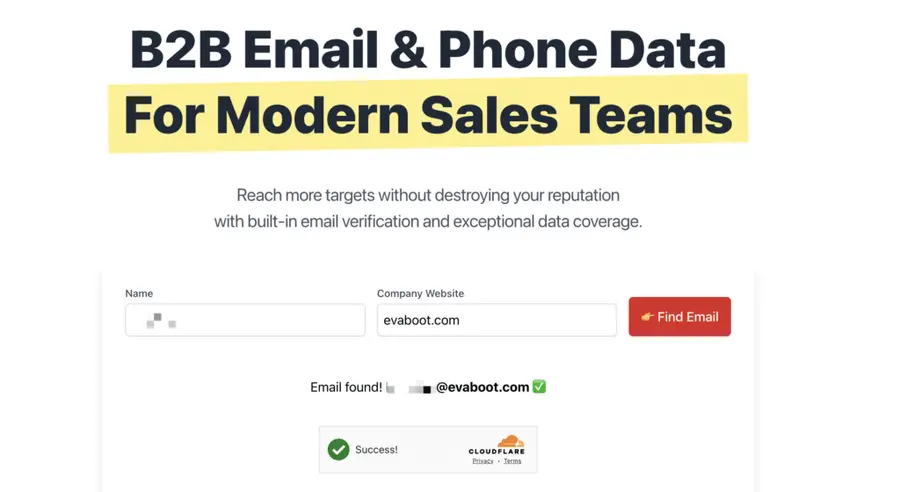
Findymail is a powerful B2B email finder tool designed to automate and streamline finding verified professional email addresses.
Findymail uses a proprietary algorithm to automatically export leads from platforms like Sales Navigator and Apollo, enrich them with accurate B2B emails, and clean your lists in seconds.
Key Features
- Great email finding coverage
- Less than 5% of bad email recommendation
- Linkedin and LinkedIn Sales Navigator scraper
- CRM enrichment
- A Chrome extension to export search results from prospecting platforms
- Native integrations with other sales tools
Pricing
Findymail offers a free trial to scrape your first 10 emails. The paid plans start from $49/month for 1000 valid emails.
Pros
- Affordable pricing
- Simple interface
- Pattern recognition technology
- Good for specific company targeting
- Responsive customer support
Cons
- Smaller database than major competitors
- Limited advanced features
- Less comprehensive than all-in-one platforms
13. Seamless.ai
4.3 out of 5 stars on G2
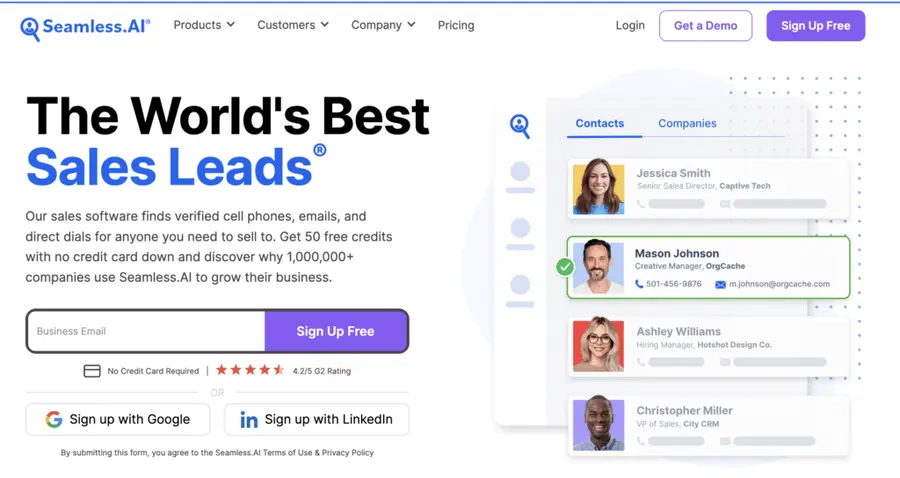
Seamless.ai is a sales software that allows you to find verified cell phones, emails, and direct dials for everyone you need to sell.
With Seamless.ai, you can build your sales pipeline, shorten your sales cycle, and close more deals at a higher rate.
Key Features
- B2B Sales Leads Search Engine: Less sales prospecting, more selling
- Chrome Extension: Find contact details, identify prospects, and add them to your CRM from anywhere online
- Pitch Intelligence: Get customized insights for each of your contacts
- AI-powered search to refine and personalize your search results
- CRM integration, such as Salesforce or HubSpot, to automate lead management
- Bulk email search and Export features to extract your contact lists to CSV files or sync with your CRM

Pricing
You can try the free plan starting from 50 free email credits.
Paid plans start at $147/month for 250 credits.
Pros
- Advanced AI technology
- Unlimited verified contacts on paid plans
- Good accuracy rate
- User-friendly interface
- Regular data updates
Cons
- Higher price point than many competitors
- Limited functionality on free plan
- Some users report learning curve
- Occasional sync issues with CRMs
14. GetProspect
4.0 out of 5 stars on G2
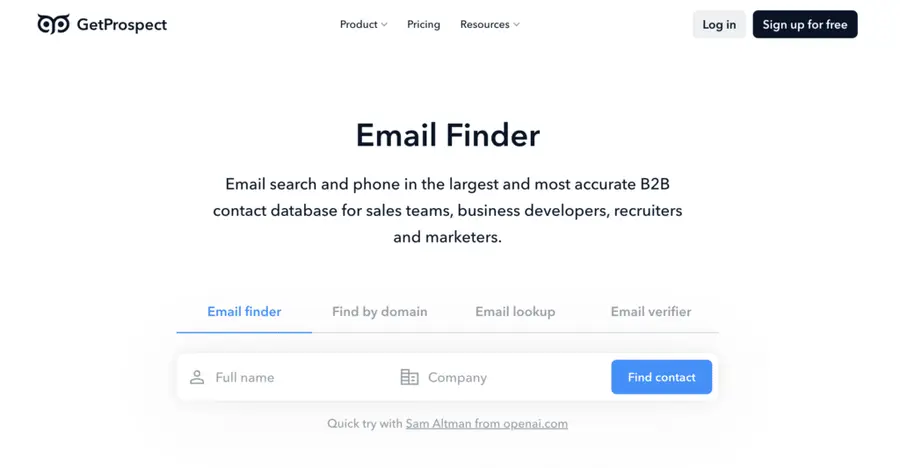
GetProspect is designed to help businesses and professionals find verified emails, particularly from LinkedIn profiles.
It offers an extensive B2B database of over 200 million contacts, enabling users to quickly collect email addresses and free up time for crafting compelling outreach content.
Key Features
- Find email addresses in bulk and single format using advanced 17+ filters
- Find email addresses by up to 50k domains at a time
- CRM format pages for each company and contact with detailed info
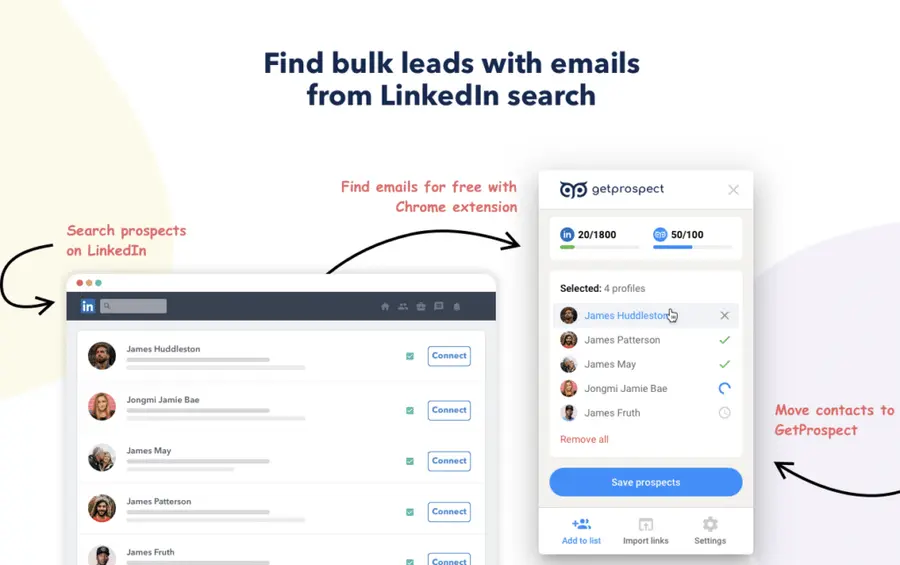
- Chrome extension to search for leads on LinkedIn and any company’s website
- API for the email finder feature
- Integration with Zoho, HubSpot, Pipedrive, Salesforce, and 5000+ connections via Zapier
Pricing
GetProspect offers a free version with 50 email searches and 200 monthly verifications.
Their paid plans begin at $49 monthly for 1000 email searches and 2000 verifications.
Pros
- Affordable pricing
- User-friendly interface
- Good accuracy for business emails
- Bulk operations capability
- Regular database updates
Cons
- Limited features compared to premium tools
- Some users report occasional accuracy issues
- Customer support can be slow
15. Snov.io
4.6 out of 5 stars on G2
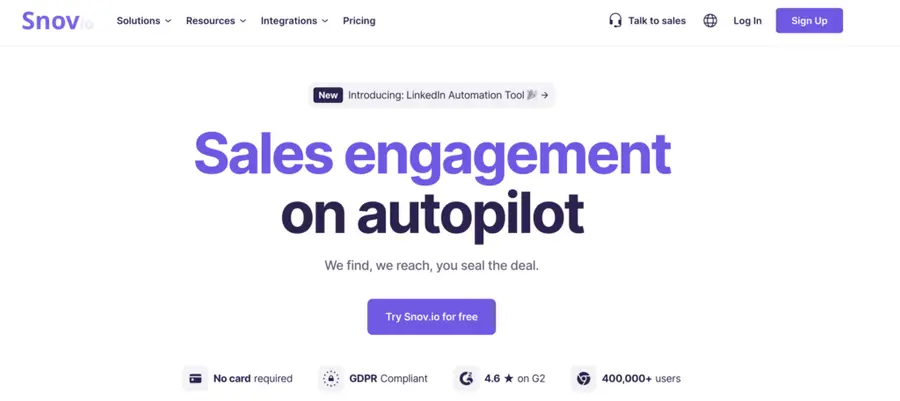
Snov.io is a sales engagement and automation platform for SDRs, SMB owners, and lead-generation managers looking for a solution to optimize their sales and grow their businesses.
Key Features
- Find and collect pre-verified ICP leads
- Boost lead engagement by combining email and LinkedIn touchpoints
- Automate you follow-ups
- Verify your lead emails to reduce the bounce rates
- Warmup your emails
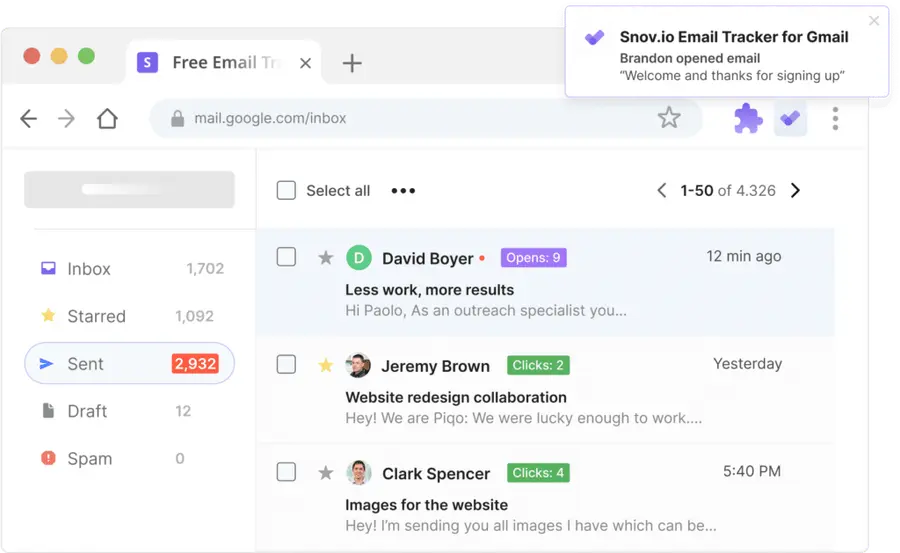
- Free opens and link clicks tracker extension for Gmail
- Optimize your sales team workflow with CRM integration
- Easily find leads with click-and-collect Chrome Extension
Pricing
You can try Snov.io for free, with 50 credits and 100 email recipients.
The starter plan is $39/month for 1000 credits and 5000 email recipients.
Pros
- All-in-one platform (finding and outreach)
- Affordable pricing
- Lifetime free plan available
- Good accuracy rate
- User-friendly interface
Cons
- Limited credits on lower plans
- Some users report deliverability issues with email campaigns
- Learning curve for full platform utilization
- Occasional slow performance during bulk operations
What Is Email Scraping?
Email scraping means using tools to extract email addresses from online sources such as web pages, social media platforms such as LinkedIn, and other online sources.
Email scraping is considered legit, especially in lead generation, while it is often associated with spammers and cybercriminals who use it for unsolicited emails or phishing.
These tools dramatically speed up building a contact list, allowing sales and marketing teams and directories to collect hundreds of potential leads in minutes compared to the slow and error-prone manual collection method.
However, it’s crucial to ensure that email scraping is done legally and in compliance with privacy regulations such as GDPR or the CAN-SPAM Act to avoid legal issues and protect individuals’ privacy.
Is Email Scraping Legal?
Email scraping is generally legal if you are extracting publicly available information.
However, legality depends on how you use the data you collect and your compliance with relevant laws and data regulations.
While scraping emails from public sources is legal, verifying that the emails are accurate and current is essential to avoid sending messages to inactive or incorrect addresses.
Following email scraping best practices will help you prevent your cold emails from going to spam and keep your email deliverability high.
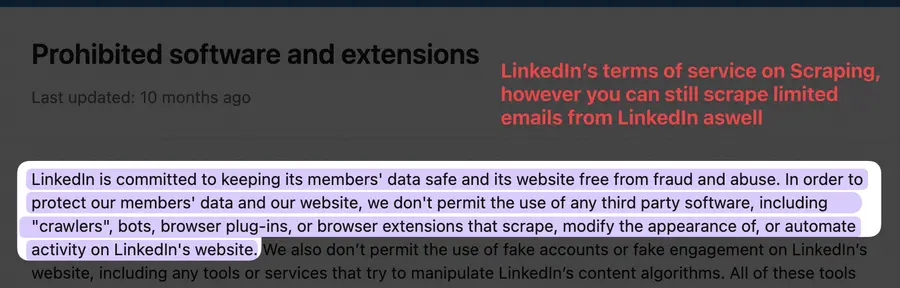
While scraping public information is legal, some websites specifically prohibit it in their terms of service.
Always check the site’s terms and conditions before using an email scraping tool to avoid potential legal issues.
Key Takeaways
Incorporating email scraping tools into your lead generation campaigns or marketing strategy saves time and resources that can be invested in copywriting and quality email campaigns that drive business growth and high ROI.
Each tool offers different features, whether you want to extract emails from social media profiles or need a comprehensive web scraping solution.
By choosing the right tool for your specific needs, you can gain a competitive advantage by building a more accurate and relevant prospect list.
FAQs
Can I scrape emails with AeroLeads?
Yes, AeroLeads is a Chrome extension that allows you to find and scrape your prospects’ emails and phone numbers.
It is powerful prospecting and sales intelligence software that works with sites like LinkedIn and LinkedIn Sales Navigator. It even allows you to upload your lists to enrich them with data.
Should I Personalize cold emails for High ROI?
Yes, cold email personalization is a critical step in increasing ROI.
It allows you to tailor your message to a specific person and their needs, interests, and pain points, making your outreach more relevant and engaging. This approach increases the likelihood that your emails will be opened, read, and acted upon, resulting in higher response rates and improved ROI.
Therefore, personalizing cold emails is a critical strategy for maximizing the effectiveness of your email marketing campaigns.
What Data Email scraping tools scrape?
Email scraping tools typically extract email addresses (primary function), names and surnames, job titles, LinkedIn URLs, company data, company website URLs, the number of employees, etc.
All this data can be used to personalize your cold emails and ideal prospect and company profiles.
Why Should I Use Email Scraping Tools?
Email scraping tools are essential for businesses to streamline lead generation. They automate the collection of email addresses and let you build quality lead lists.
This allows you to focus on launching personalized marketing campaigns that engage your audience and drive conversions.
Should you use cold emailing to grow your business?
Cold emailing can be a powerful tool for growing your business when you do it right. While cold emails are often seen as intrusive, they can achieve high response rates and ROI when well-crafted and targeted.
Successful cold email campaigns typically see response rates between 2% and 10%, and the best campaigns can achieve rates of over 40%.
This makes cold email one of the most effective strategies for reaching new customers and growing your business, especially when it is personalized and targeted to the right audience.
Can I prevent my email from being scraped?
Yes, you can prevent your email from being easily scraped by using email obfuscation techniques.
Obfuscation involves changing how your email address is displayed on websites, making it harder for automated scraping tools to detect.
Simple methods include writing your email as “email [at] domain [dot] com” instead of the standard format.
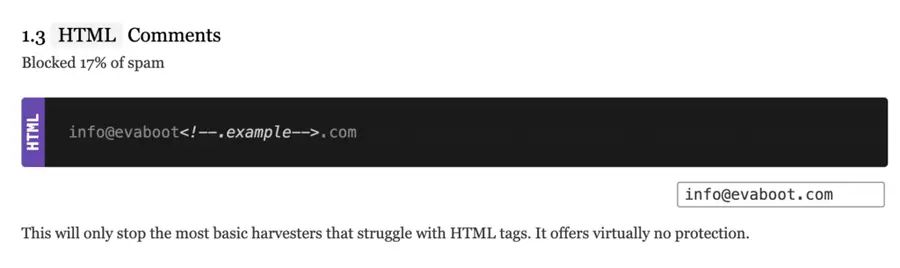
More advanced techniques include using JavaScript to encode your email address or converting it to an image visible to humans but unreadable to bots.
Disclosure
This content was partly written by AI (ChatGPT 4), I added my own perspective, fact-checked it and made sure it is helpful for you.


